









 New features
Quotes, bank matching and the year's accounts for halls
HallPro now takes a booking from quote to accounts: send a quote the hirer accepts online, match the bank statement to your invoices, and have the year's receipts and payments account ready for the AGM. Hirers can ask to move a booking and record how they found the hall.
Quotes hirers accept online
Choose the room, dates, extras and deposit and send the quote. When the hirer presses Accept and book, the booking and the deposit invoice are made for you. Standard plan.
Bank statement matching
Upload the statement from online banking as a CSV, check the suggested matches and save. The paid invoices are marked for you. Standard plan.
Spending and the year's accounts
Record payments with a receipt photo, set a budget, and open the receipts and payments account for the AGM. Standard plan.
Friends of the hall
Levels with a discount on hire, and joining and renewing on your website. Standard plan.
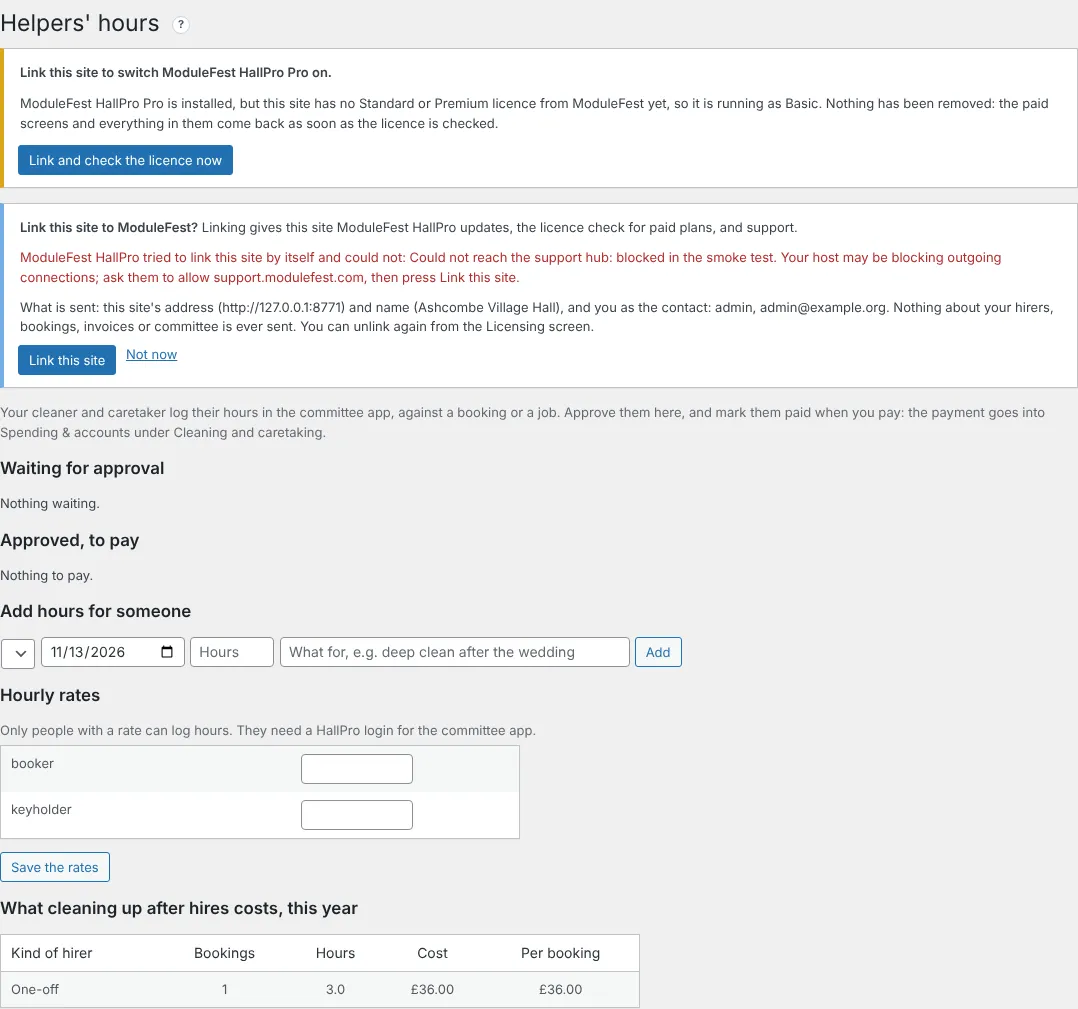
Helpers' hours
The cleaner logs hours in the committee app, and you approve and mark them paid. Standard plan.
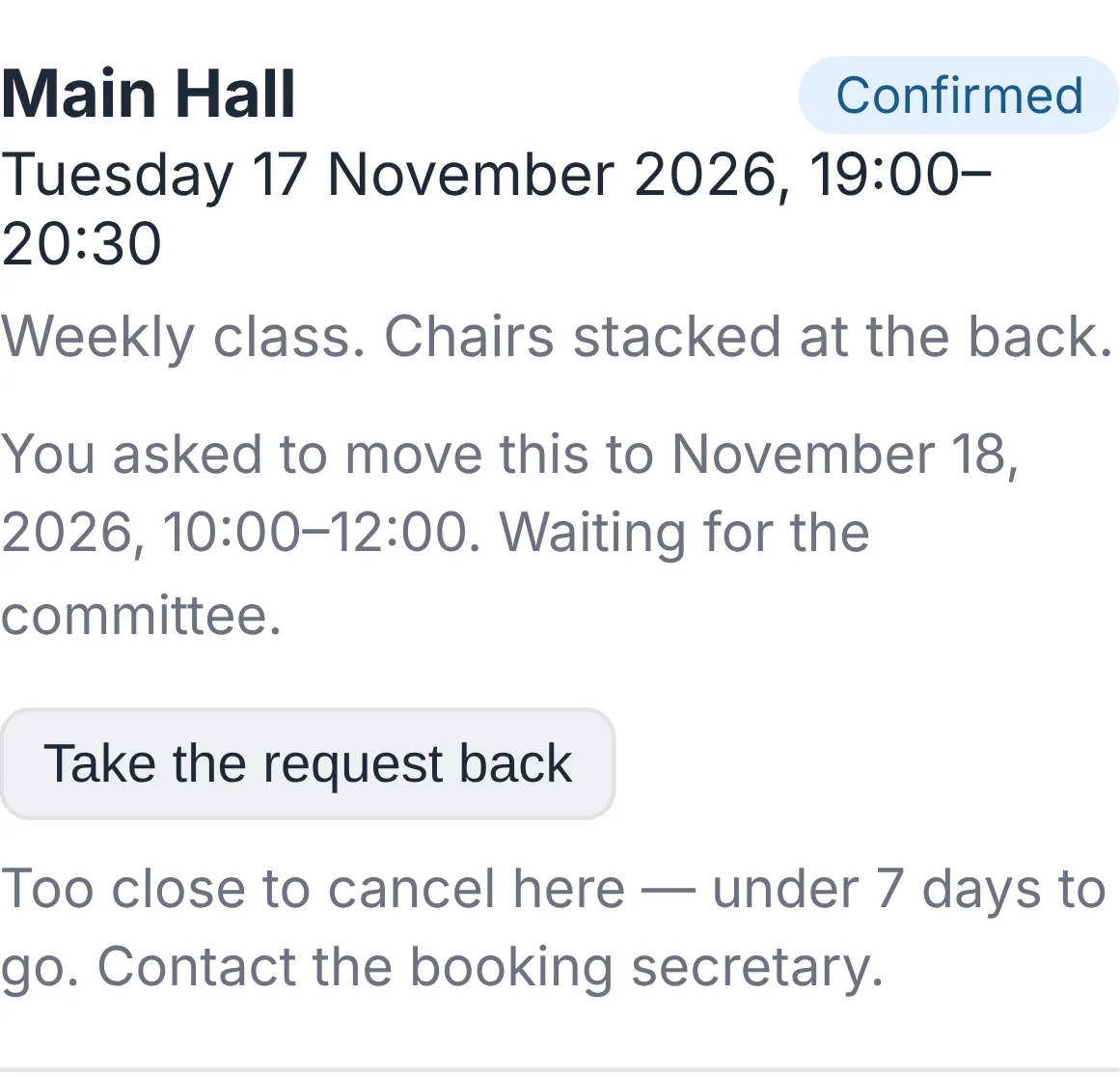
Hirers ask to move a booking
The hirer asks in their app, HallPro checks the hall is free, and you agree in one click. On every plan.
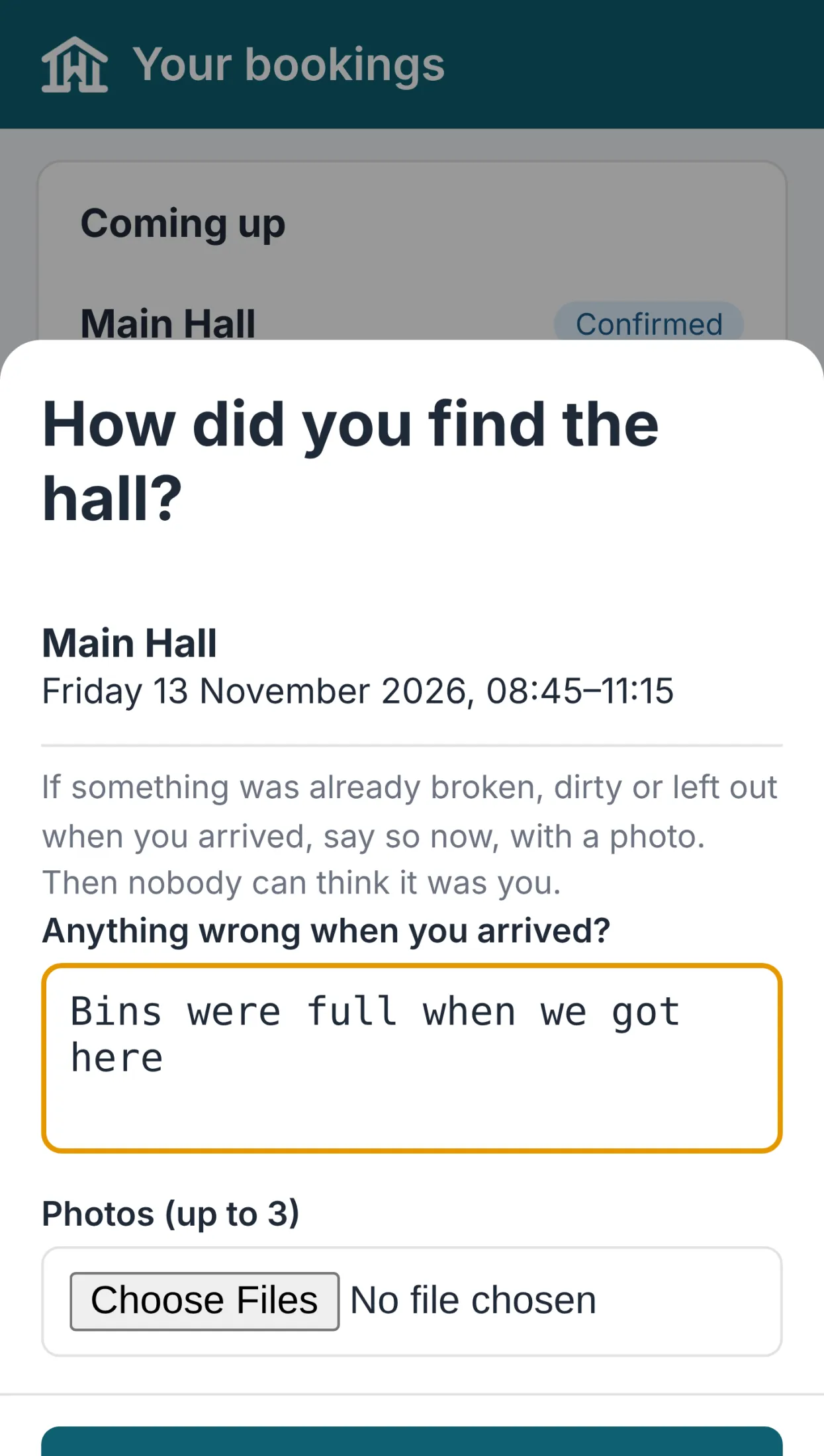
Arrival check and invoice cards
Hirers record how they found the hall, with photos, and see every invoice as a card with a View & Pay button. A wedding weekend can now be one booking, and a hirer can have more than one contact. On every plan.
Notes de version
0.113.40November 13, 2026
One booking can now cover a whole weekend or week.
Find it at Bookings.
- Give the start, for example Friday 17:00.
- Give the finish on a later day, for example Sunday 12:00.
- Save.
- It is checked for clashes over the whole time.
- It shows on the job sheet and foyer screen on every day it covers.
- Each day is priced within your opening hours and added up.
- Free on every plan.
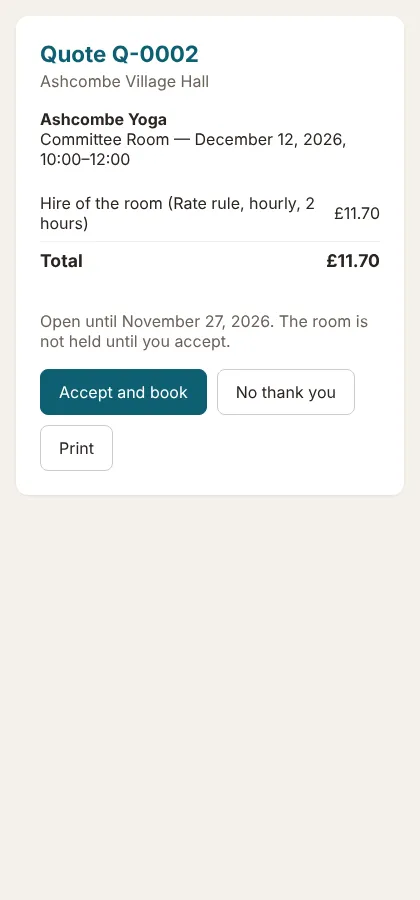
Envoyez aux locataires un devis qu’ils peuvent accepter en ligne, et la réservation se fait toute seule.
Retrouvez cette option dans Bookings › Quotes.
- Cliquez sur New quote et sélectionnez le locataire, la salle, les dates, les options et l’acompte.
- Cliquez sur Save and send to the hirer.
- Le locataire ouvre le lien et clique sur Accept and book.
- L’acceptation vérifie que la salle est toujours libre et crée une réservation confirmée, options comprises.
- Le locataire reçoit un rappel trois jours avant l’expiration du devis.
- Inclus dans le forfait Standard.
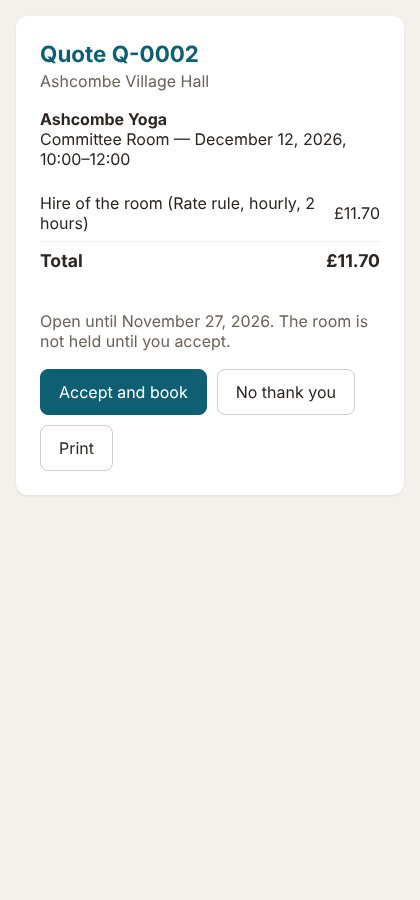
La page de devis 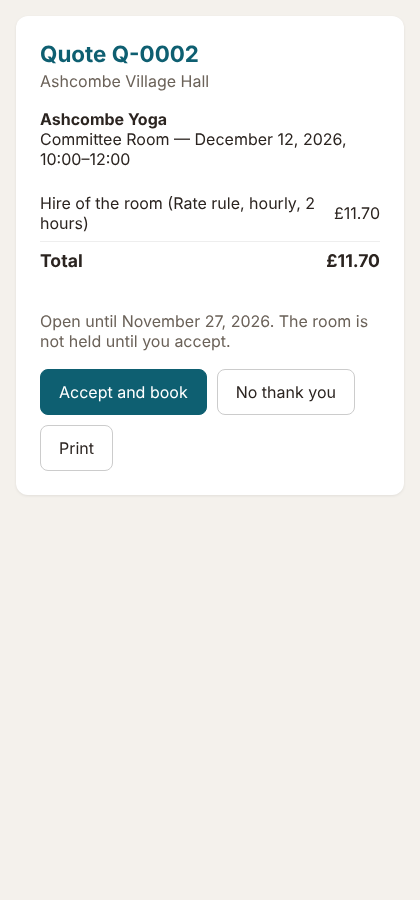
Votre personnel d’entretien enregistre ses heures sur son téléphone ; vous les approuvez et les payez en deux clics.
Retrouvez cette option dans Committee › Helpers' hours.
- Définissez le taux horaire de l’assistant.
- Il appuie sur Log my hours sur la page Today de l’application du comité.
- Vous appuyez sur Approve, puis sur Mark paid lorsque vous effectuez le paiement.
- Le paiement est automatiquement comptabilisé dans Spending & accounts.
- Découvrez le coût du nettoyage pour chaque type de locataire.
- Disponible avec le forfait Standard.
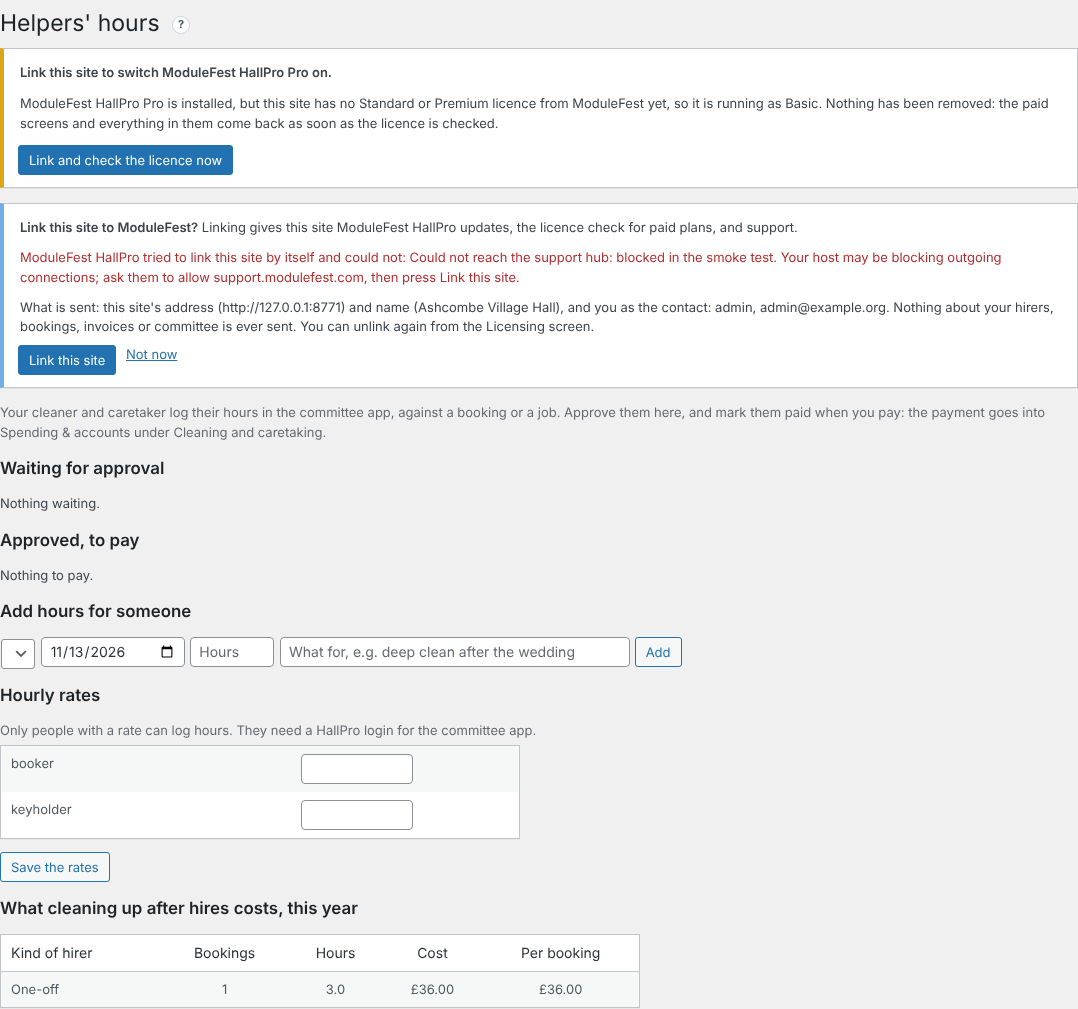
Helpers' hours 
Ajoutez le trésorier, le responsable des clés et d’autres personnes à un client, chacun recevant ce dont il a besoin.
Retrouvez cette option dans Hirers, sur la fiche d’un client.
- Sous Other contacts, ajoutez un nom et un e-mail.
- Cochez ce qu’ils reçoivent : factures, confirmations de réservation, code de la porte ou leurs propres identifiants de connexion à l’application.
- Cliquez sur Add contact.
- Les copies sont uniquement envoyées avec les e-mails destinés au client.
- Gratuit sur tous les forfaits.

Other contacts 
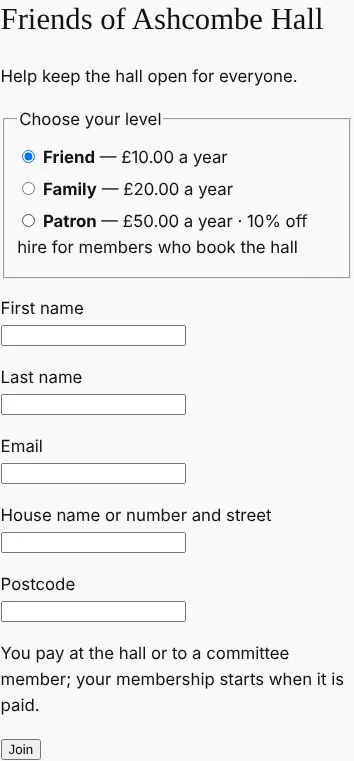
Gérez votre programme des Amis de la salle dans HallPro : adhésion en ligne, renouvellements et réduction sur la location.
Retrouvez cette option dans Community › Friends of the hall.
- Définissez vos niveaux et vos réductions sur la location.
- Cochez Let people join and renew on the website et créez la page d’adhésion.
- Les membres adhèrent et paient par carte, ou règlent directement à la salle.
- Les e-mails de renouvellement sont envoyés un mois avant ; les adhésions impayées expirent un mois après.
- Les locataires associés bénéficient automatiquement de leur réduction.
- Disponible avec le forfait Standard.
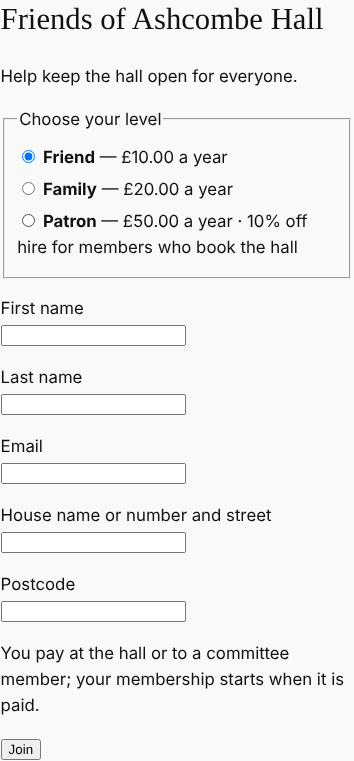
La page d’adhésion 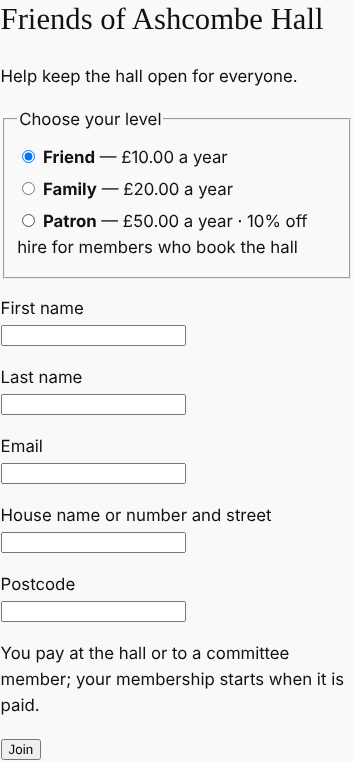
0.113.38November 13, 2026
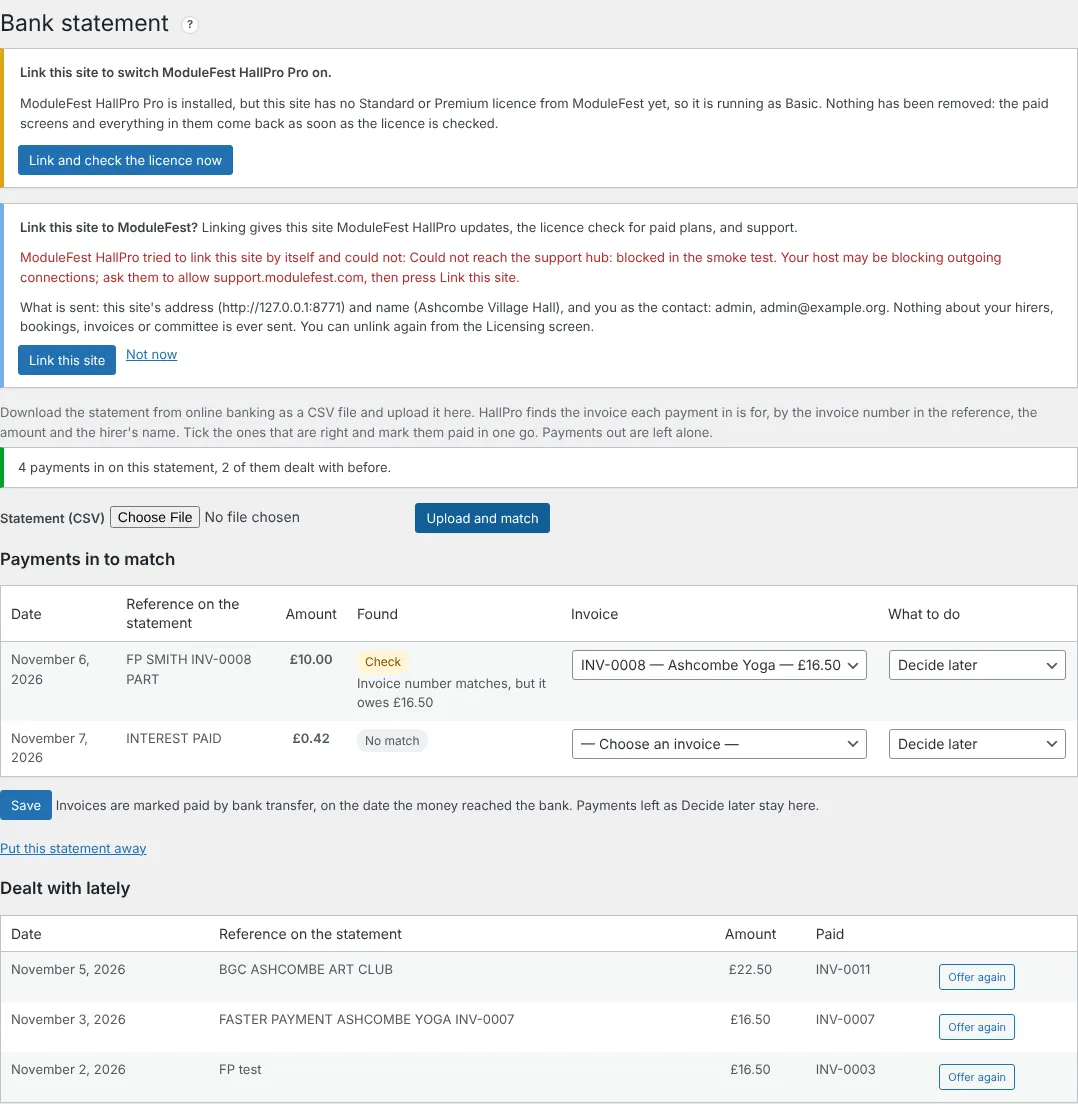
Upload your bank statement and HallPro marks the paid invoices for you.
Find it at Money › Bank statement.
- Download the statement from online banking as a CSV file.
- Upload it and press Upload and match.
- Check the suggestions and press Save.
- Match: the invoice number and amount are right.
- Likely: the amount and the hirer's name are right.
- Check: look before you mark it paid.
- Invoices are marked paid on the date the money reached the bank, and the same payment is never offered twice.
- On the Standard plan.
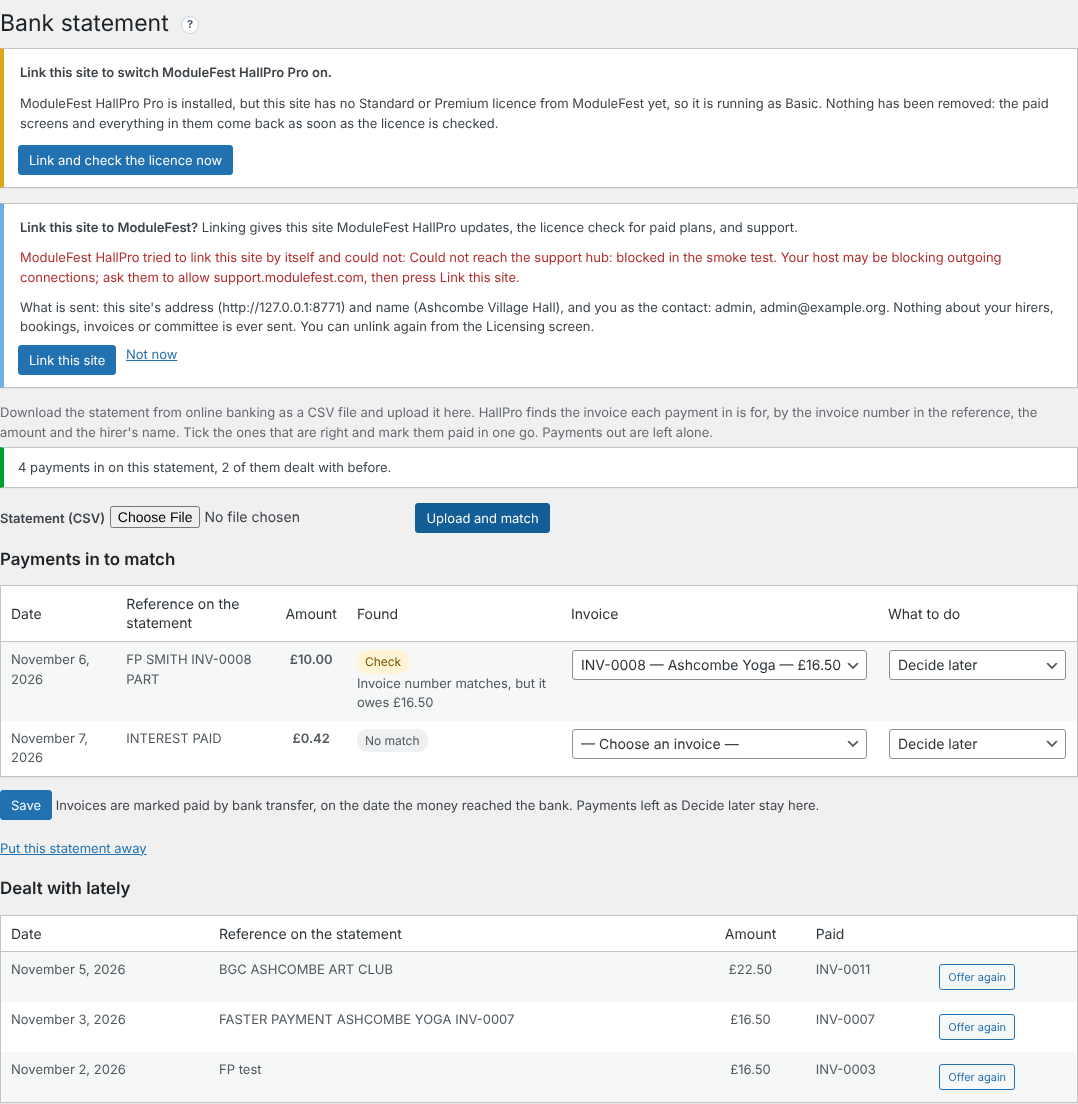
Payments matched to invoices 
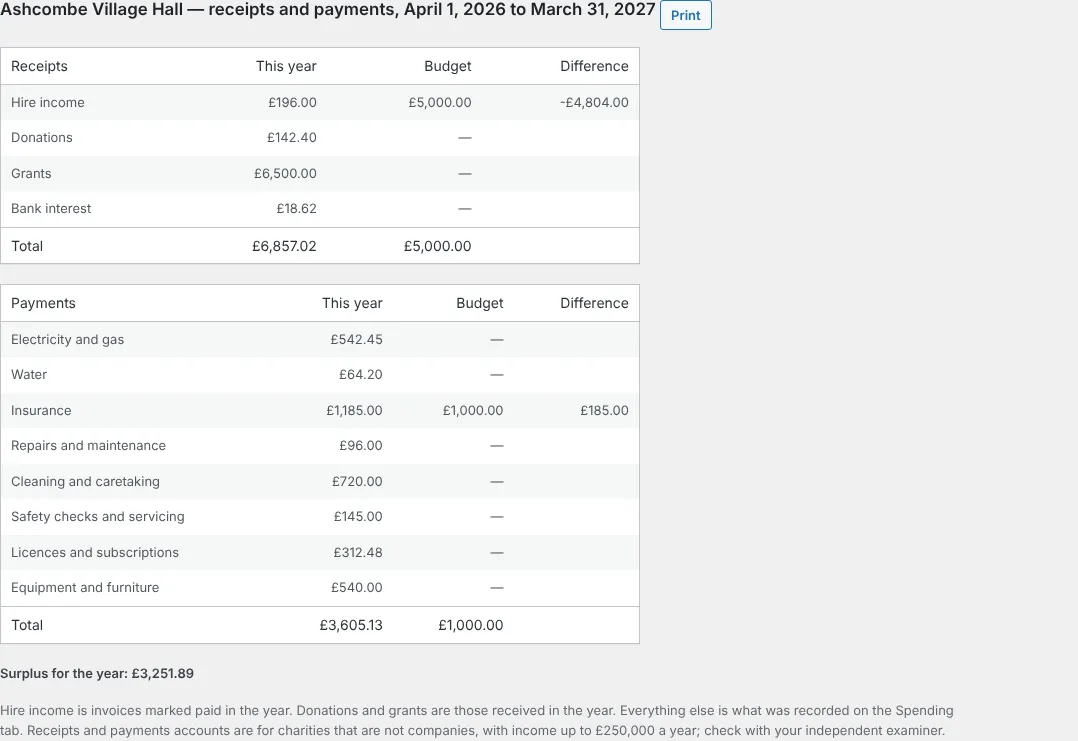
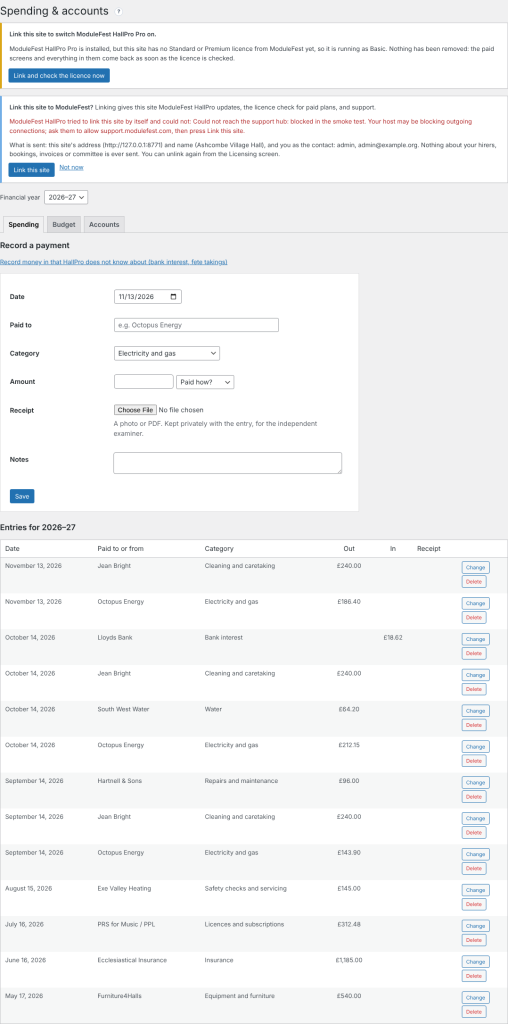
Keep the hall's spending in HallPro and get the year's accounts for the AGM.
Find it at Money › Spending & accounts.
- Record each payment with a category and a photo of the receipt.
- Set the year's budget on the Budget tab.
- Open the Accounts tab and press Print.
- Hire income, donations and grants are filled in for you.
- The budget and the difference are shown beside each line.
- On the Standard plan.
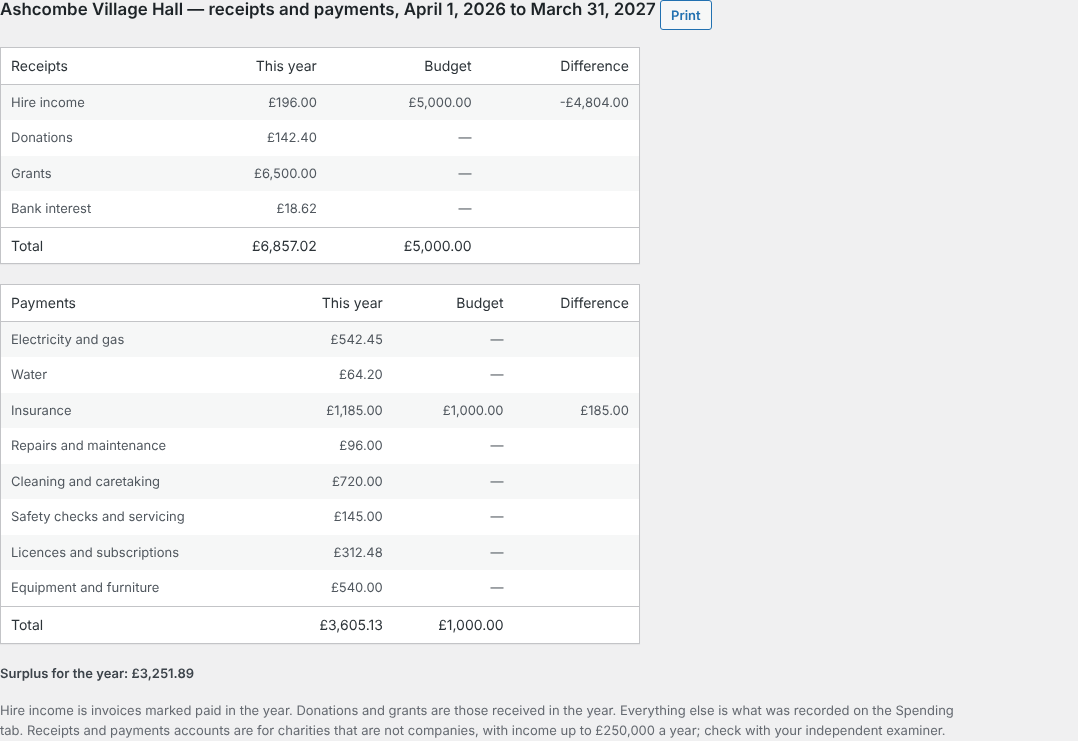
The receipts and payments account 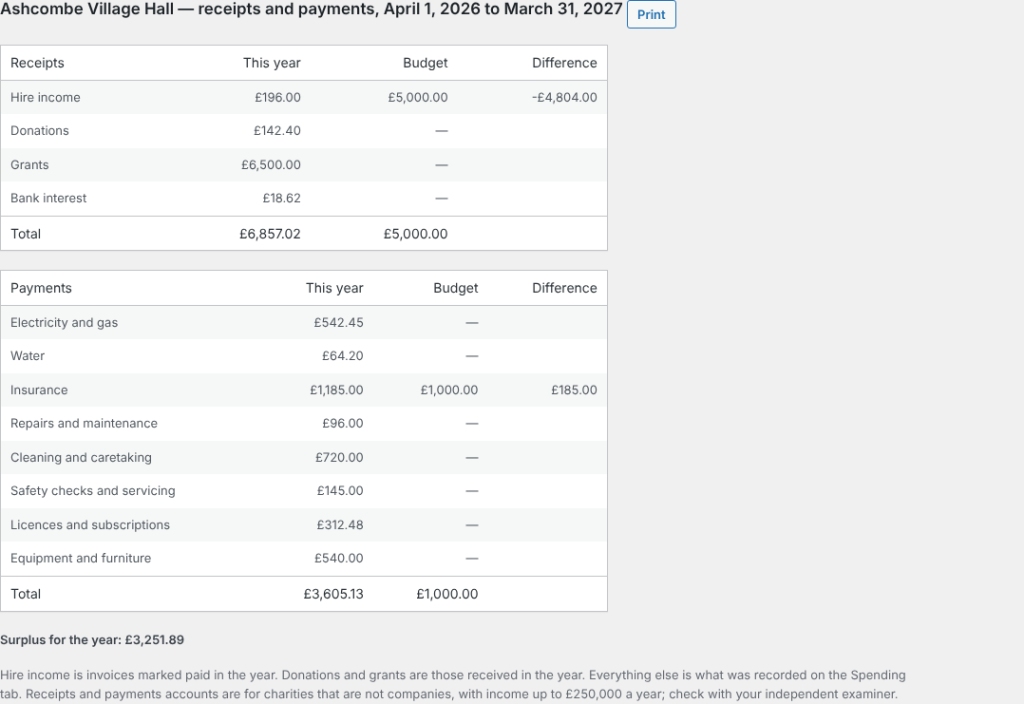
Hirers can now tell you how they found the hall when they arrive.
It is in the hirers' app, on the booking.
- From an hour before the hire, the hirer presses Arrival check.
- They say what was wrong, if anything, and add up to three photos.
- You see it above the end-of-hire checklist on Bookings and Damage deposits.
- The committee is emailed when something was wrong.
- Free on every plan.
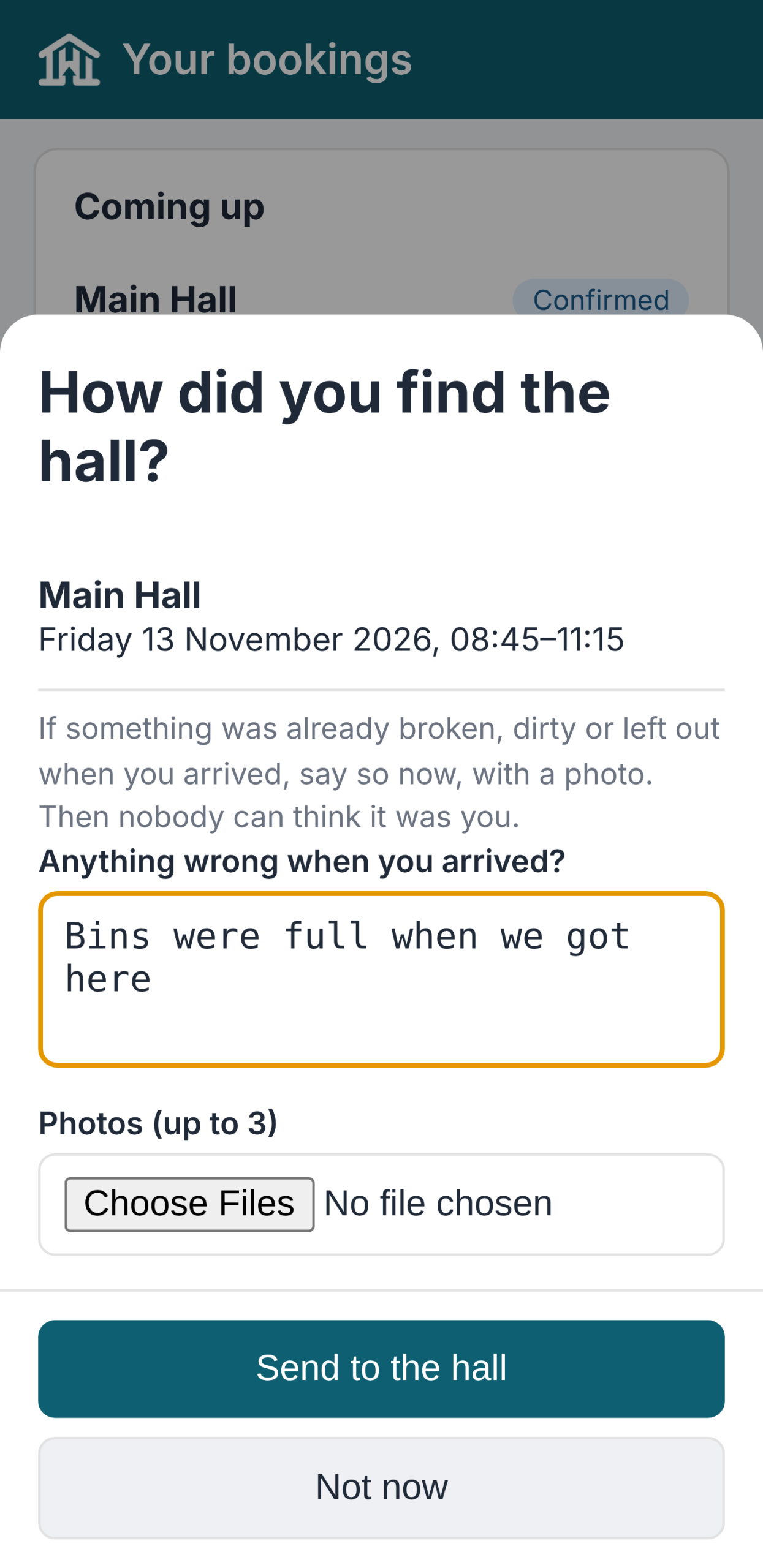
The arrival check 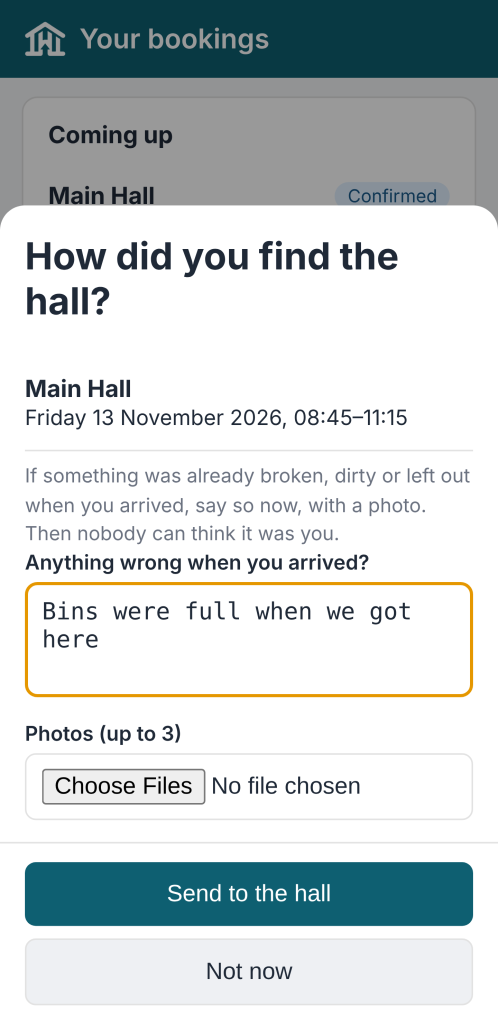
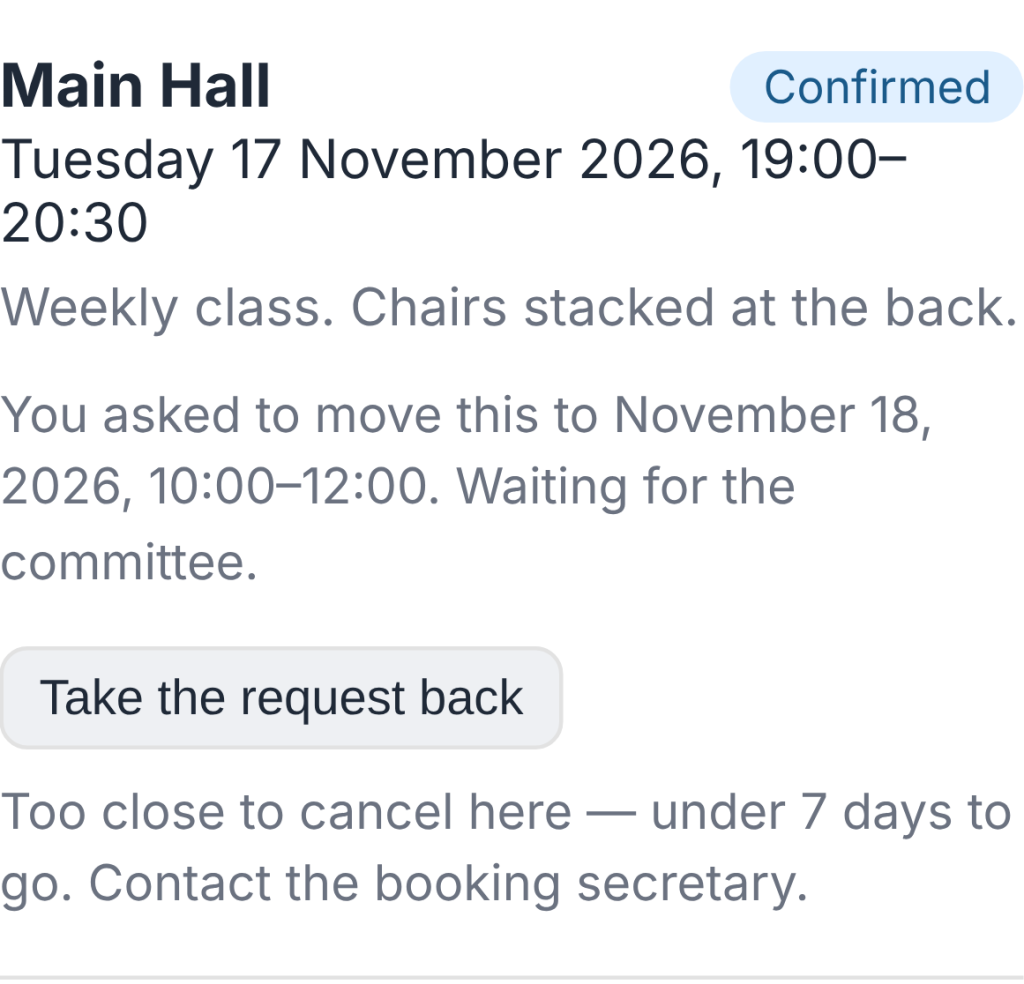
Hirers can now ask to move a booking, and you answer with one click.
Find it at Bookings (and on the Dashboard).
- In the hirers' app, the hirer presses Ask to move this booking and picks a new time.
- HallPro checks the hall is free and open then.
- You press Agree and move it or Say no.
- The hirer is emailed either way, and the old time is offered to the waiting list.
- If the new time costs a different amount, you are told; the invoice is not changed by itself.
- Free on every plan.

The request on the Bookings screen 
0.113.37November 11, 2026
You can now see how the foot of an invoice looks before you put in your own bank details.
Find it at Settings › Demo Data.
- Find Payment details and press Import.
- Open any unpaid invoice in the hirers' app, or its PDF.
- The invoice shows demo bank details, cheque wording and a treasurer to contact.
- The sort code is 00-00-00, which no bank uses, so a payment sent there by mistake is refused.
- Invoicing & Payments warns while the demo details are in. Save your own there, or remove Payment details, before sending real invoices.
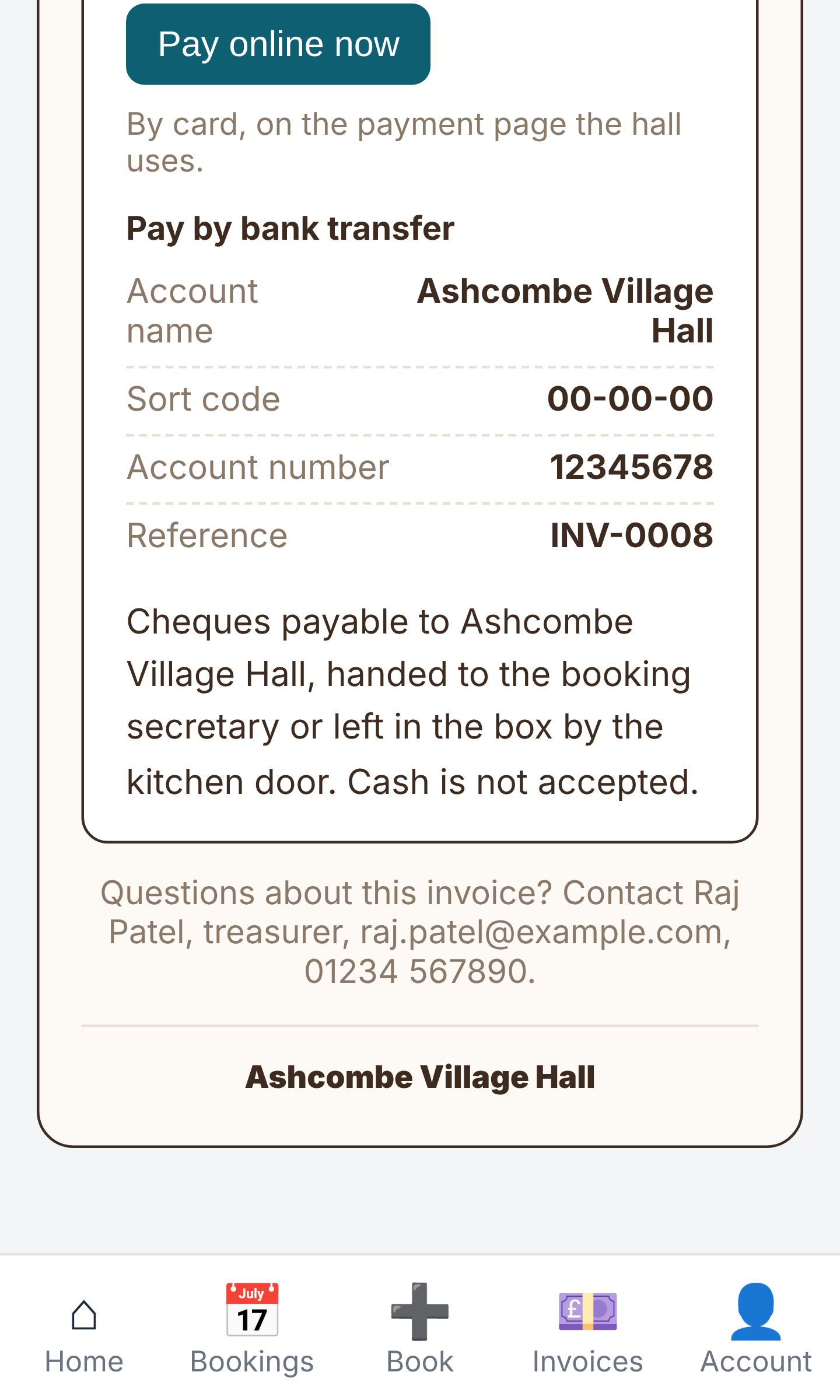
Demo payment details at the foot of an invoice
ModuleFest HallPro
Gérez votre salle communale ou polyvalente depuis un seul endroit.
Autres actualités
 Nouvelle fonctionnalitéPet Groomer 2.77: Account credit and monthly billingManage advance payments and bill chosen clients just once a month.Voir les nouveautés →
 Nouvelle versionModuleFest Pet Walker 2.771.222Les clients peuvent désormais payer à l'avance et régler leurs factures en utilisant leur solde. Également dans cette version : paiement mensuel à échoir : une…Voir les nouveautés →
 Nouvelle versionModuleFest Trades Business Manager 0.14.42Jobs, quotes, invoices and stock for tradesVoir les nouveautés →