









Ce que nous prévoyons, ce que nous développons en ce moment et ce qui vient de sortir, à partir des idées que nos clients nous envoient. Votez pour celles qui vous tiennent le plus à cœur.
Diary notifications and replies (Standard)
What was released, and how it works
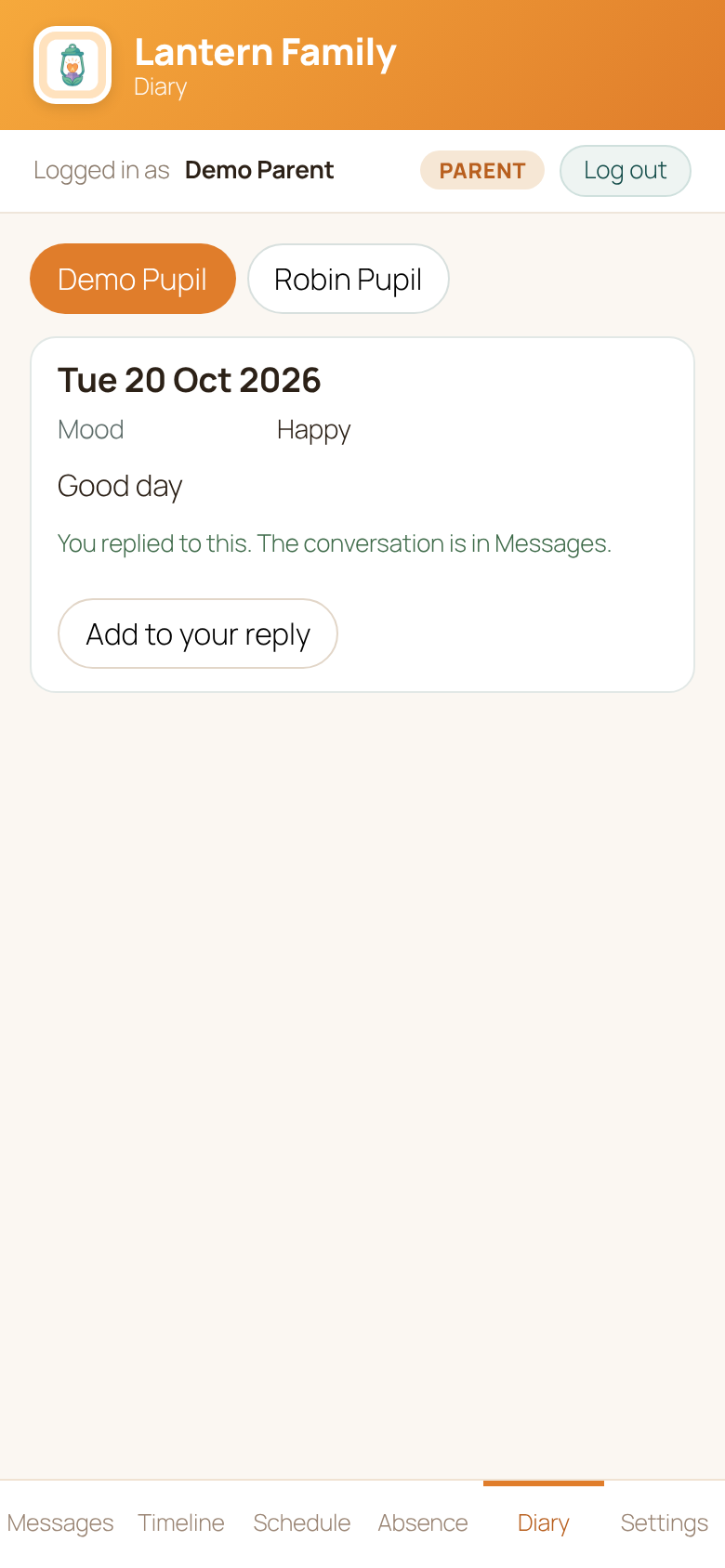
Families now hear about the day's diary as soon as it is published, and can reply to it.
What's new
- When staff publish a diary entry, the family gets a News from school notification on their phone. For privacy, it never contains the child's name or any words from the diary.
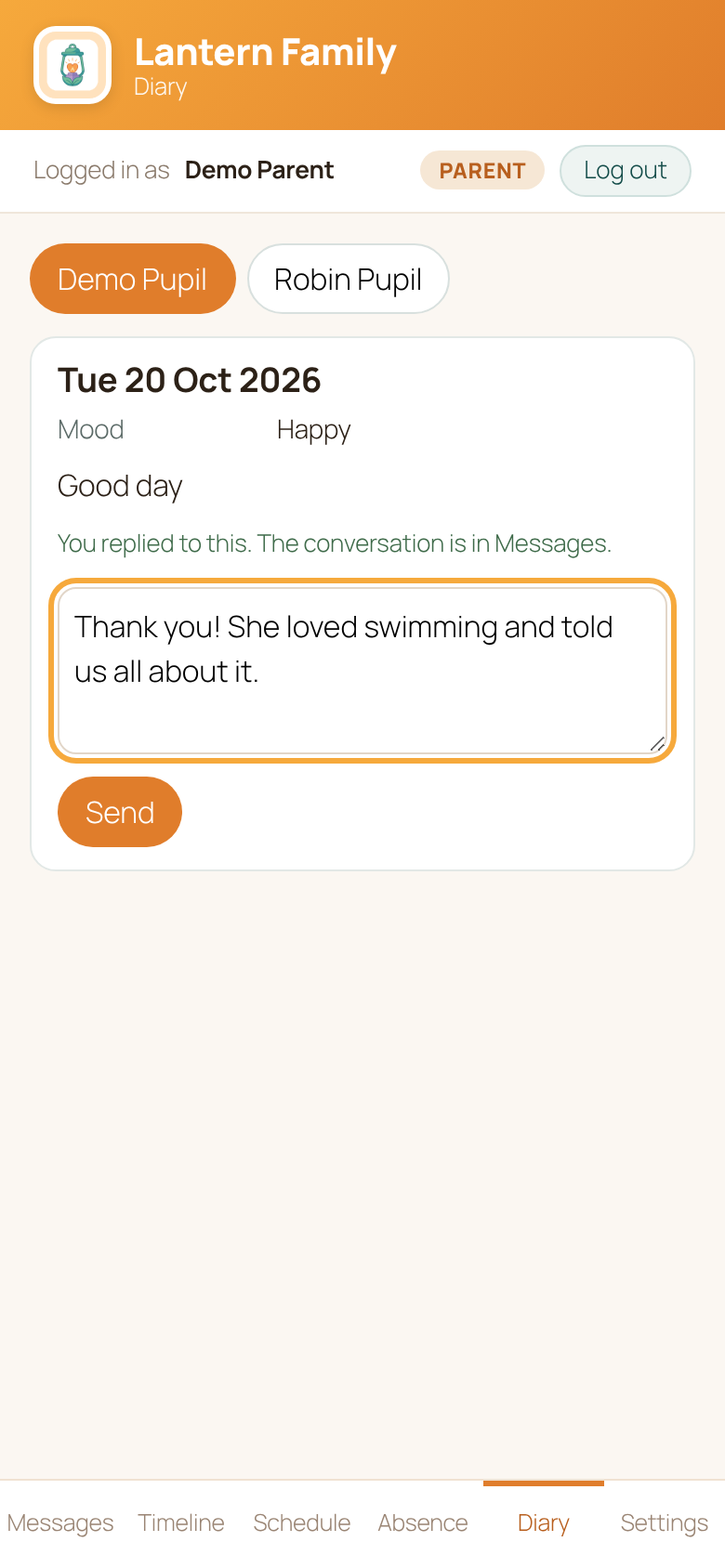
- In Lantern Family, each entry on the Diary tab has a Reply button. The family types a reply and presses Send.
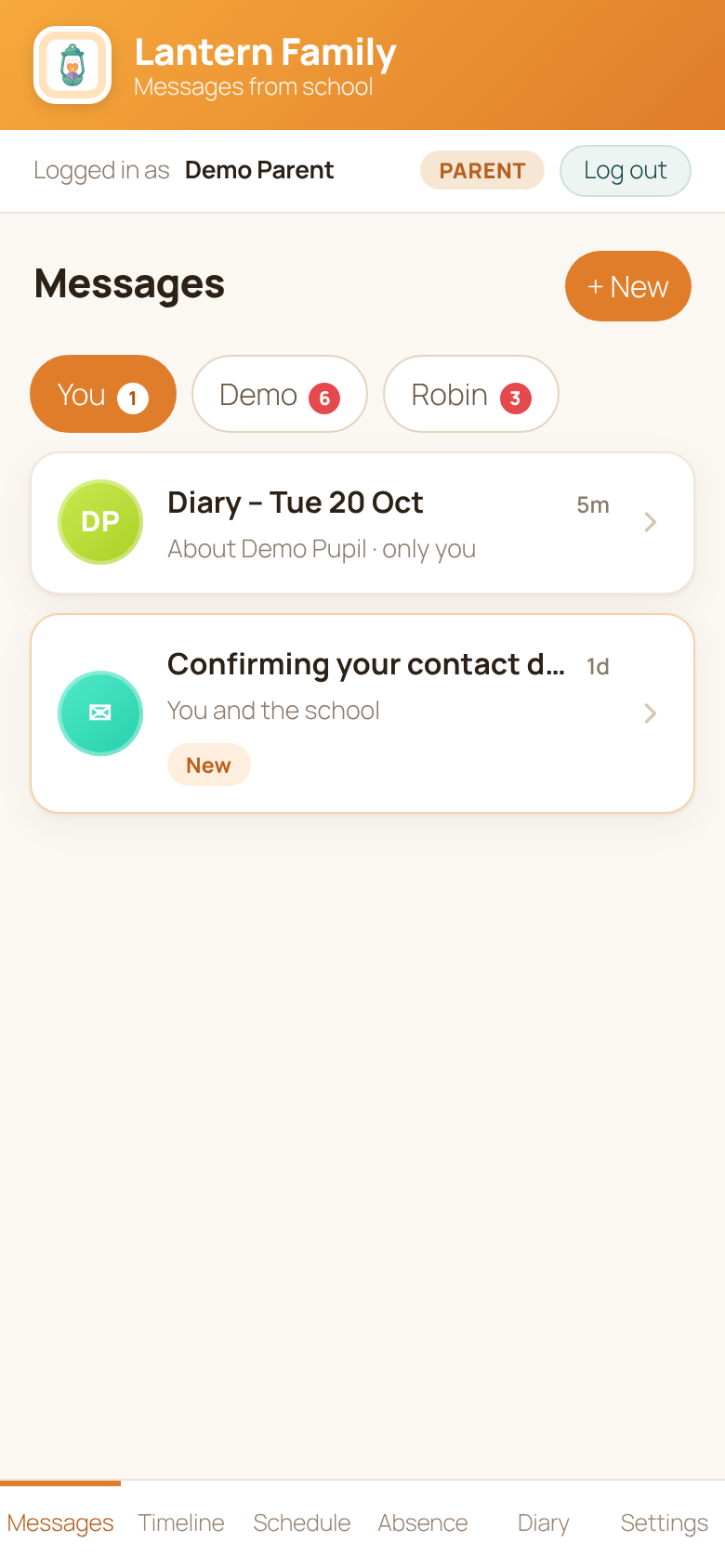
- The reply arrives in Messages as a conversation called Diary – (day), so the class team sees it with the rest of their messages, and the family can carry on the conversation there.
Bon à savoir
- Notifications follow each family's own notification settings in Lantern Family.
- Drafts are never sent: a family only hears about, and can only reply to, entries that have been published.
Standard plan, with Lantern Pro. Added in version 0.98.0.
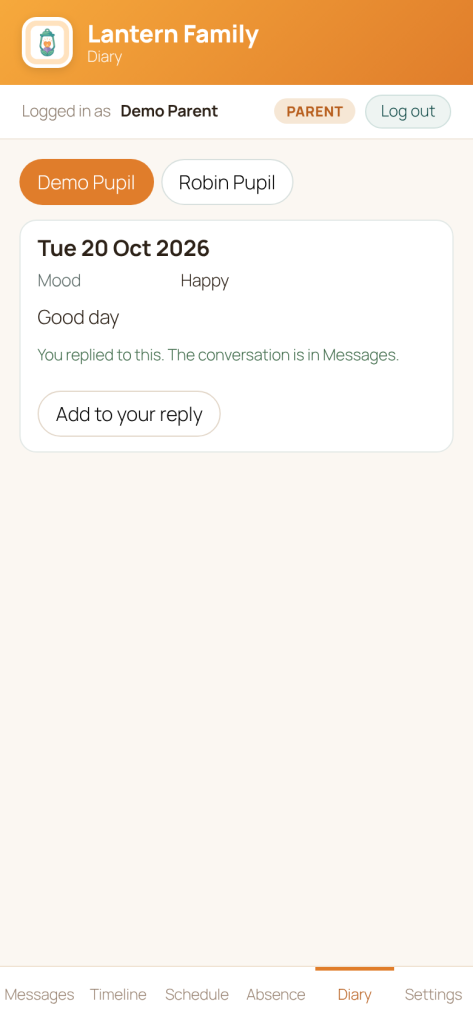
The Diary tab in Lantern Family 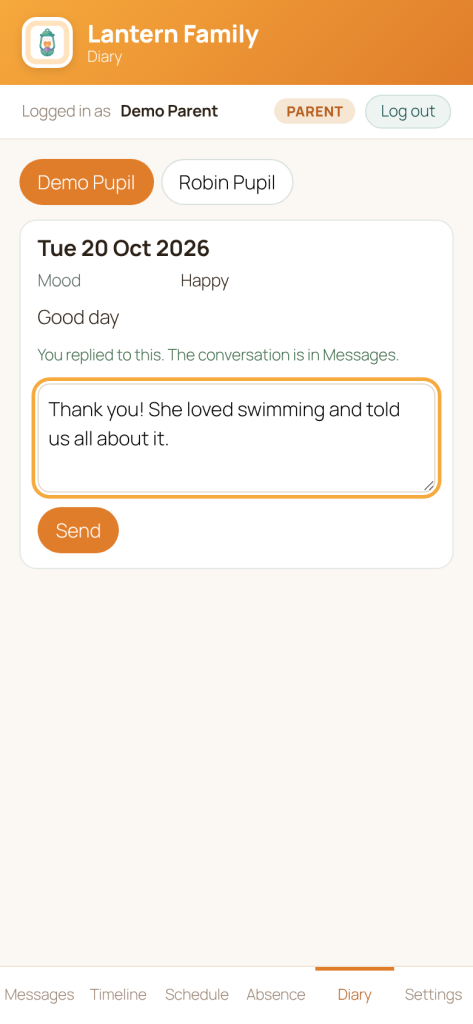
Replying to a diary entry 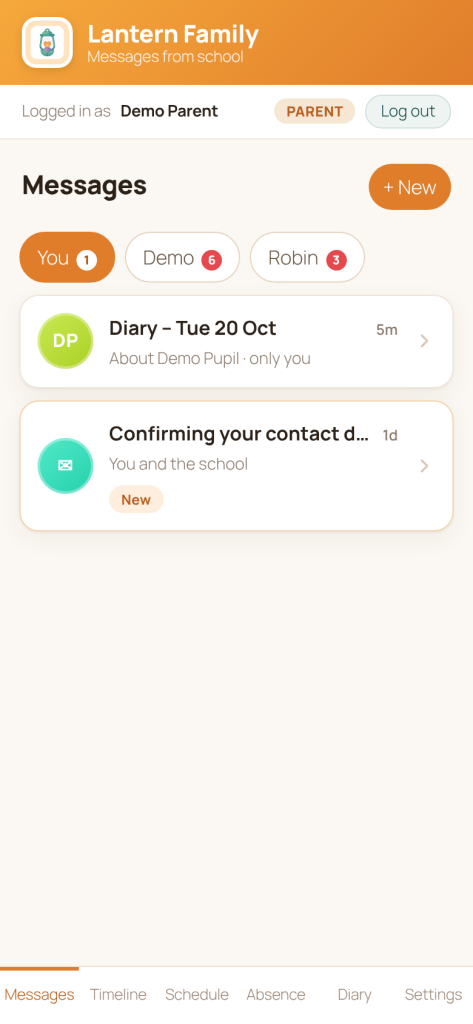
The reply carries on in Messages Suggested 20 Oct 2026
Seizure and health event log (Standard)
What was released, and how it works
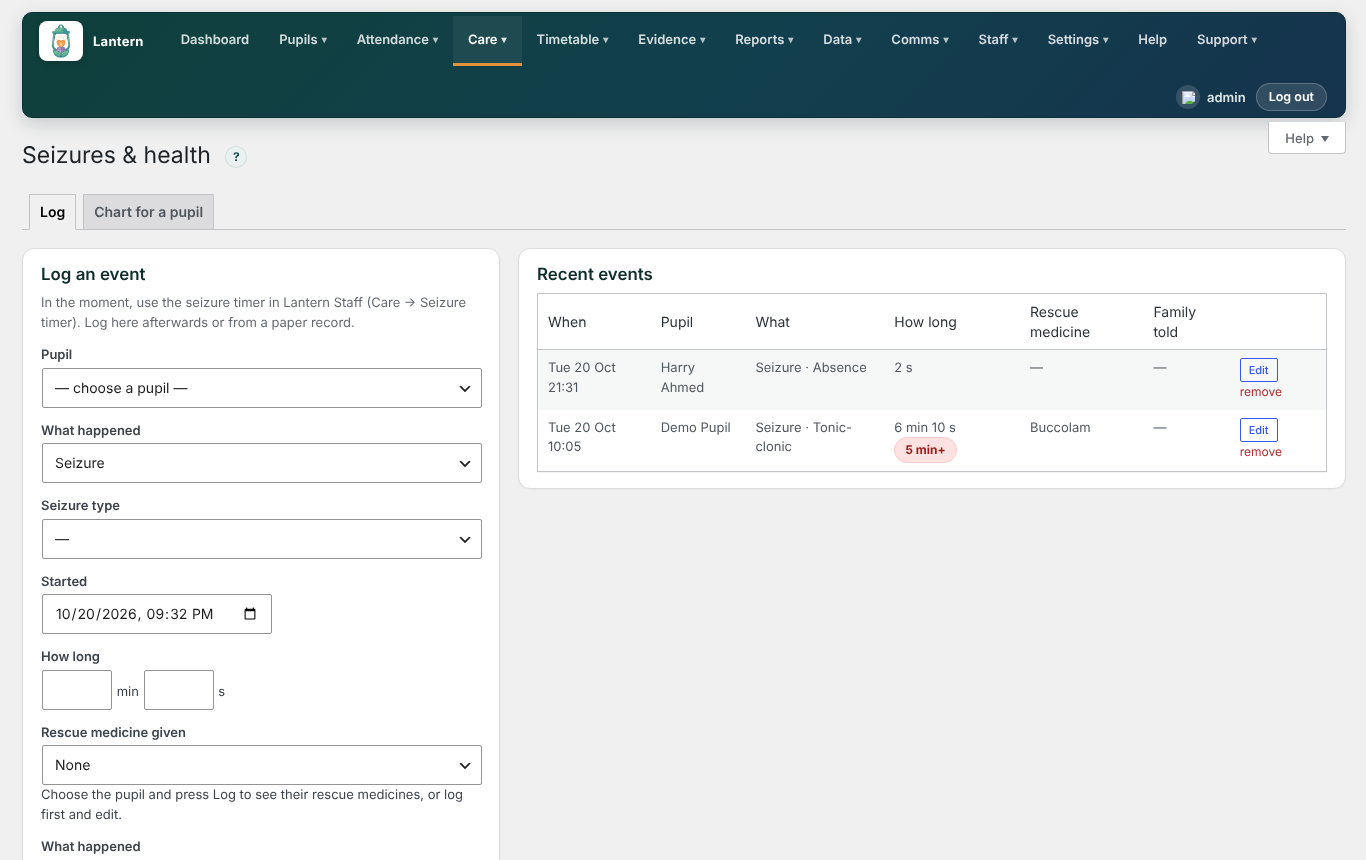
A new Care → Seizures & health screen, and a seizure timer in Lantern Staff.
In Lantern Staff
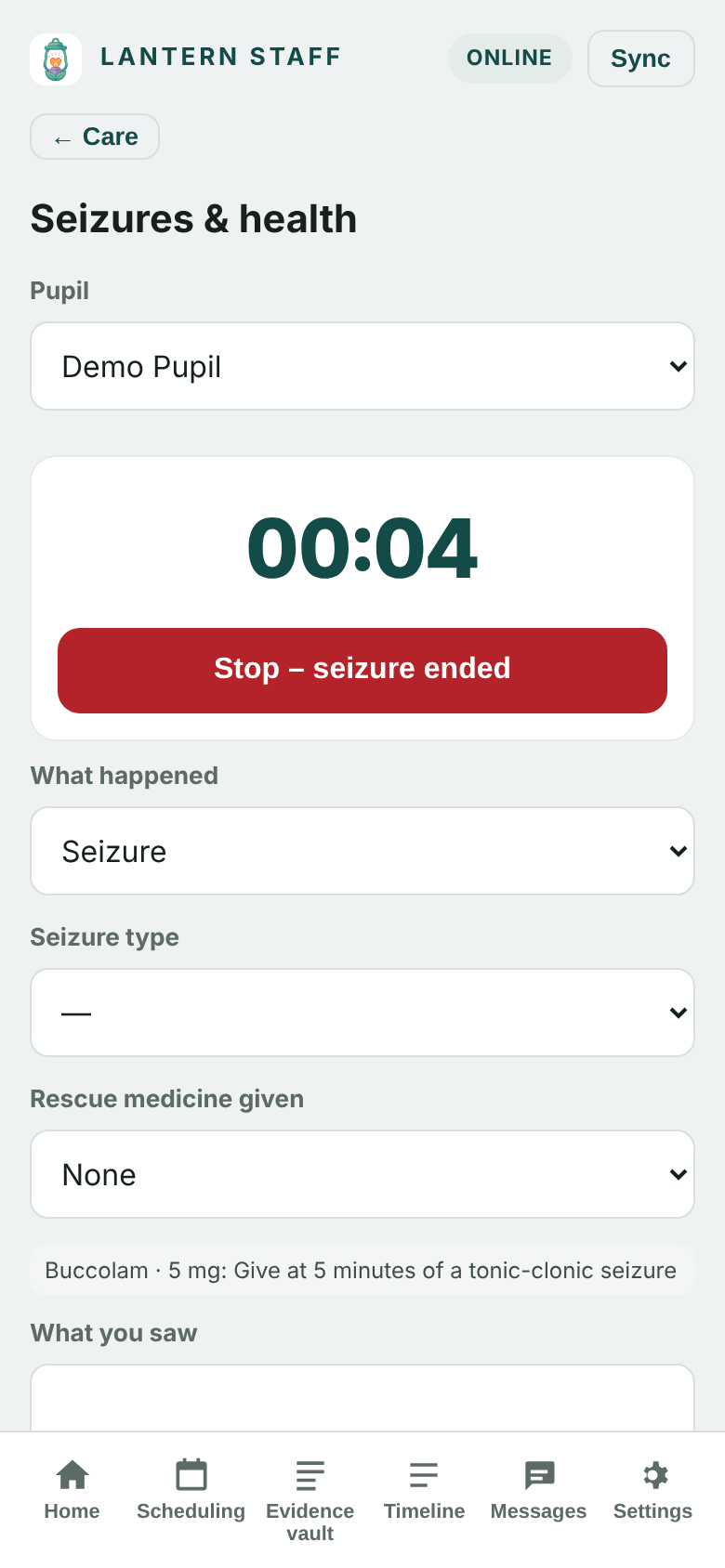
- Open Care → Seizure timer, choose the pupil and press Start seizure timer.
- The pupil's rescue medicine instructions are shown on screen while the timer runs, and a warning appears at five minutes.
- Press Stop – seizure ended, add what you saw, and save. It goes straight into the health log.
On the Seizures & health screen
- Log: record a seizure or other health event afterwards, or from a paper record: type, start time, how long it lasted, any rescue medicine, recovery and whether the family has been told. Events lasting five minutes or more are flagged.
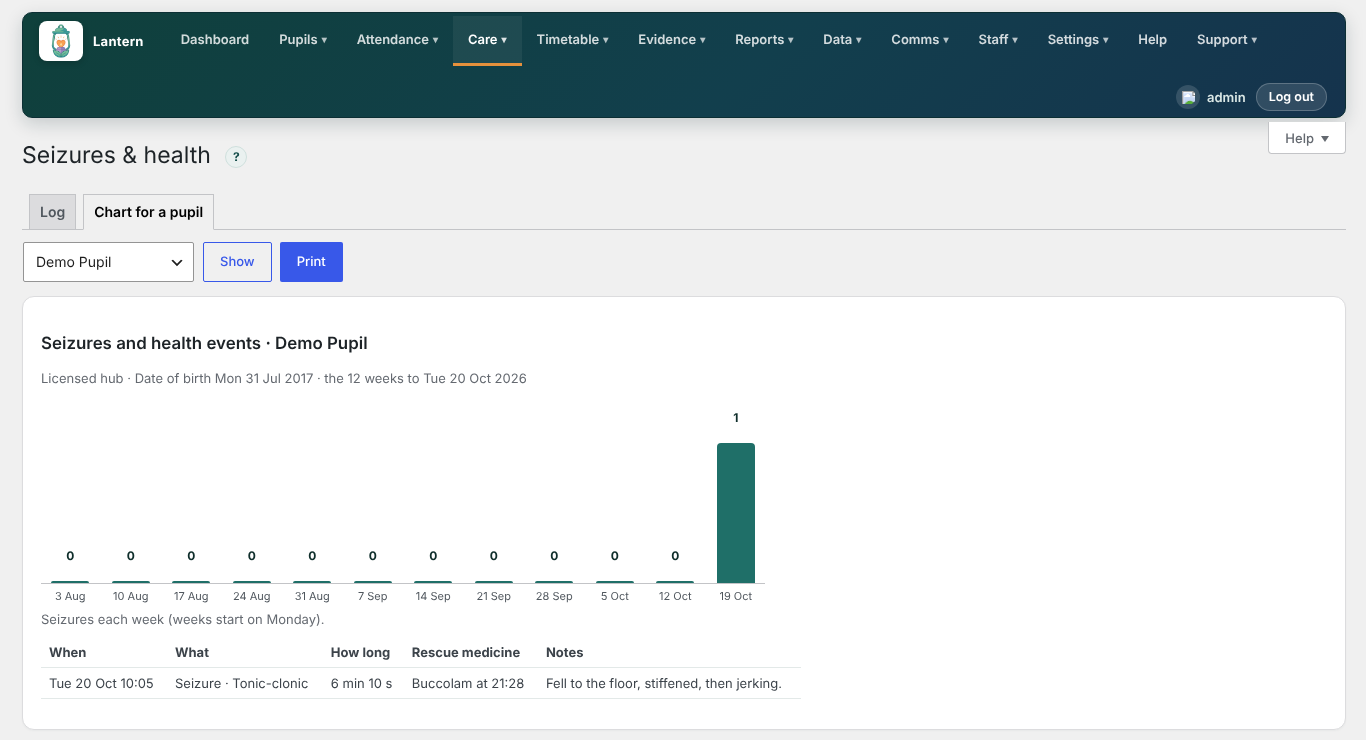
- Chart for a pupil: the last 12 weeks for one pupil, ready to print for their consultant or the school nurse.
Bon à savoir
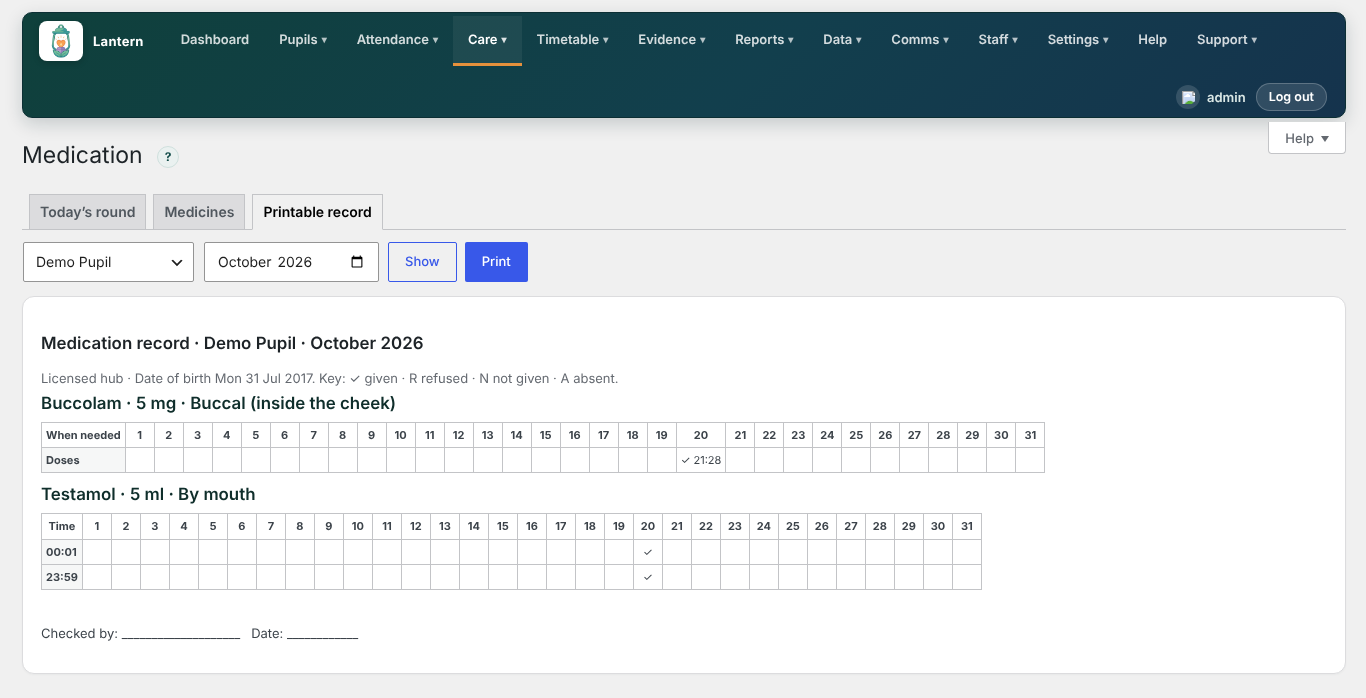
- Rescue medicine given is recorded on the medication record automatically, so it appears on the printable record and the stock goes down.
Standard plan, with Lantern Pro. Added in version 0.98.0.
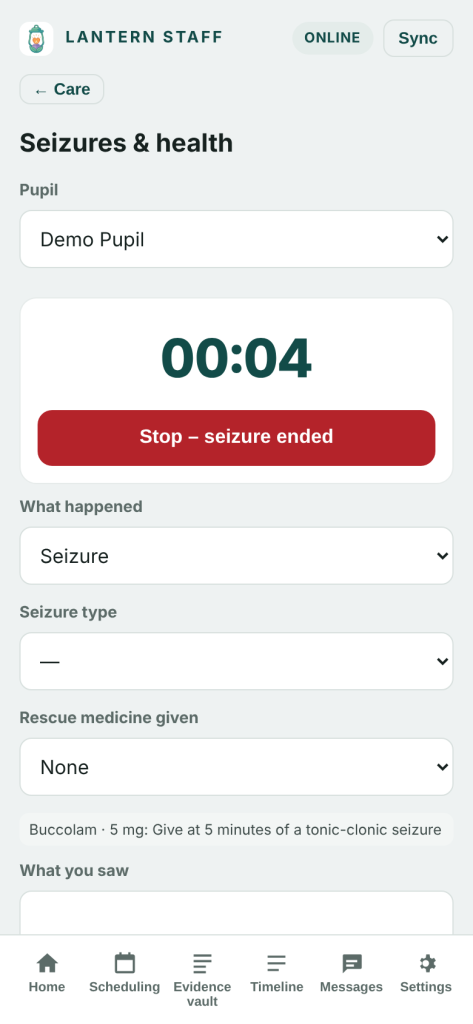
The seizure timer in Lantern Staff 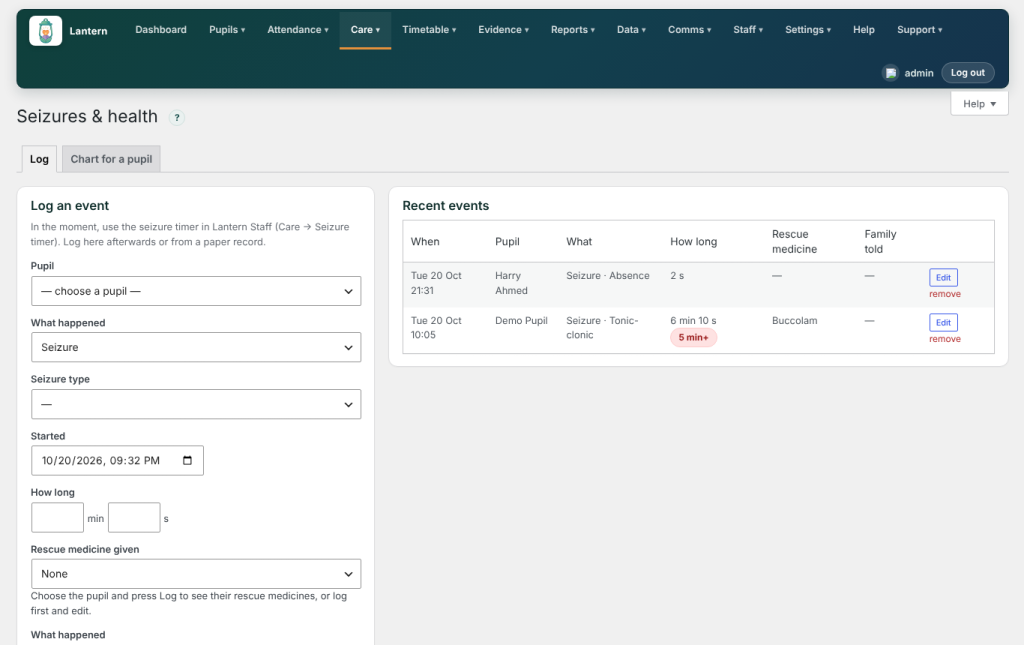
Logging a health event 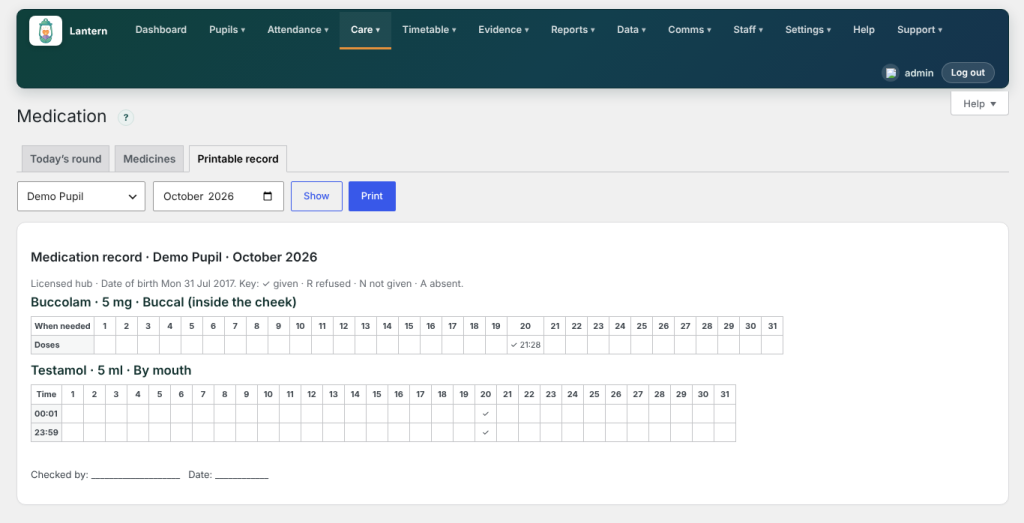
Rescue medicine on the medication record 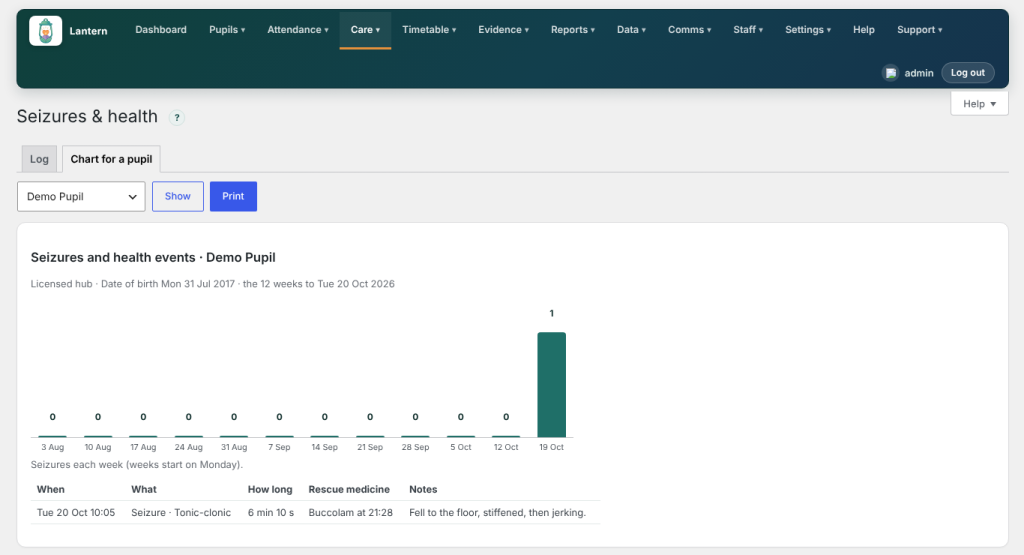
The 12-week chart, ready to print Suggested 20 Oct 2026
Personal and intimate care plans (Standard)
What was released, and how it works
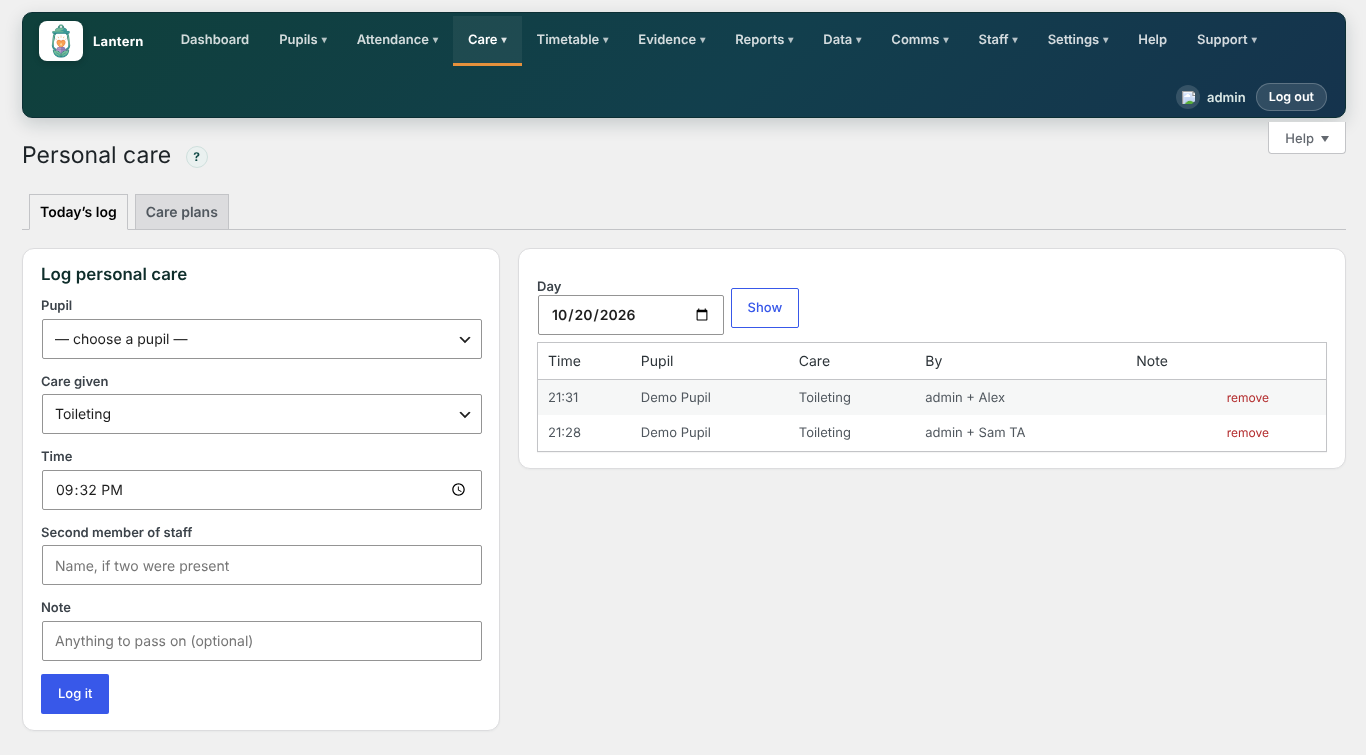
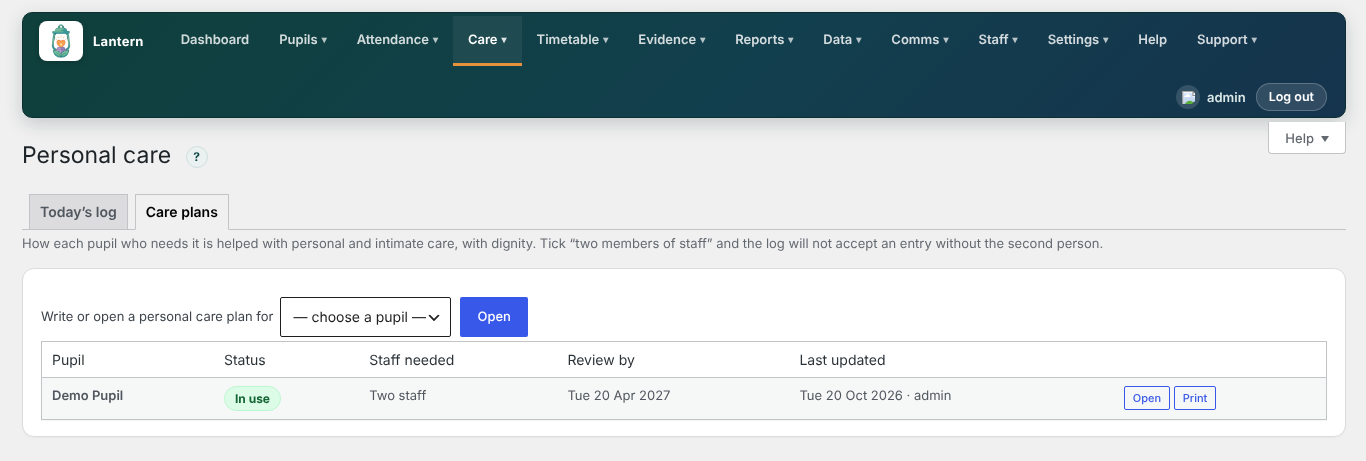
A new Care → Personal care screen, also in Lantern Staff.
Care plans
- Write a plan for each pupil who needs help with personal or intimate care: what they need help with, equipment and products, how it is done, dignity and communication, health and hygiene notes, and a review date.
- Tick Two members of staff where the plan needs two adults present.
- Print any plan with one press.
Today's log
- Record each time care is given, on the admin screen or in Lantern Staff → Care → Personal care: the pupil, the type of care, the time, the second member of staff where needed, and an optional note.
- The day's log shows who gave each piece of care.
Bon à savoir
- If a pupil's plan needs two members of staff, the log will not accept an entry without the second person's name, on screen and in the app.
Standard plan, with Lantern Pro. Added in version 0.98.0.
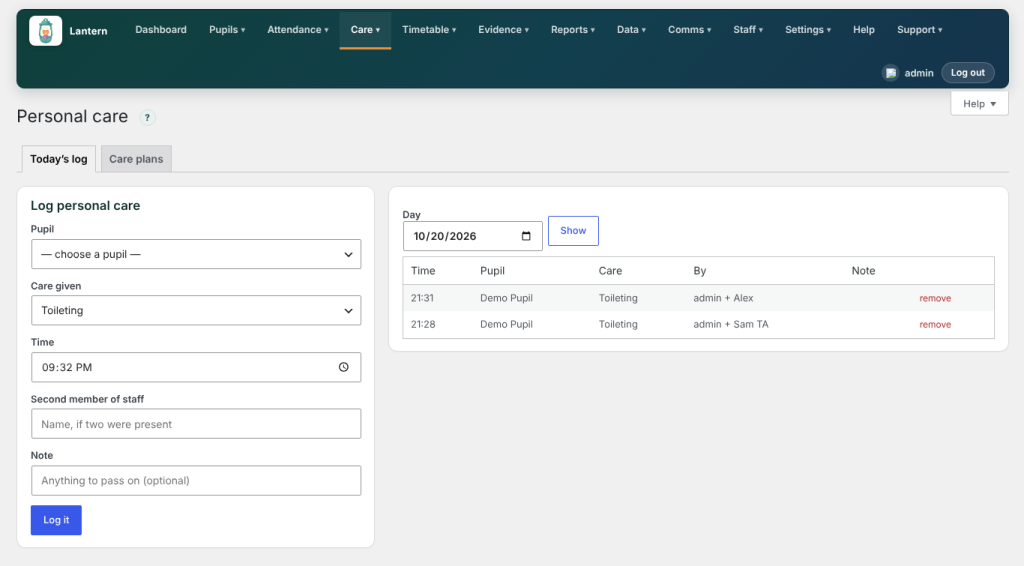
Today's personal care log 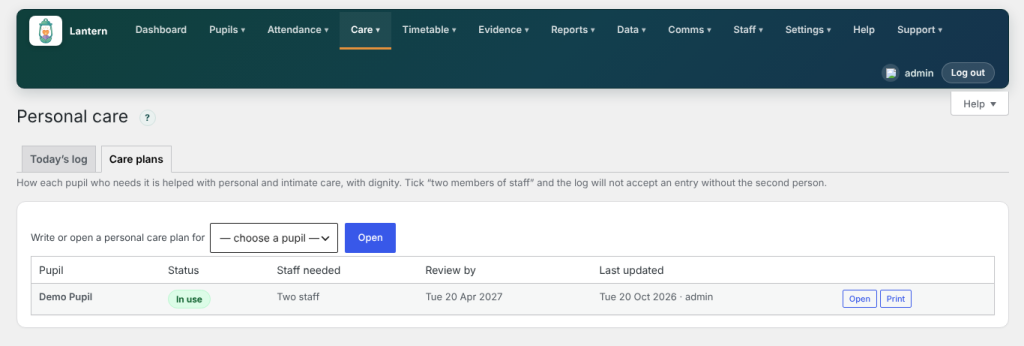
Personal care plans Suggested 20 Oct 2026
Transport and handover (Standard)
What was released, and how it works
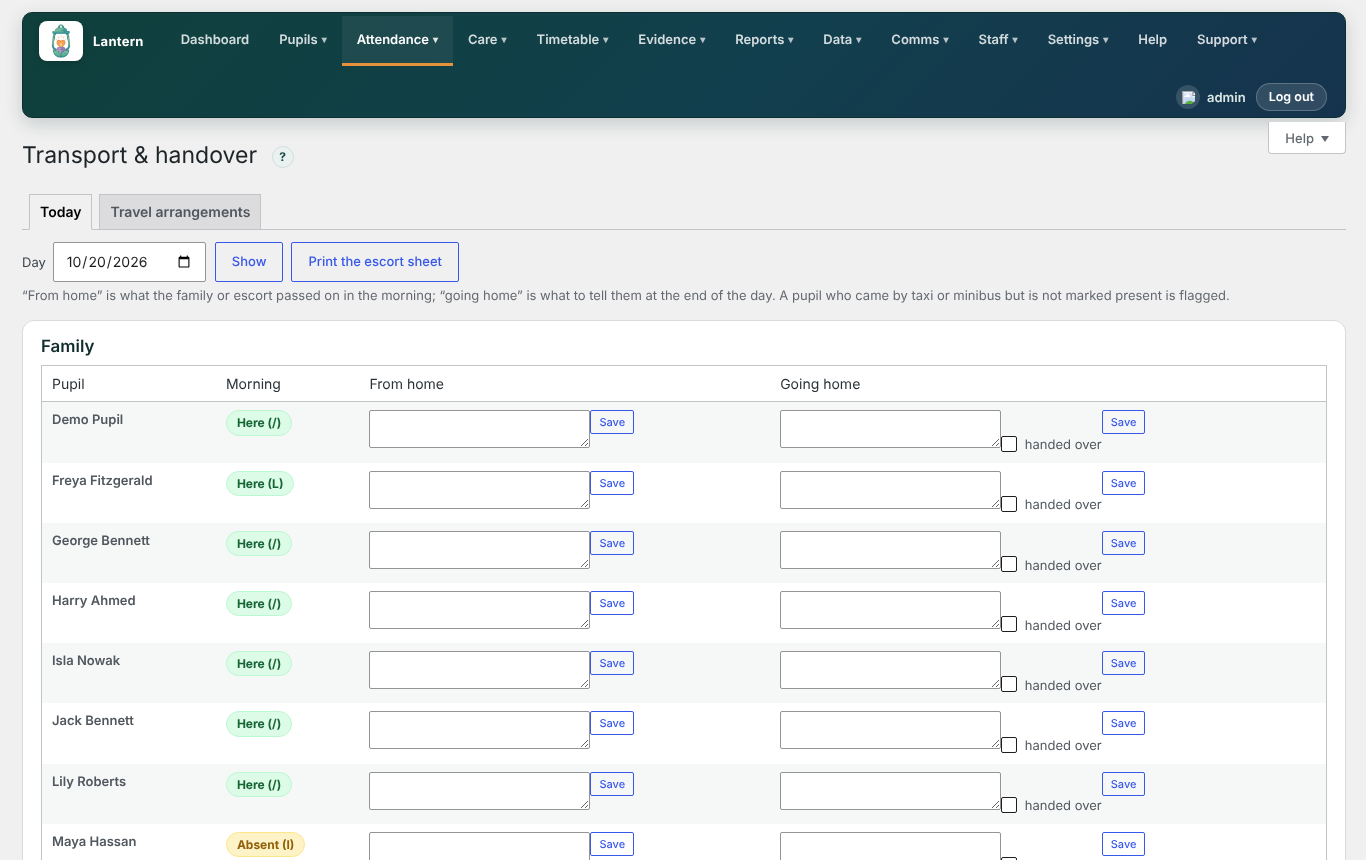
A new Attendance → Transport & handover screen.
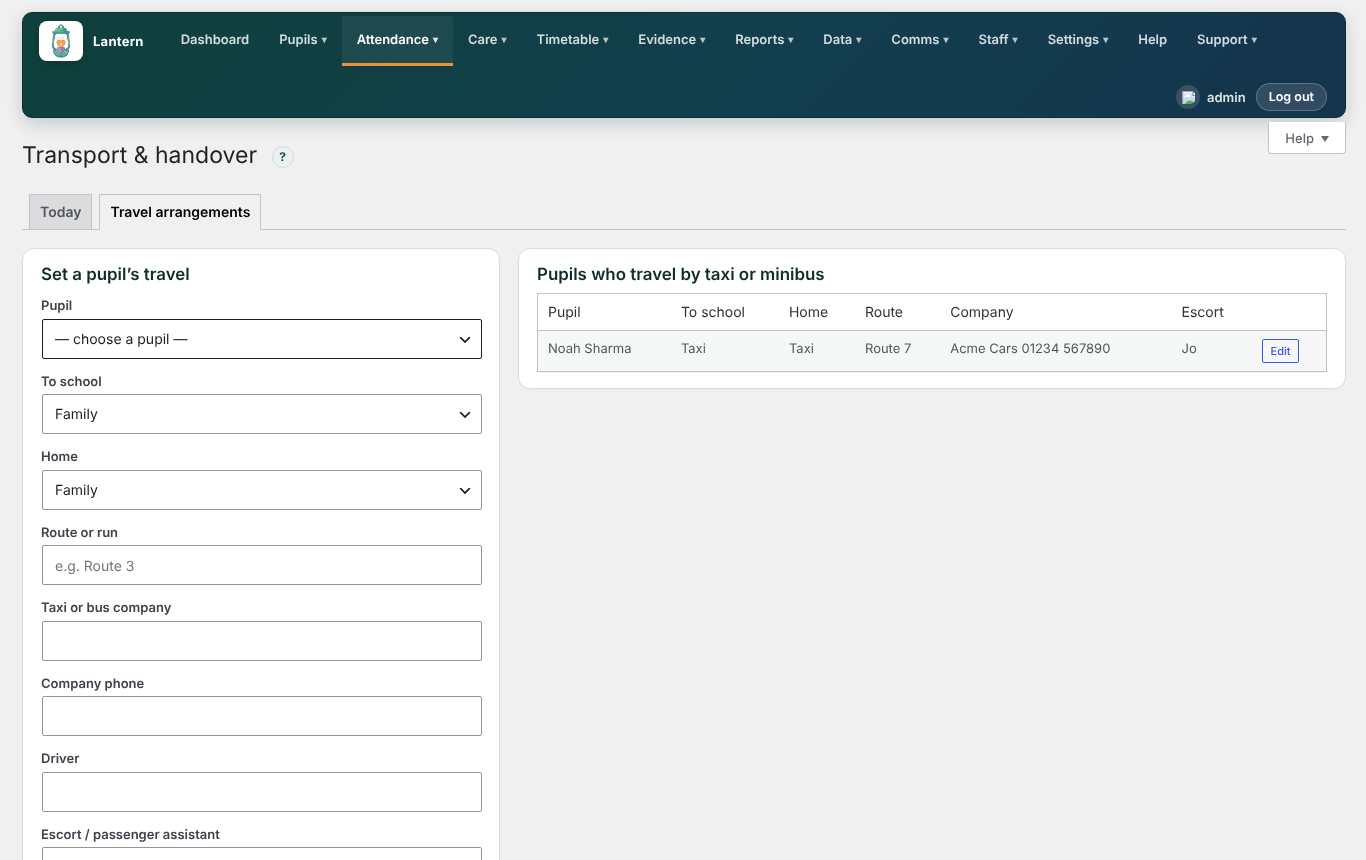
Travel arrangements
- Record how each pupil gets to and from school: family, taxi or minibus, the route, the company and its phone number, the driver and the escort.
Aujourd’hui
- A board of every pupil, grouped by route, with their morning register mark.
- Write the message passed on in the morning (from home) and what to tell the family or escort at the end of the day (going home), and tick handed over.
- Print the escort sheet for each route.
Bon à savoir
- A pupil who came by taxi or minibus but has not been marked present is flagged, so a missing pupil is noticed straight away.
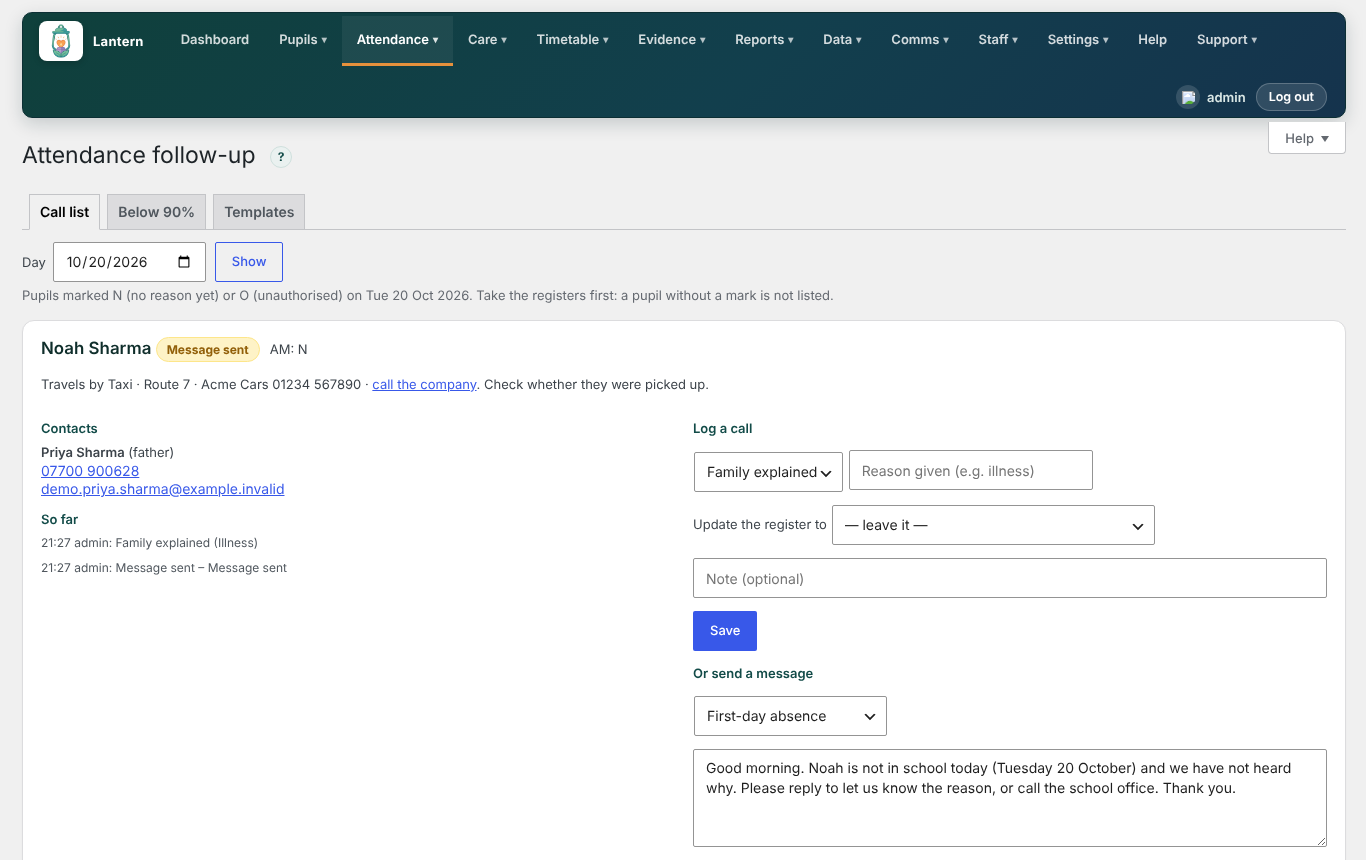
- The Attendance → Follow-up call list now shows how each absent pupil travels, with the company's phone number.
Standard plan, with Lantern Pro. Added in version 0.98.0.
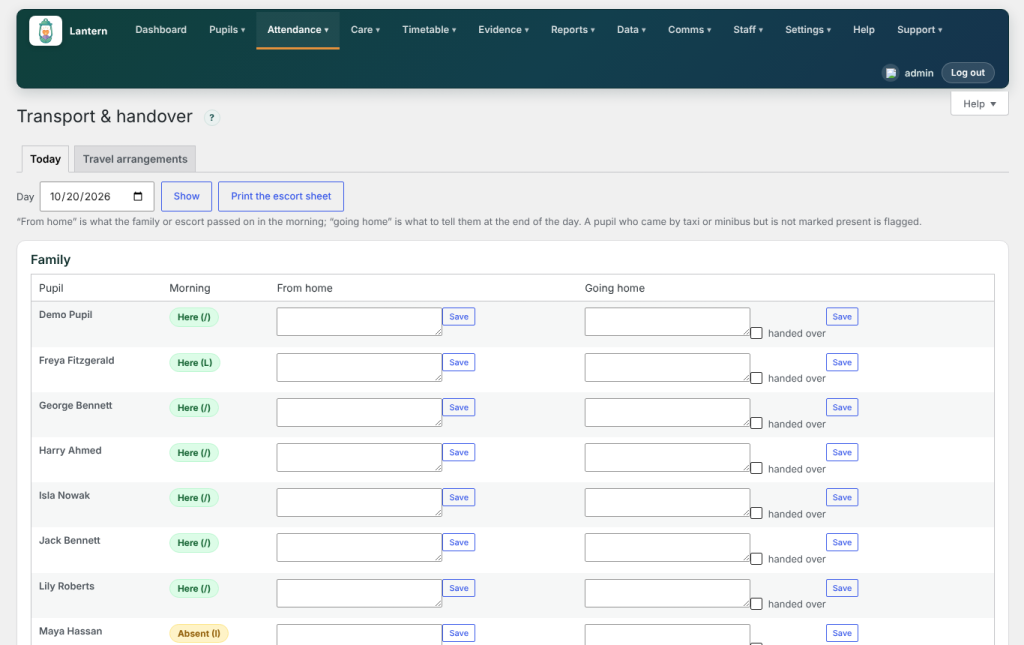
Today's transport and handover board 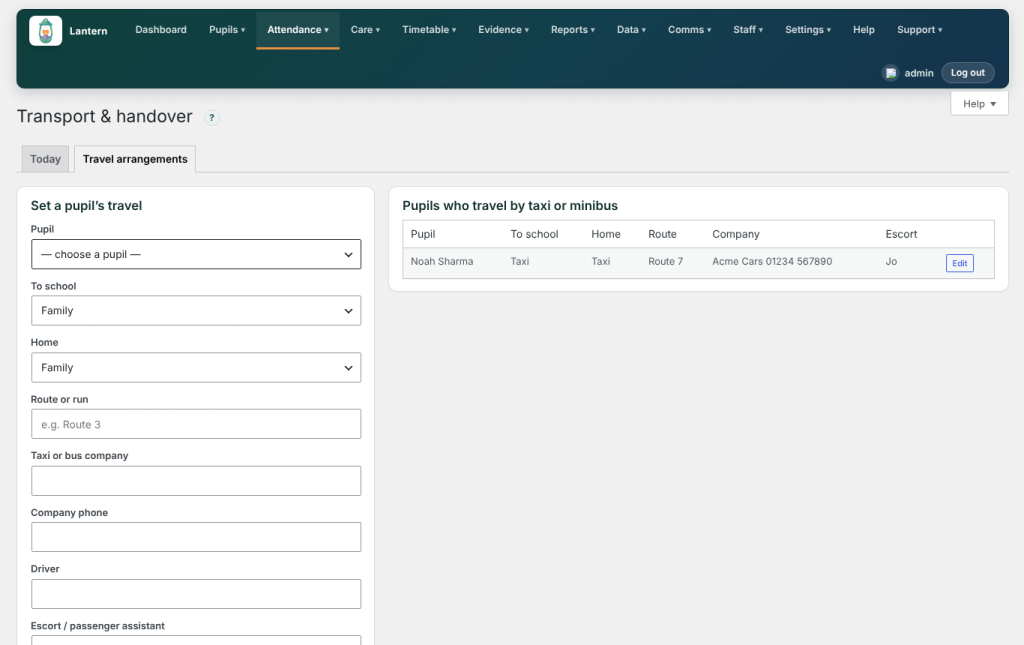
Setting a pupil's travel 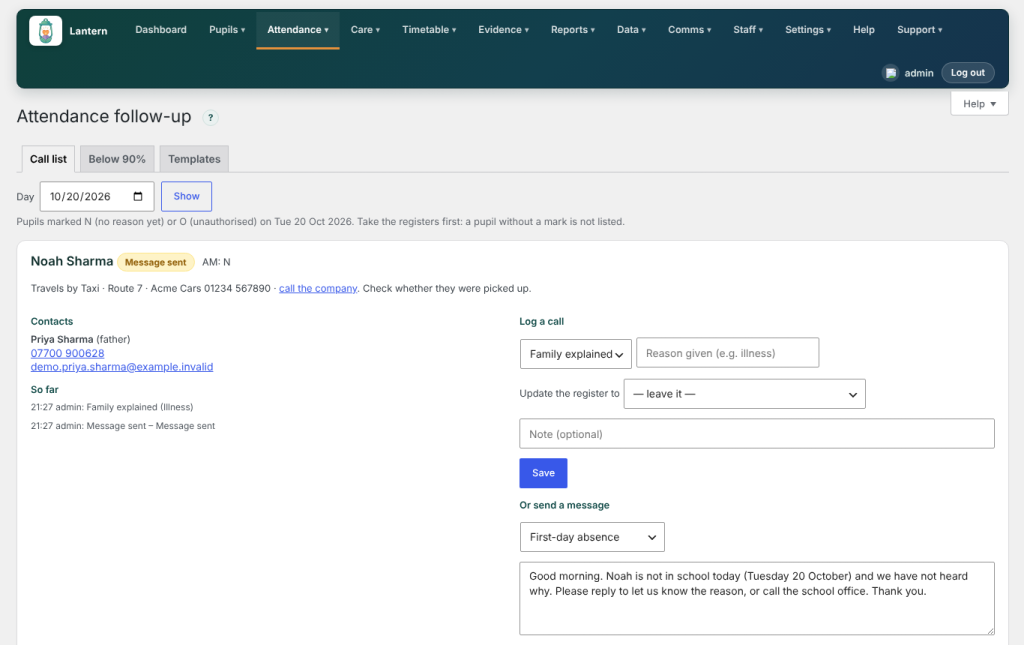
Travel details on the follow-up call list Suggested 20 Oct 2026
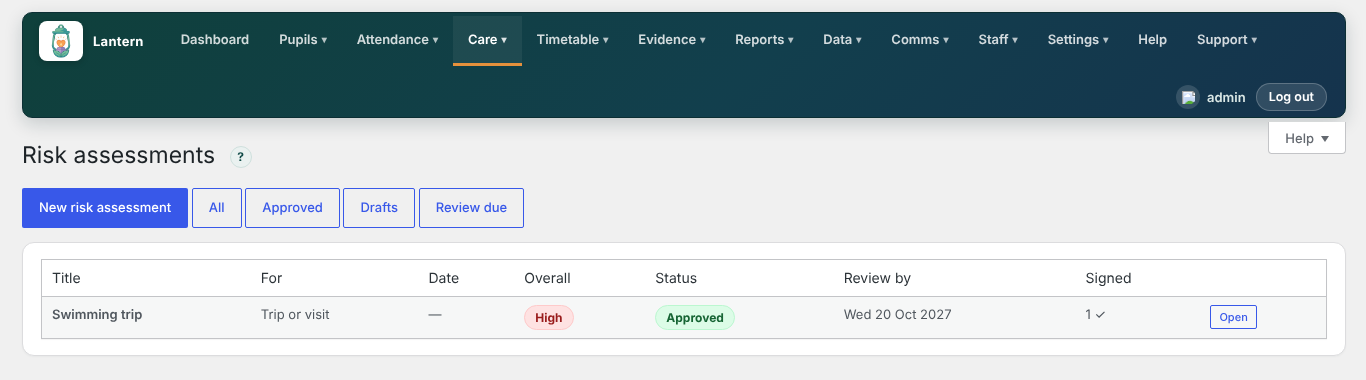
Risk assessments (Standard)
What was released, and how it works
A new Care → Risk assessments screen, also in Lantern Staff.
Writing an assessment
- Press New risk assessment and choose whether it is for a pupil, a trip or visit, or an activity.
- Add each hazard, who could be harmed, the controls in place and a rating. Lantern works out the overall rating.
- Set a review date, then approve it (site managers only).
Read and sign
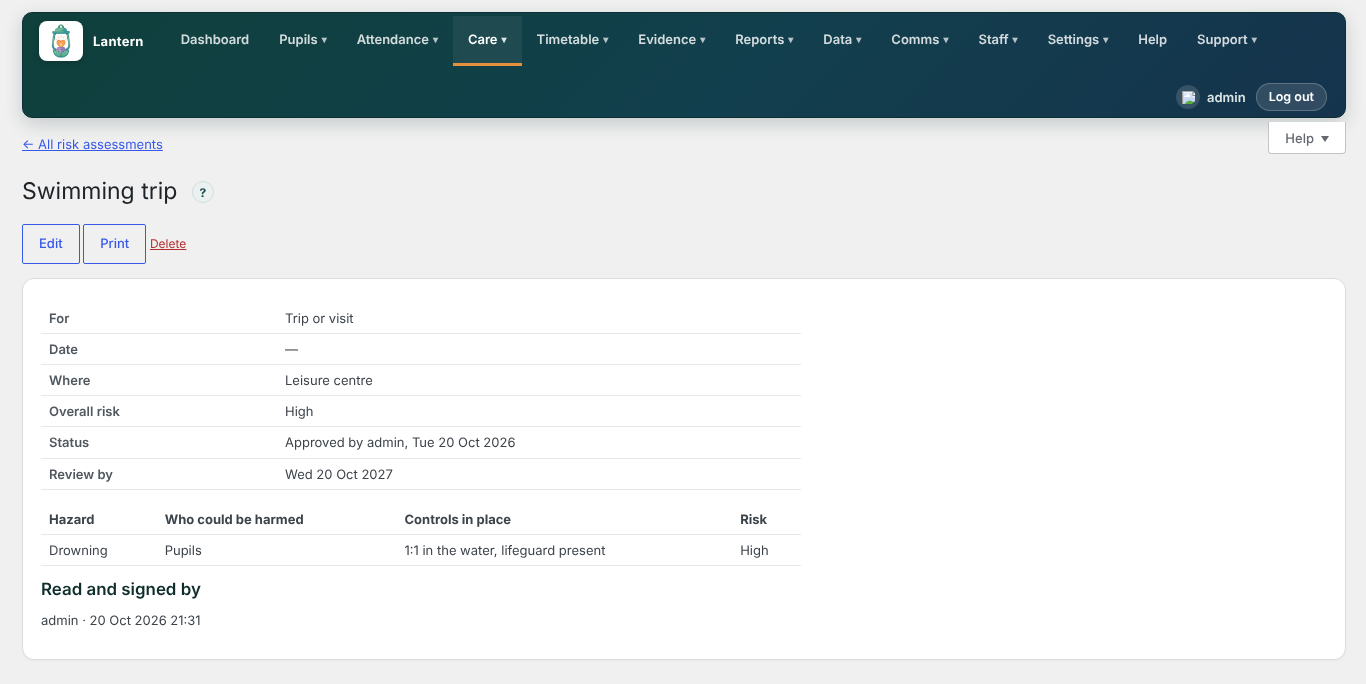
- Staff open an approved assessment, on screen or in Lantern Staff → Care → Risk assessments, and press Read and sign.
- The assessment lists everyone who has signed and when.
- Filter the list by Approved, Drafts or Review due, and print any assessment.
Bon à savoir
- Editing an approved assessment returns it to draft and clears the signatures, so staff always sign the current version.
Standard plan, with Lantern Pro. Added in version 0.98.0.
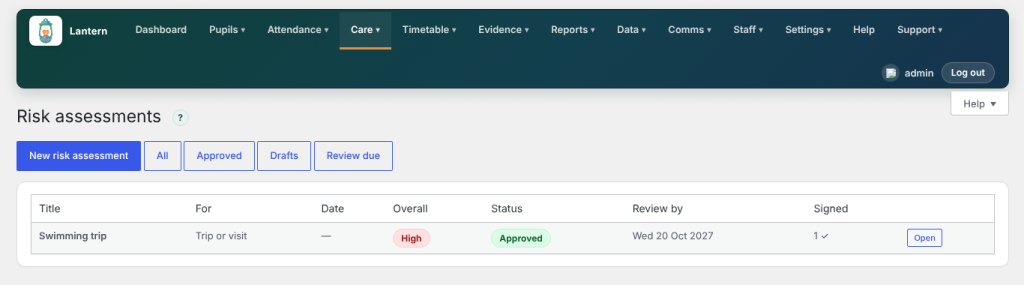
The risk assessments list 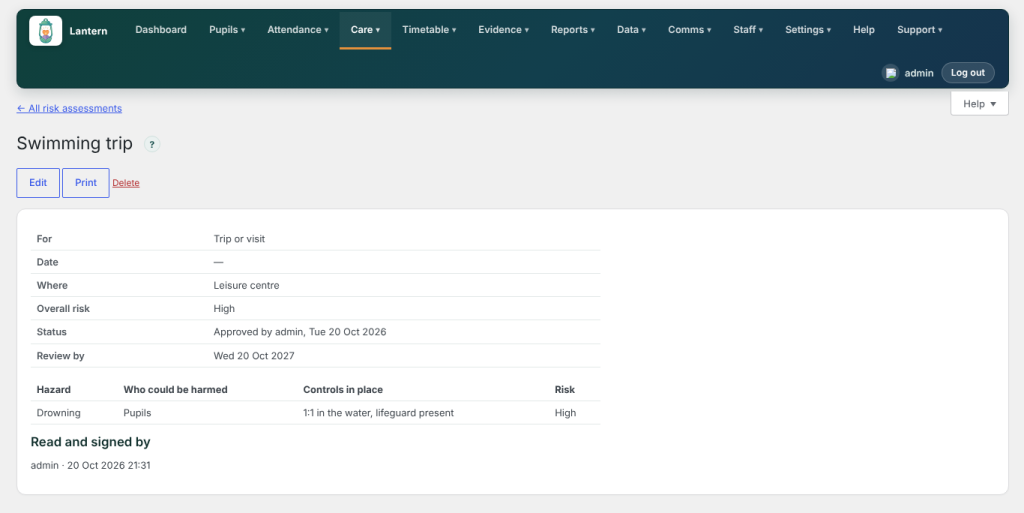
An approved assessment, with who has signed it Suggested 20 Oct 2026
Communication passports (Standard)
What was released, and how it works
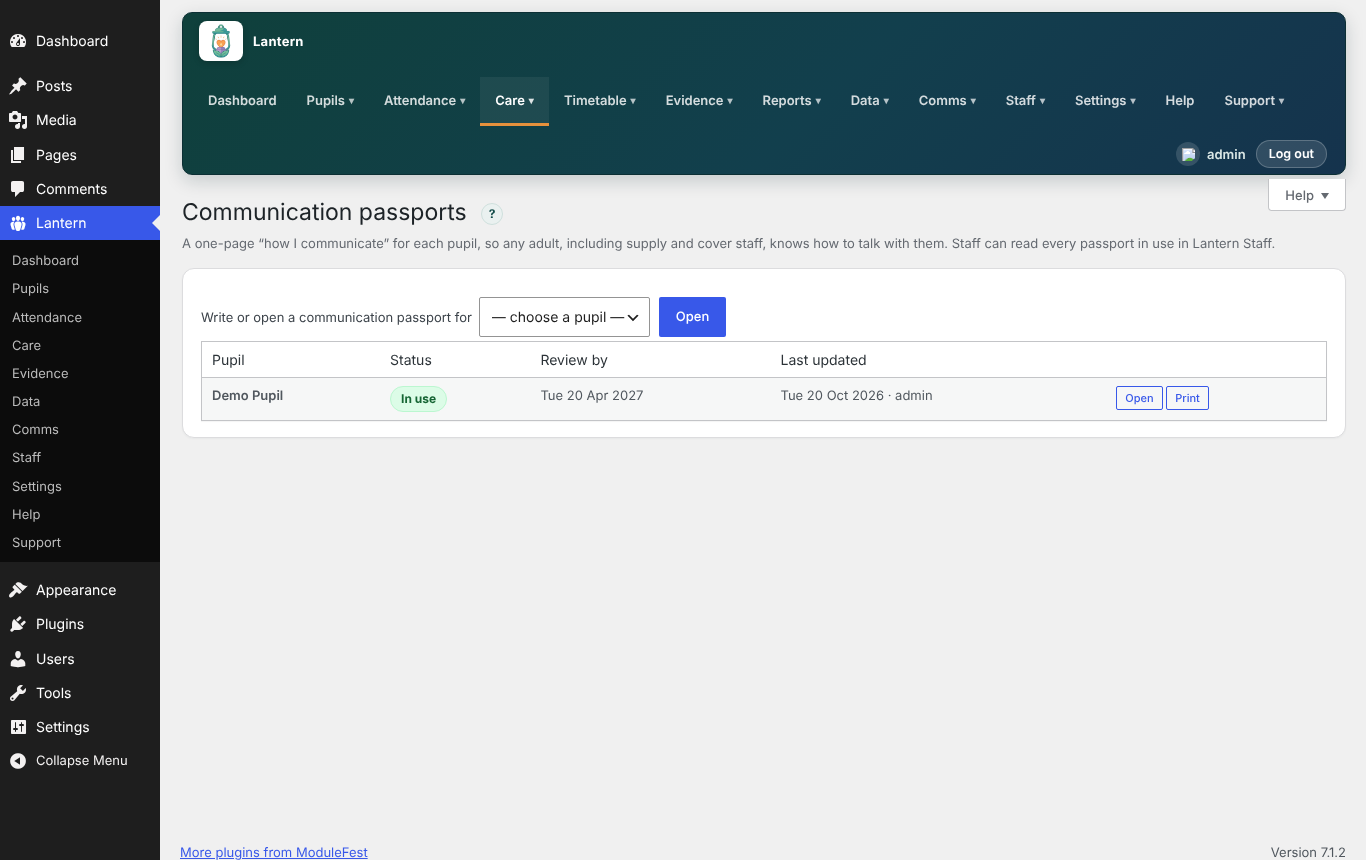
A new Care → Communication passports screen.
Ce que ça fait
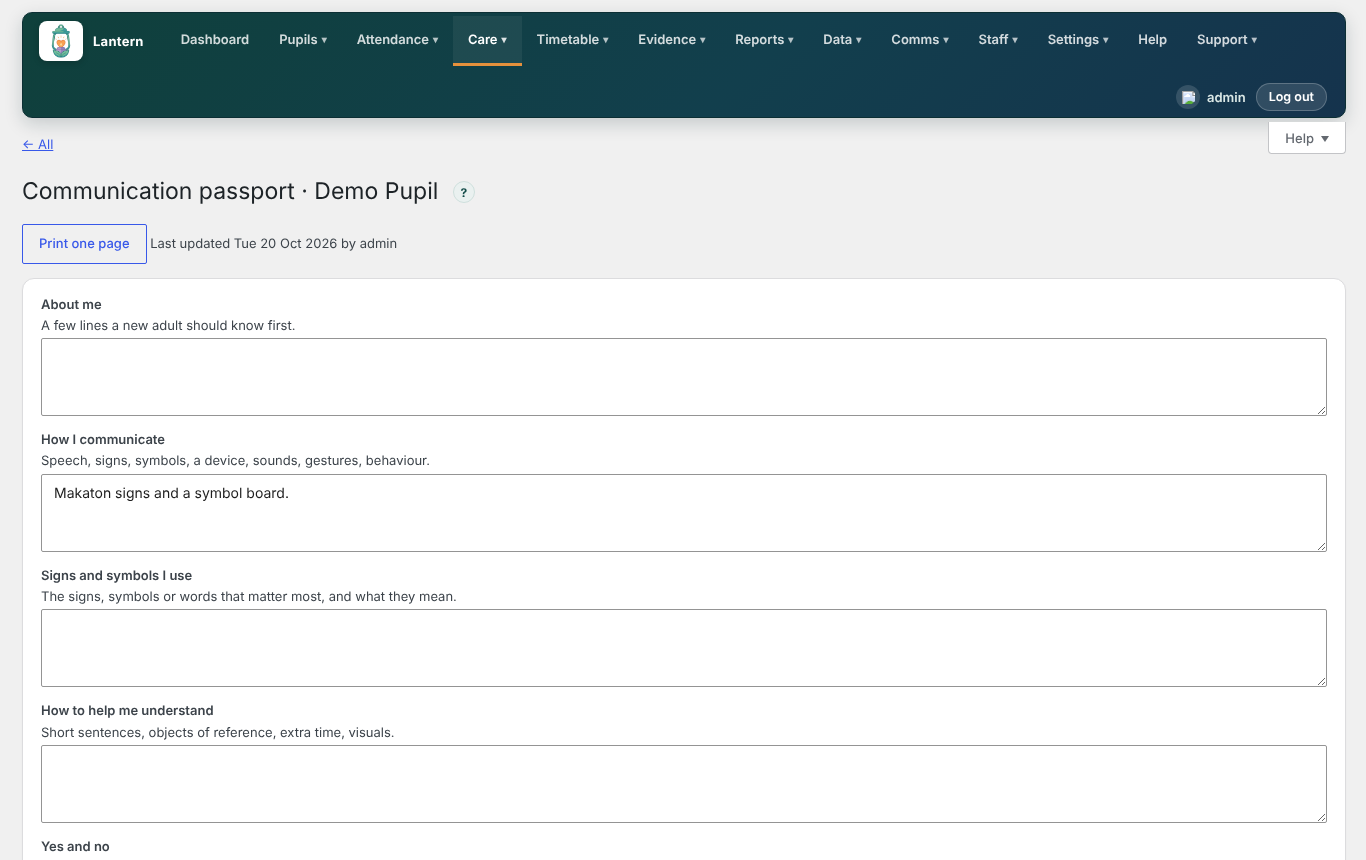
- Write a one-page how I communicate passport for each pupil: a few lines about them, how they communicate, the signs and symbols they use, how to help them understand, how they show yes and no, what they like and don't like, and what helps when they're upset.
- Set a review date.
- Press Print one page for a copy to keep in the classroom or send with the pupil.
In Lantern Staff
- Every passport in use can be read under Care → Passports, so supply and cover staff have it to hand.
Standard plan, with Lantern Pro. Added in version 0.98.0.
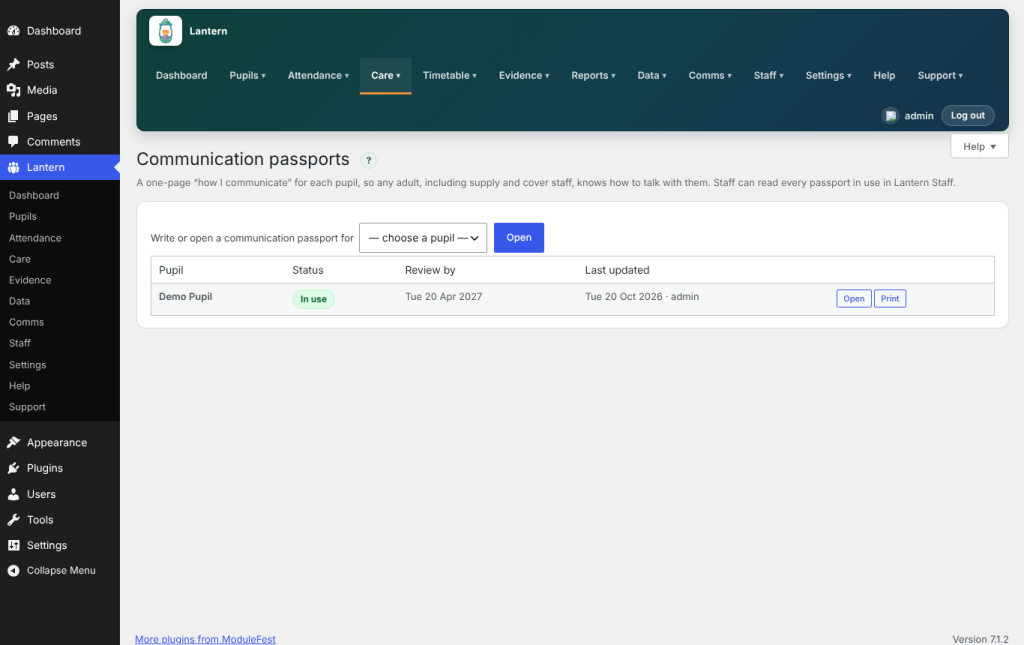
Communication passports 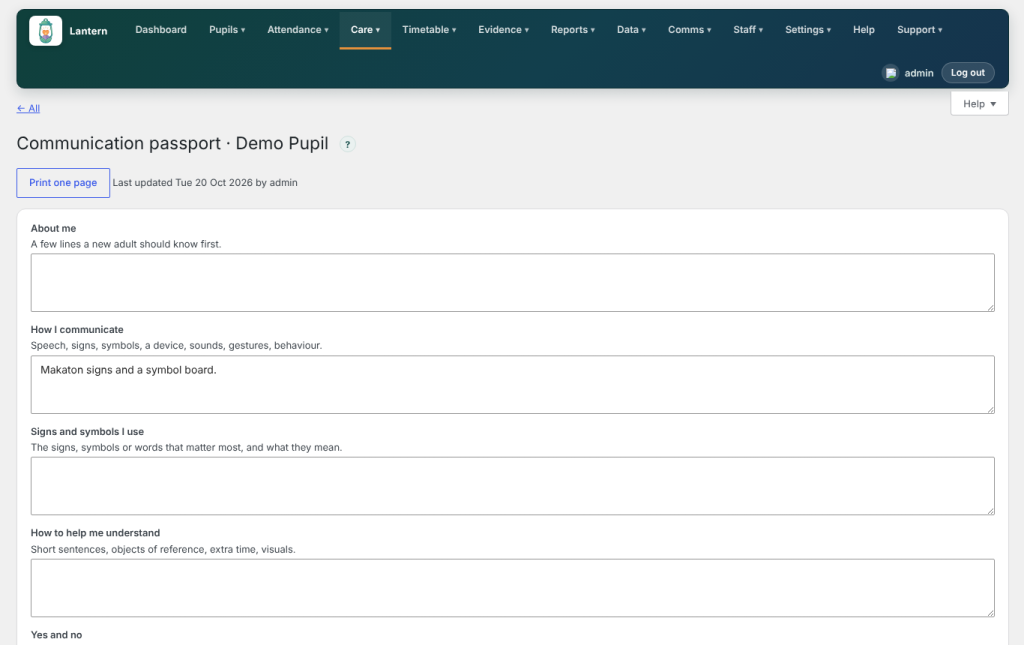
Writing a pupil's passport Suggested 20 Oct 2026
Several schools in one Lantern (Premium)
More detail will be added here as the work goes on.
Suggested 20 Oct 2026 · En cours since 20 Oct 2026
MIS integrations (Premium)
More detail will be added here as the work goes on.
Suggested 20 Oct 2026 · Prévu since 20 Oct 2026
Safeguarding case files (Premium)
More detail will be added here as the work goes on.
Suggested 20 Oct 2026 · Prévu since 20 Oct 2026
Governor and Ofsted reports (Premium)
More detail will be added here as the work goes on.
Suggested 20 Oct 2026 · Prévu since 20 Oct 2026
Local authority returns (Premium)
More detail will be added here as the work goes on.
Suggested 20 Oct 2026 · Prévu since 20 Oct 2026
Parents' evening and meeting booking (Premium)
More detail will be added here as the work goes on.
Suggested 20 Oct 2026 · Prévu since 20 Oct 2026
Single sign-on (Premium)
More detail will be added here as the work goes on.
Suggested 20 Oct 2026 · Prévu since 20 Oct 2026
Audit and data access log (Premium)
More detail will be added here as the work goes on.
Suggested 20 Oct 2026 · Prévu since 20 Oct 2026
Therapy and interventions planner (Premium)
More detail will be added here as the work goes on.
Suggested 20 Oct 2026 · Prévu since 20 Oct 2026
Staff training and matching (Premium)
More detail will be added here as the work goes on.
Suggested 20 Oct 2026 · Prévu since 20 Oct 2026
Records retention and leavers (Premium)
More detail will be added here as the work goes on.
Suggested 20 Oct 2026 · Prévu since 20 Oct 2026
Rien pour l’instant.