









 New features
Quotes, bank matching and the year's accounts for halls
HallPro now takes a booking from quote to accounts: send a quote the hirer accepts online, match the bank statement to your invoices, and have the year's receipts and payments account ready for the AGM. Hirers can ask to move a booking and record how they found the hall.
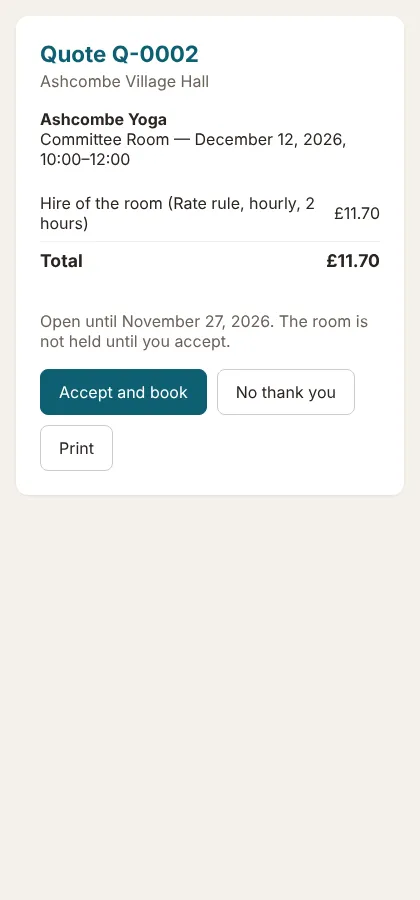
Quotes hirers accept online
Choose the room, dates, extras and deposit and send the quote. When the hirer presses Accept and book, the booking and the deposit invoice are made for you. Standard plan.
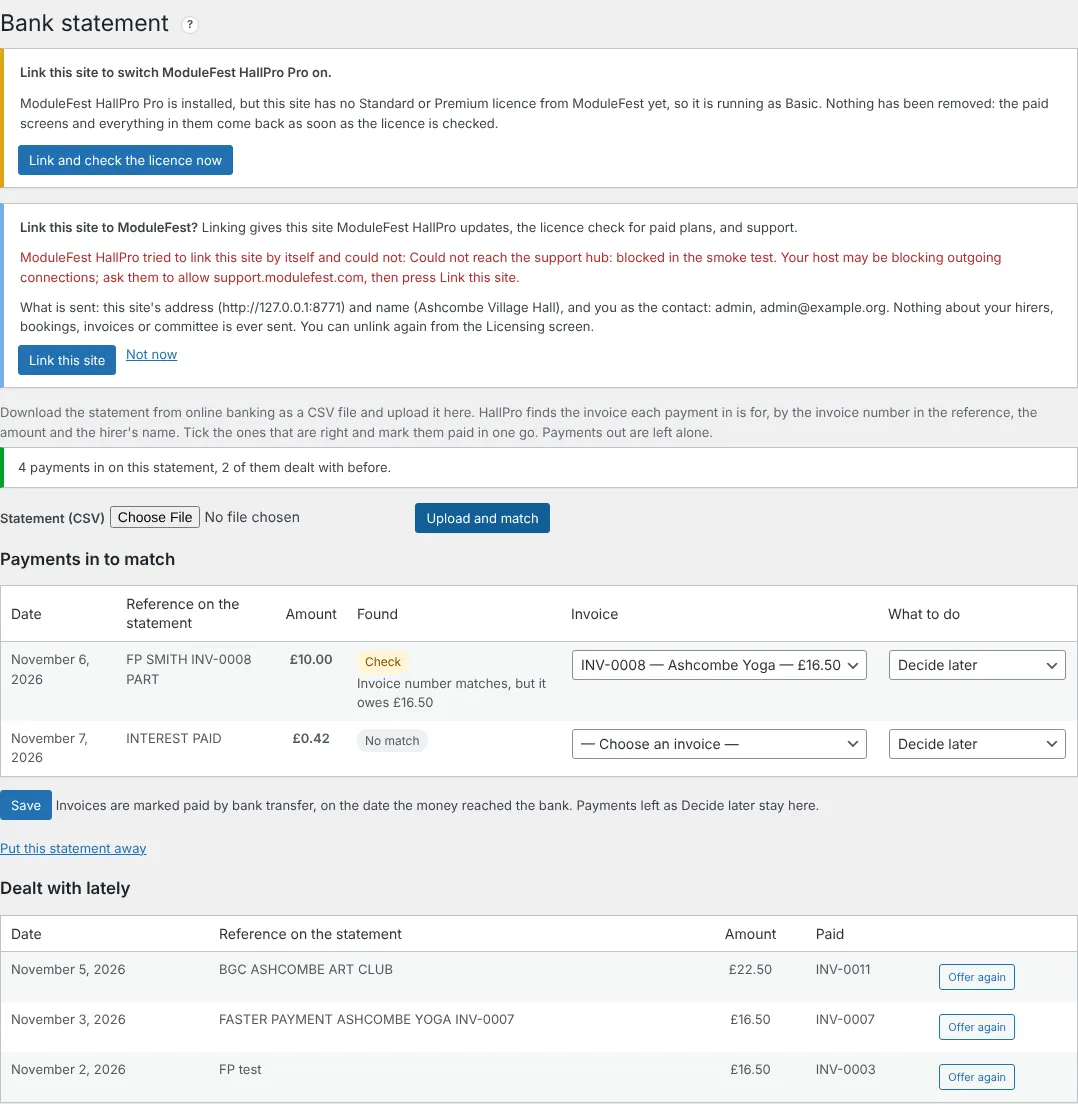
Bank statement matching
Upload the statement from online banking as a CSV, check the suggested matches and save. The paid invoices are marked for you. Standard plan.
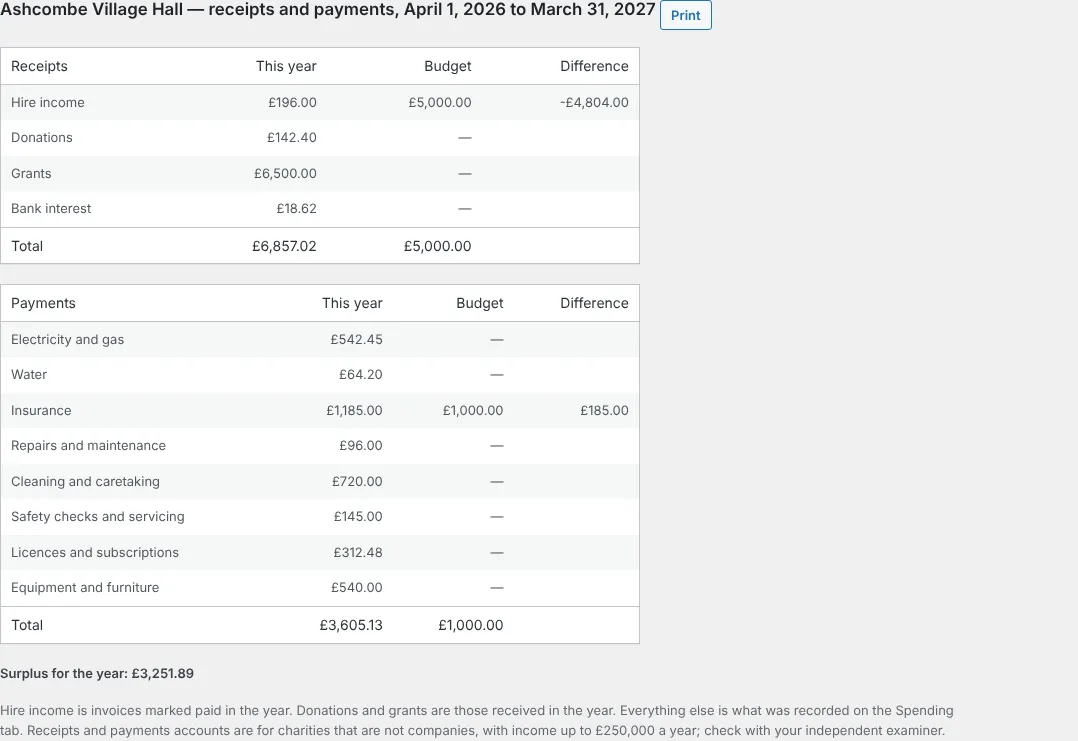
Spending and the year's accounts
Record payments with a receipt photo, set a budget, and open the receipts and payments account for the AGM. Standard plan.
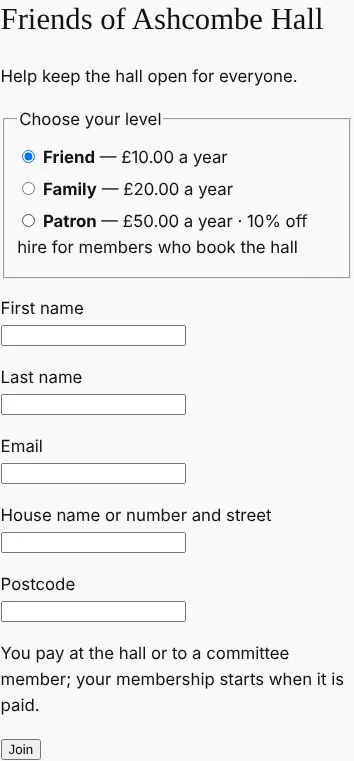
Friends of the hall
Levels with a discount on hire, and joining and renewing on your website. Standard plan.
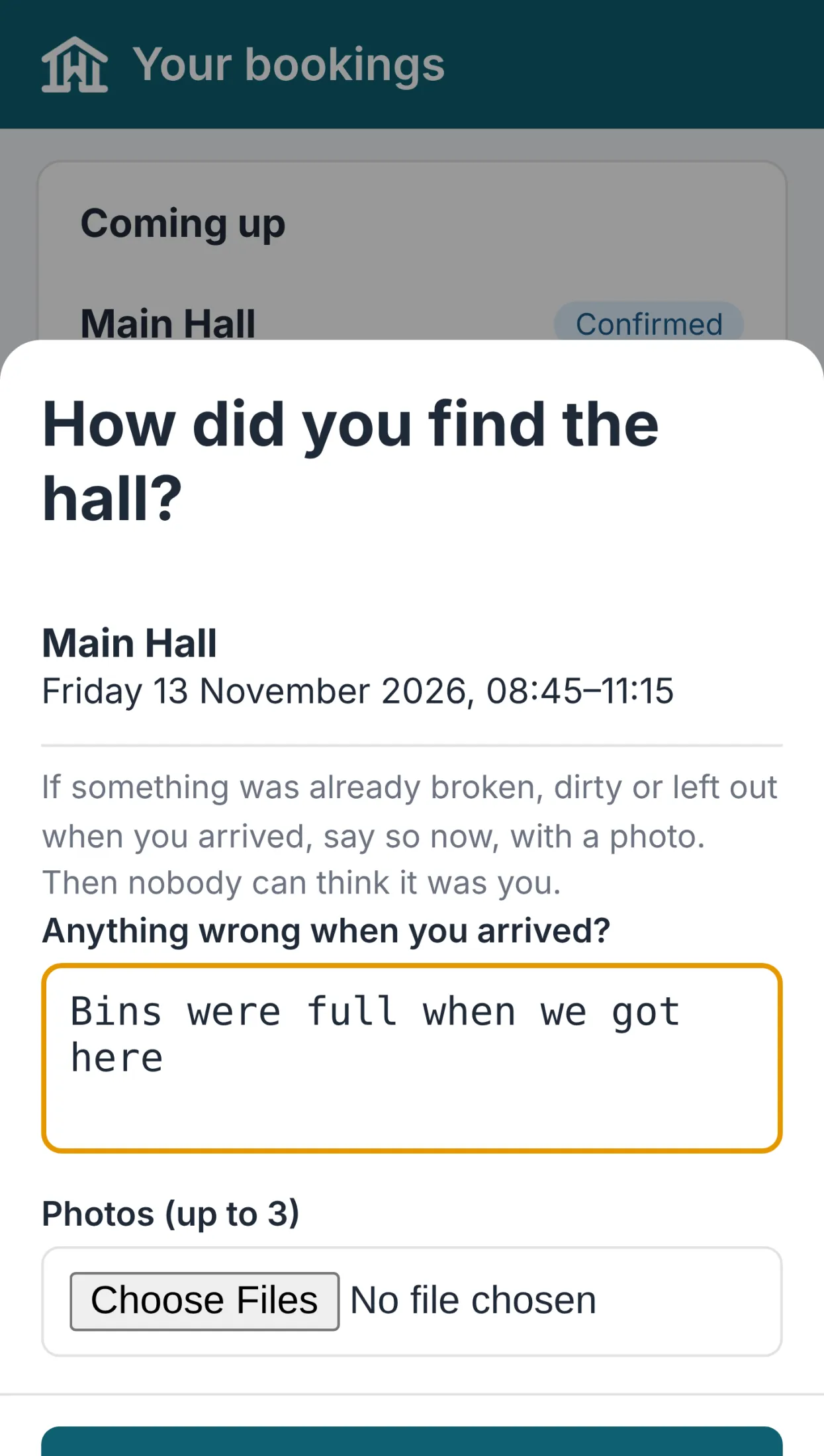
Helpers' hours
The cleaner logs hours in the committee app, and you approve and mark them paid. Standard plan.
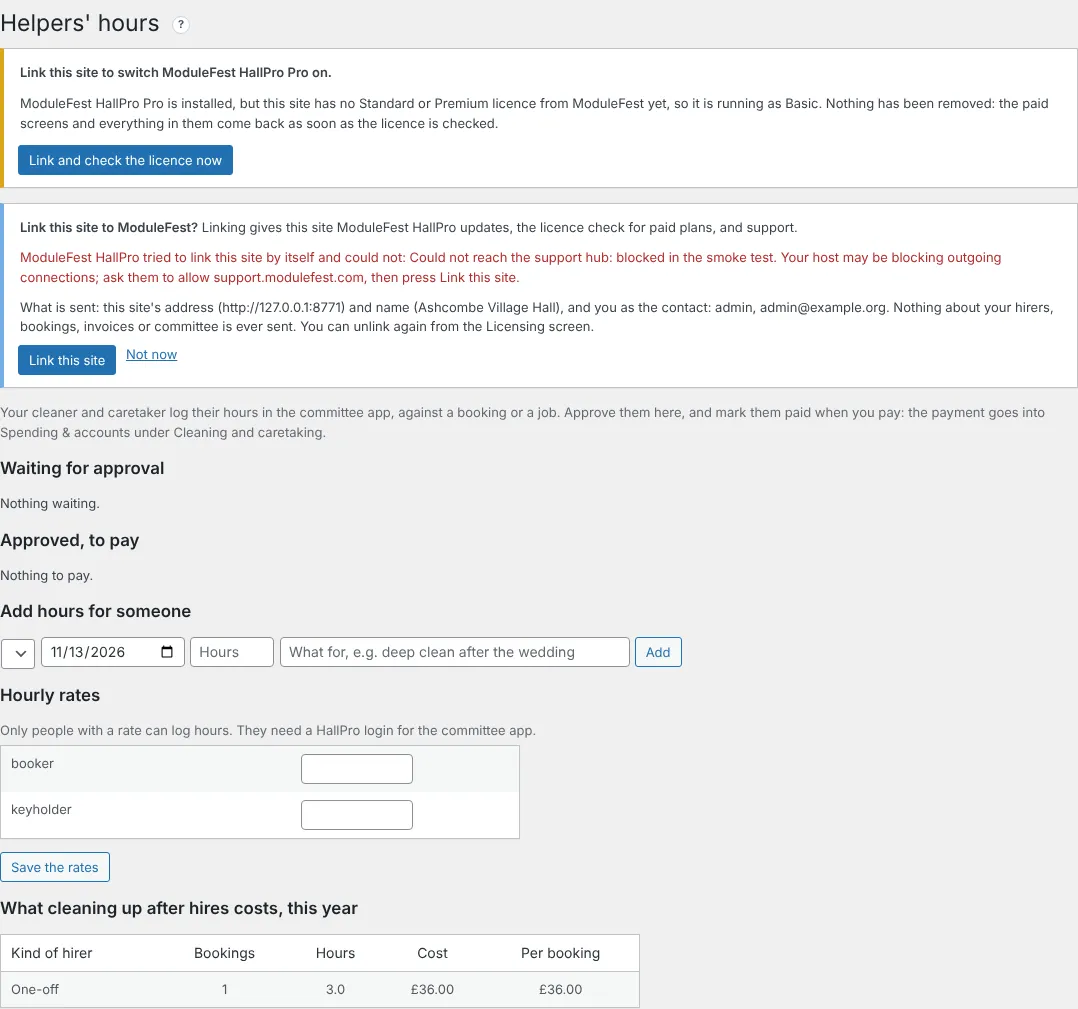
Hirers ask to move a booking
The hirer asks in their app, HallPro checks the hall is free, and you agree in one click. On every plan.
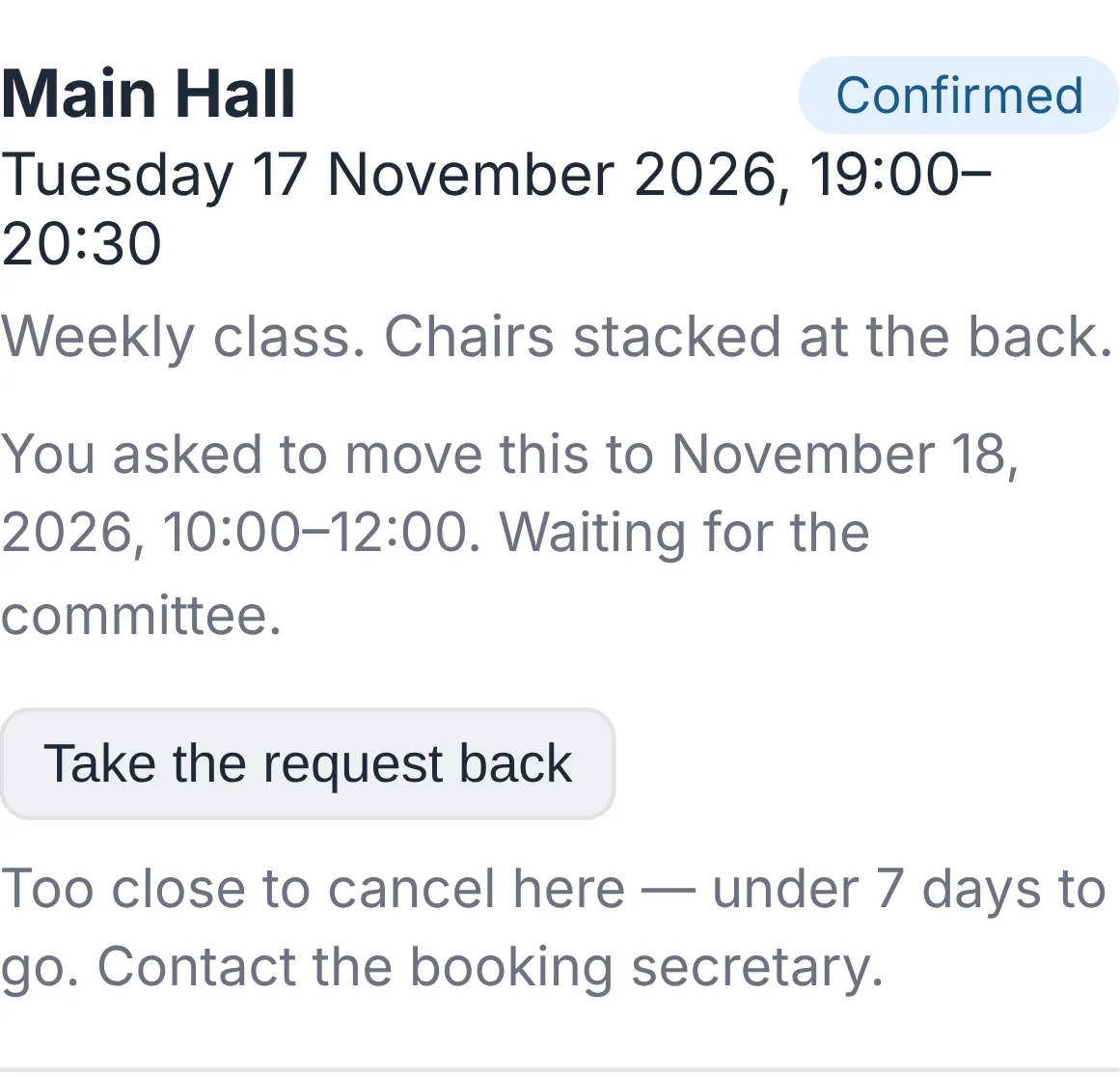
Arrival check and invoice cards
Hirers record how they found the hall, with photos, and see every invoice as a card with a View & Pay button. A wedding weekend can now be one booking, and a hirer can have more than one contact. On every plan.
Versionshinweise
0.113.40November 13, 2026
Eine Buchung kann jetzt ein ganzes Wochenende oder eine ganze Woche umfassen.
Sie finden dies unter Bookings.
- Geben Sie den Start an, zum Beispiel Freitag 17:00 Uhr.
- Geben Sie das Ende an einem späteren Tag an, zum Beispiel Sonntag 12:00 Uhr.
- Speichern.
- Es wird über den gesamten Zeitraum auf Überschneidungen geprüft.
- Es wird an jedem Tag, den es abdeckt, auf dem Arbeitszettel und dem Foyer-Bildschirm angezeigt.
- Jeder Tag wird innerhalb Ihrer Öffnungszeiten berechnet und zusammengerechnet.
- Bei jedem Tarif kostenlos.
Senden Sie Mietern ein Angebot, das sie online annehmen können – die Buchung erledigt sich dann von selbst.
Sie finden dies unter Bookings › Quotes.
- Klicken Sie auf New quote und wählen Sie den Mieter, den Raum, die Daten, Extras und die Kaution aus.
- Klicken Sie auf Save and send to the hirer.
- Der Mieter öffnet den Link und klickt auf Accept and book.
- Bei der Annahme wird geprüft, ob der Raum noch frei ist, und es wird eine bestätigte Buchung inklusive Extras erstellt.
- Der Mieter wird drei Tage vor Ablauf des Angebots daran erinnert.
- Im Standard-Tarif enthalten.
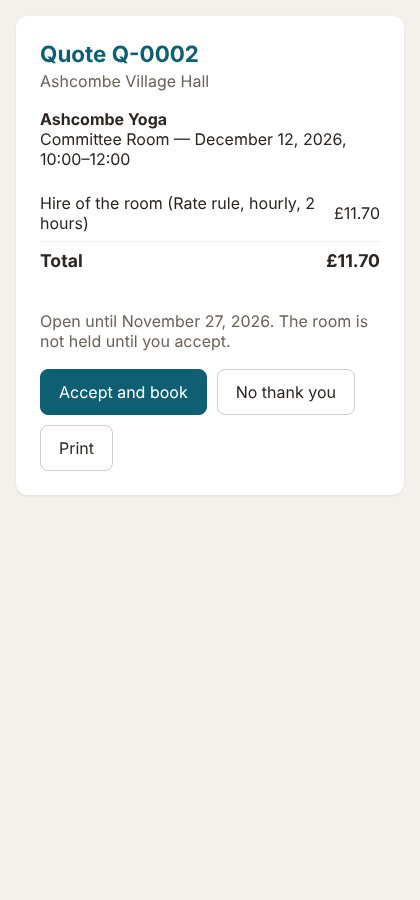
Die Angebotsseite 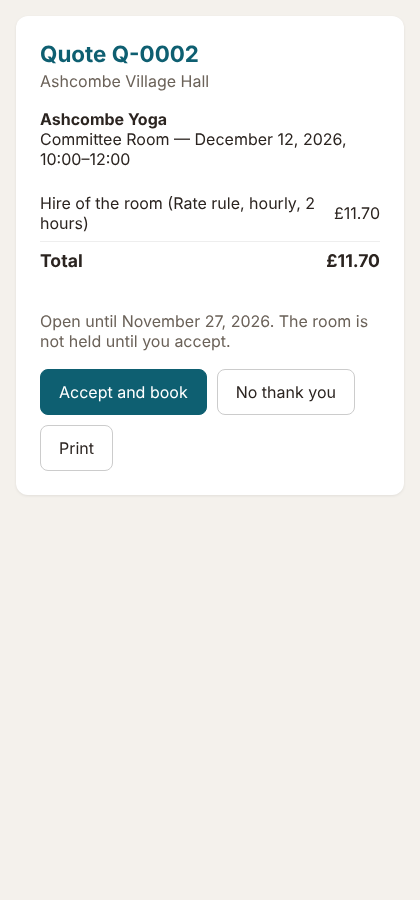
Ihre Reinigungskraft erfasst ihre Stunden auf dem Smartphone; Sie geben diese mit zwei Klicks frei und bezahlen sie.
Zu finden unter Committee › Helpers' hours.
- Legen Sie den Stundenlohn des Helfers fest.
- Er oder sie tippt in der Committee-App unter Today auf Log my hours.
- Sie tippen auf Approve und bei der Bezahlung auf Mark paid.
- Die Zahlung fließt automatisch in Spending & accounts ein.
- Sehen Sie, was die Reinigung nach den verschiedenen Arten von Mietern kostet.
- Im Standard-Tarif enthalten.
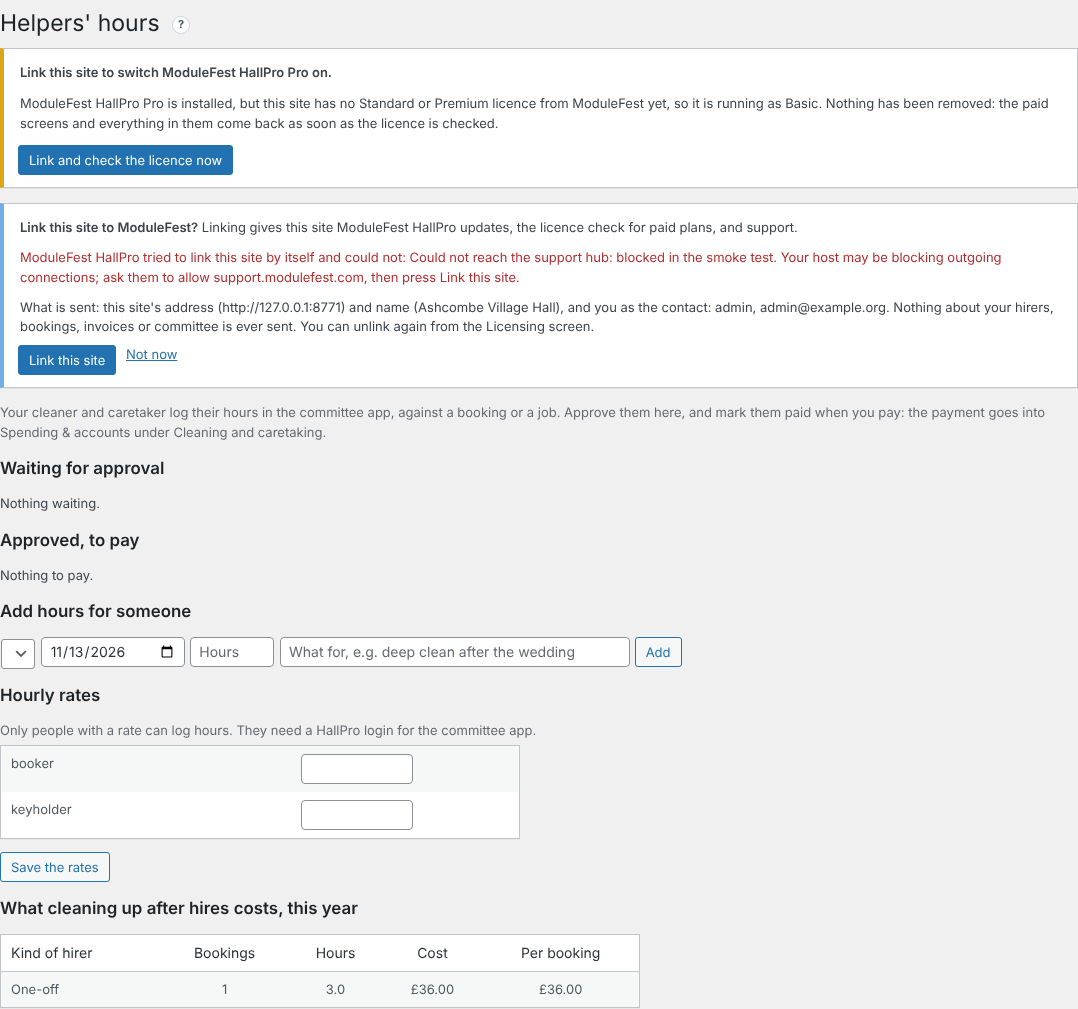
Helpers' hours 
Fügen Sie dem Mieter den Schatzmeister, den Schlüsselverantwortlichen und weitere Personen hinzu, sodass jeder genau das bekommt, was er braucht.
Sie finden dies unter Hirers in den Mieterdetails.
- Geben Sie unter Other contacts einen Namen und eine E-Mail-Adresse ein.
- Wählen Sie aus, was sie erhalten sollen: Rechnungen, Buchungsbestätigungen, den TürCode oder ihren eigenen App-Zugang.
- Klicken Sie auf Add contact.
- Kopien werden nur bei E-Mails mitgesendet, die für den Mieter bestimmt sind.
- In jedem Tarif kostenlos enthalten.

Other contacts 
Verwalten Sie Ihren Förderverein für die Halle in HallPro: Online-Beitritt, Verlängerungen und Mietrabatt.
Sie finden dies unter Community › Friends of the hall.
- Legen Sie Ihre Stufen und eventuelle Mietrabatte fest.
- Klicken Sie auf Let people join and renew on the website und erstellen Sie die Beitrittsseite.
- Mitglieder treten bei und bezahlen per Karte oder direkt in der Halle.
- Erinnerungs-E-Mails zur Verlängerung werden einen Monat vorher verschickt; nicht bezahlte Mitgliedschaften laufen einen Monat später ab.
- Verknüpfte Mieter erhalten ihren Rabatt automatisch.
- Im Standard-Tarif enthalten.
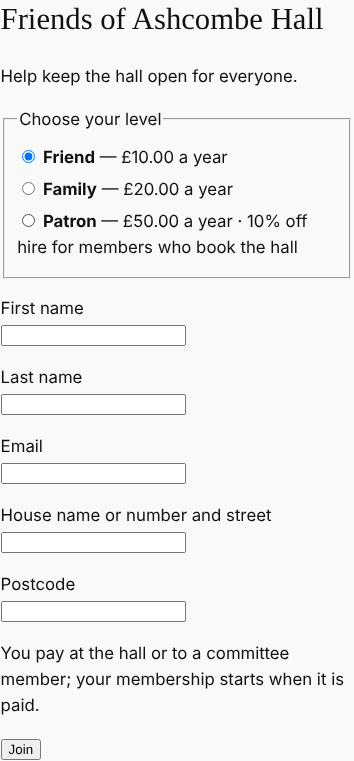
Die Beitrittsseite 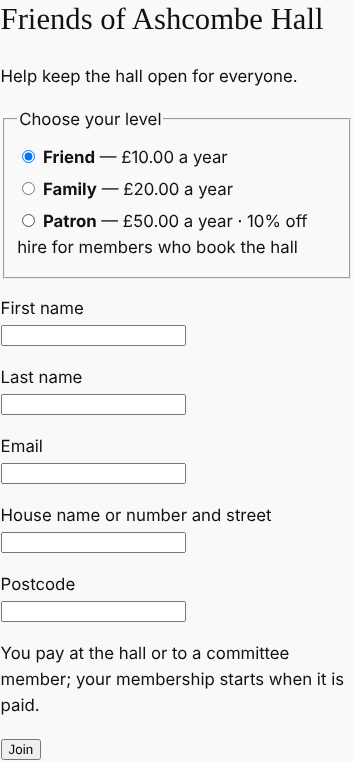
0.113.38November 13, 2026
Upload your bank statement and HallPro marks the paid invoices for you.
Find it at Money › Bank statement.
- Download the statement from online banking as a CSV file.
- Upload it and press Upload and match.
- Check the suggestions and press Save.
- Match: the invoice number and amount are right.
- Likely: the amount and the hirer's name are right.
- Check: look before you mark it paid.
- Invoices are marked paid on the date the money reached the bank, and the same payment is never offered twice.
- On the Standard plan.
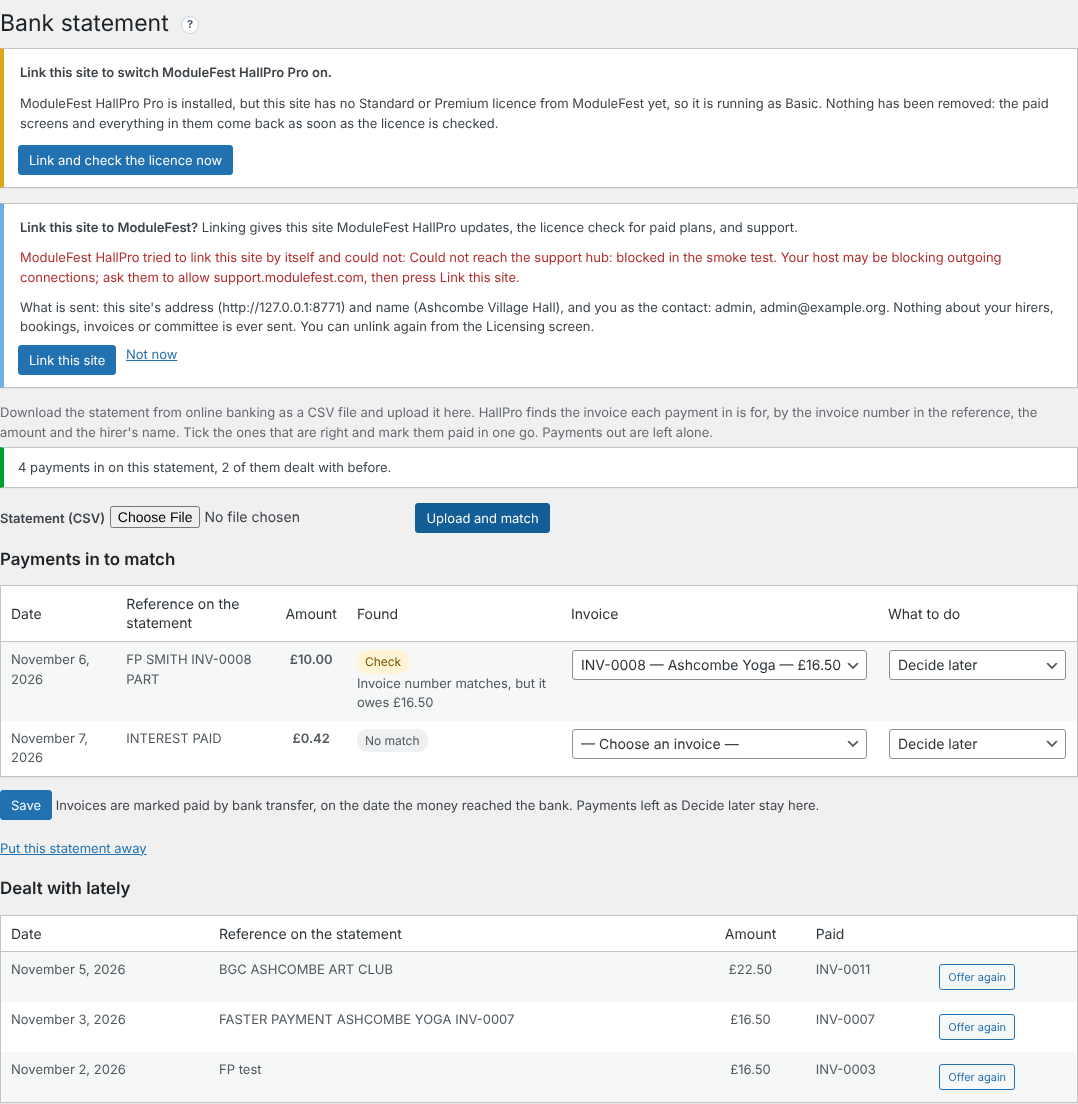
Payments matched to invoices 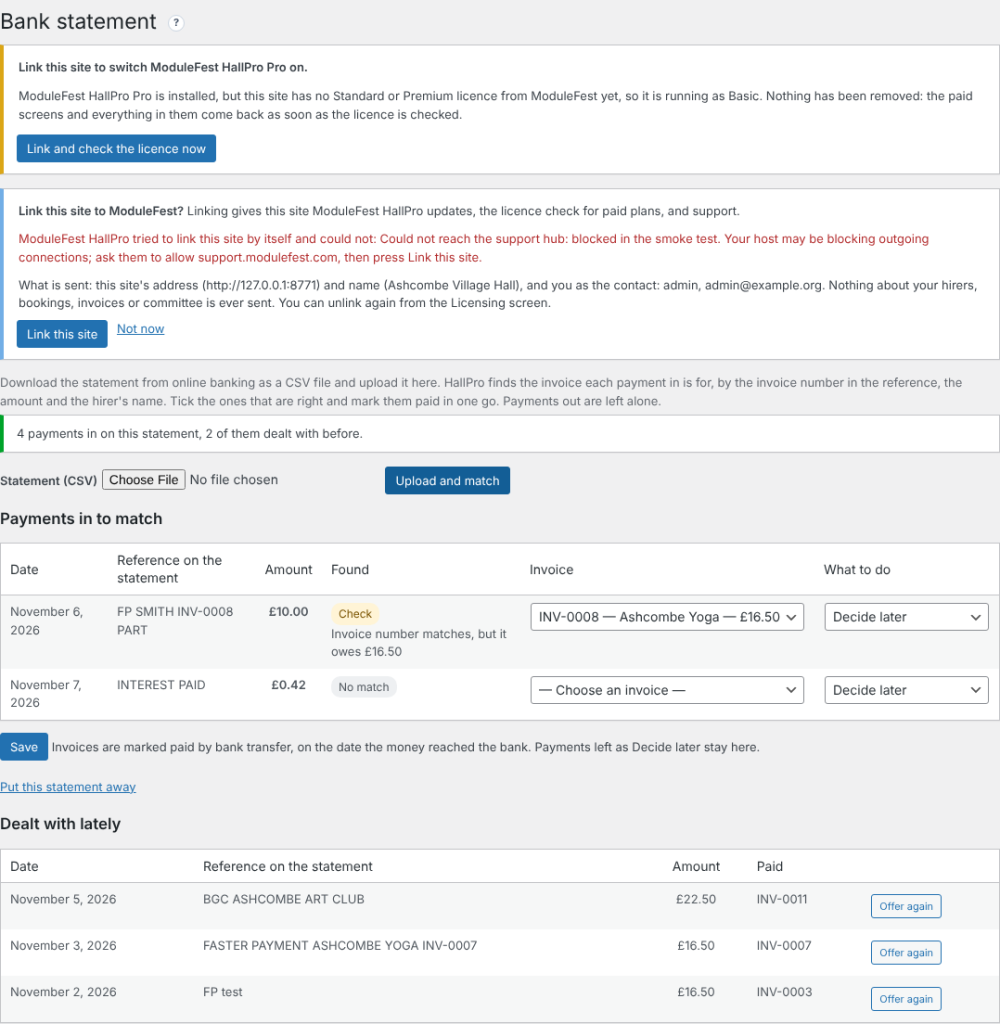
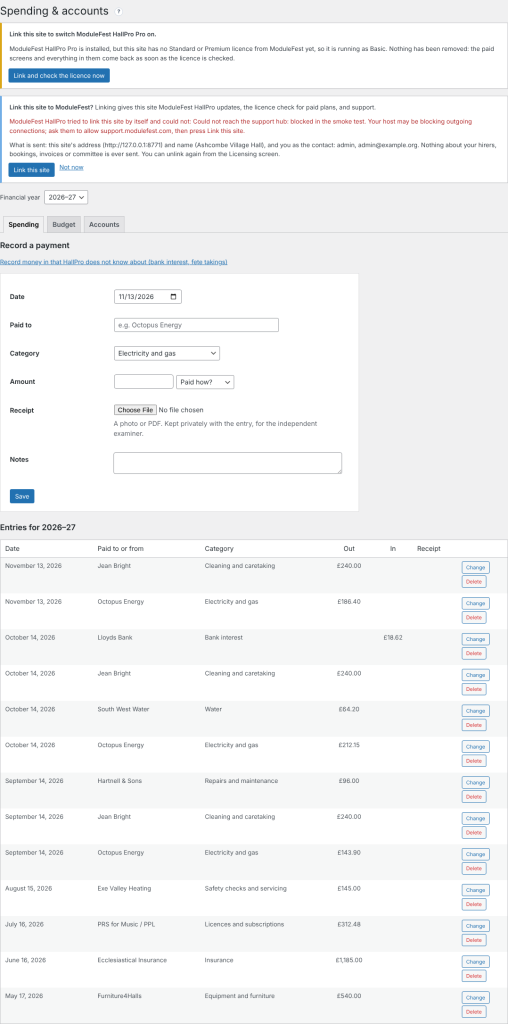
Keep the hall's spending in HallPro and get the year's accounts for the AGM.
Find it at Money › Spending & accounts.
- Record each payment with a category and a photo of the receipt.
- Set the year's budget on the Budget tab.
- Open the Accounts tab and press Print.
- Hire income, donations and grants are filled in for you.
- The budget and the difference are shown beside each line.
- On the Standard plan.
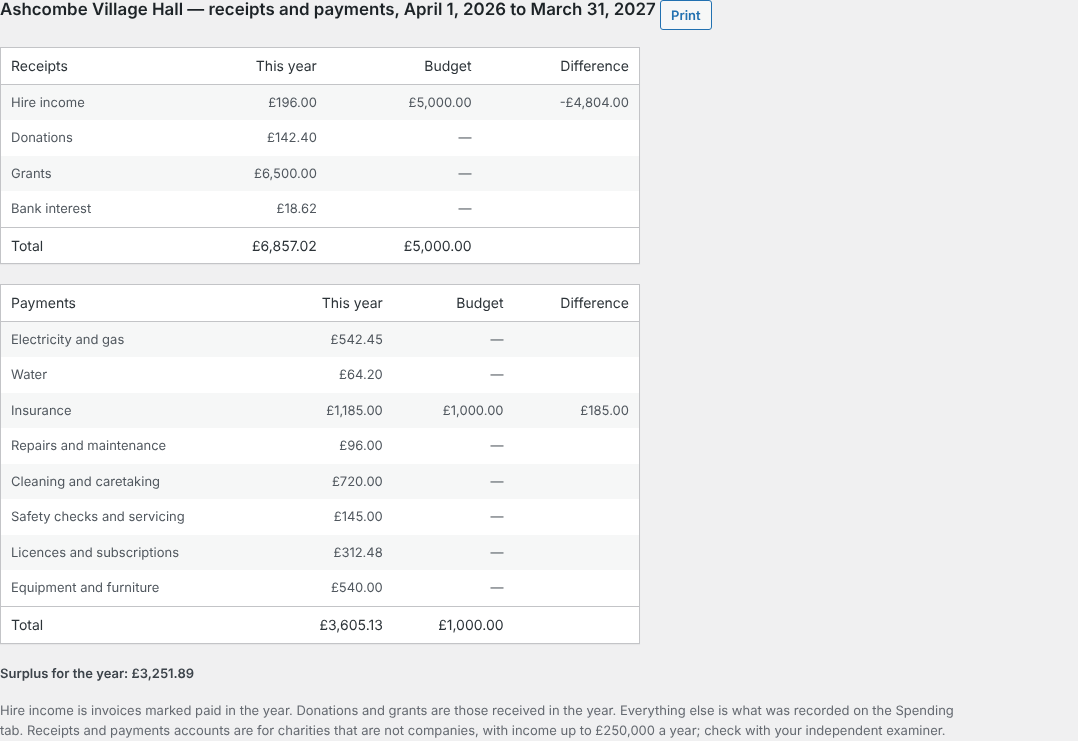
The receipts and payments account 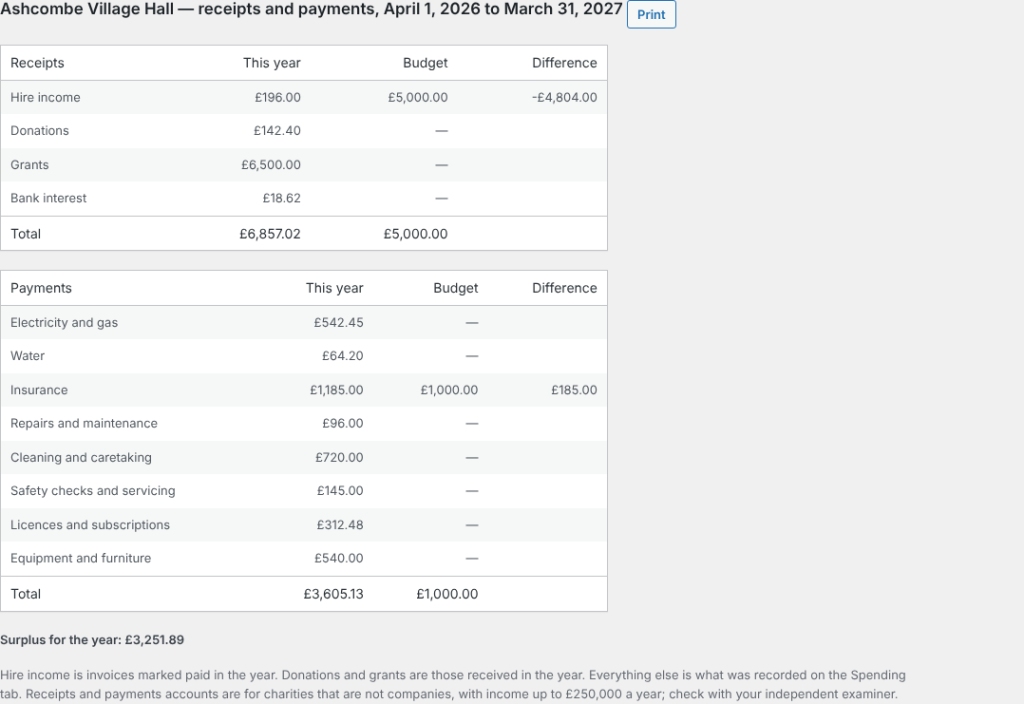
Hirers can now tell you how they found the hall when they arrive.
It is in the hirers' app, on the booking.
- From an hour before the hire, the hirer presses Arrival check.
- They say what was wrong, if anything, and add up to three photos.
- You see it above the end-of-hire checklist on Bookings and Damage deposits.
- The committee is emailed when something was wrong.
- Free on every plan.
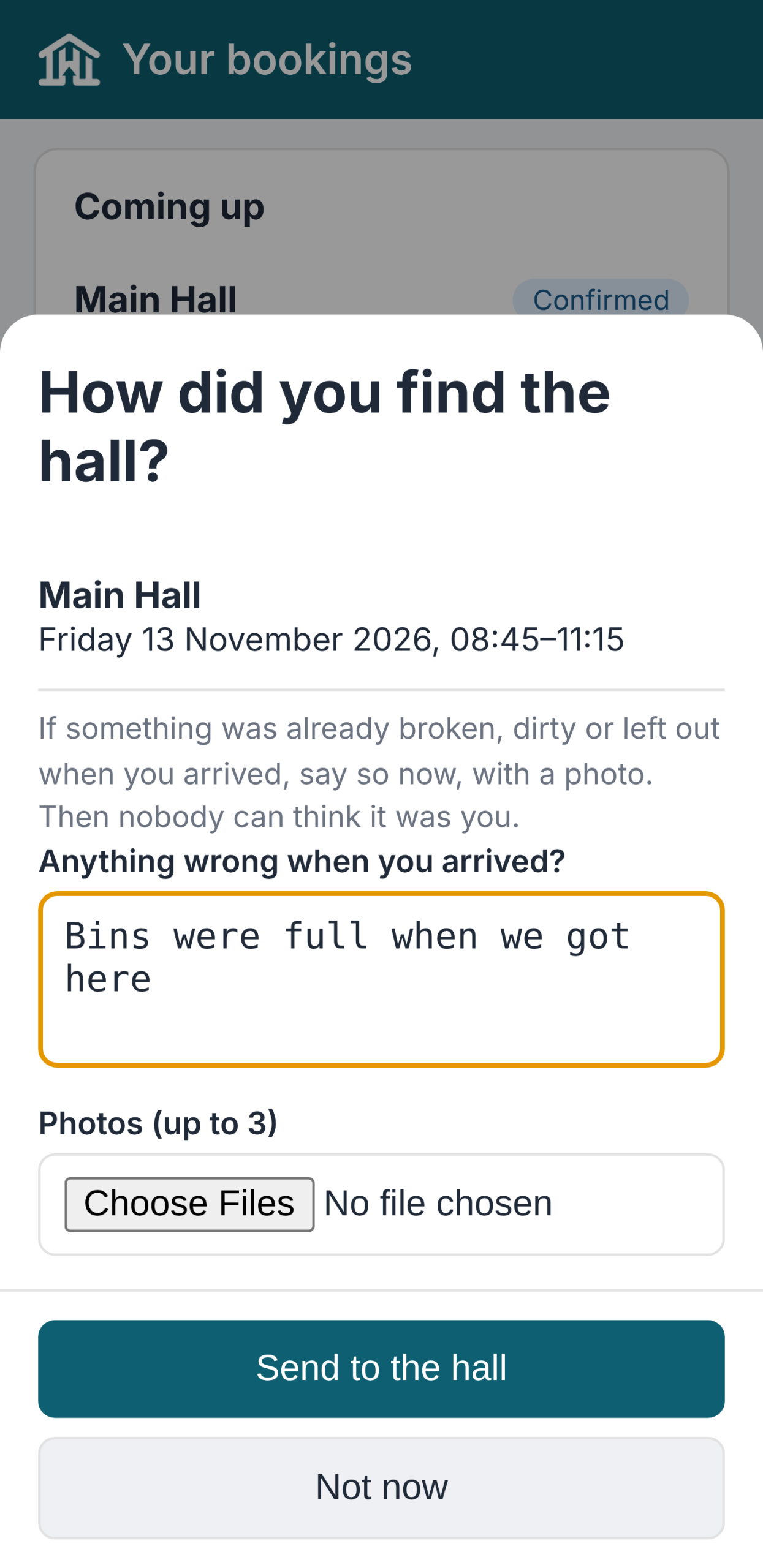
The arrival check 
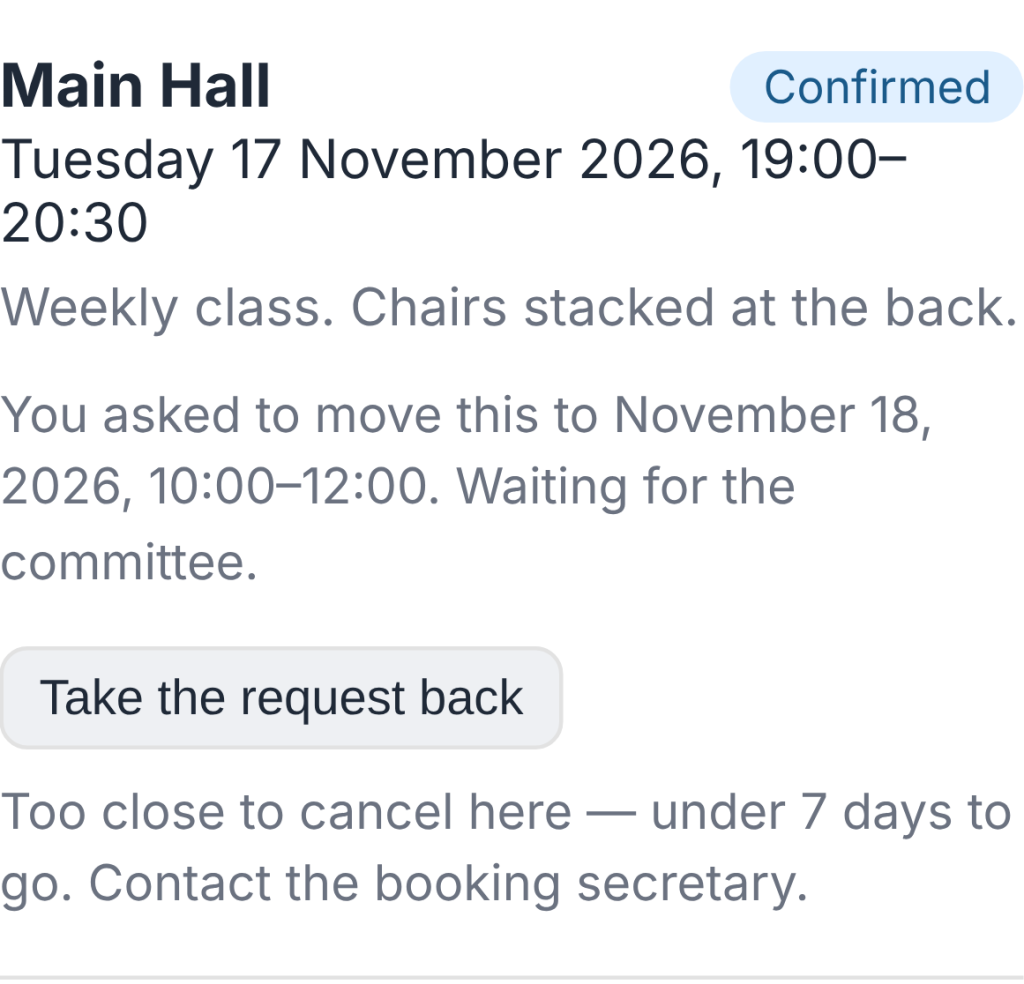
Hirers can now ask to move a booking, and you answer with one click.
Find it at Bookings (and on the Dashboard).
- In the hirers' app, the hirer presses Ask to move this booking and picks a new time.
- HallPro checks the hall is free and open then.
- You press Agree and move it or Say no.
- The hirer is emailed either way, and the old time is offered to the waiting list.
- If the new time costs a different amount, you are told; the invoice is not changed by itself.
- Free on every plan.

The request on the Bookings screen 
0.113.37November 11, 2026
You can now see how the foot of an invoice looks before you put in your own bank details.
Find it at Settings › Demo Data.
- Find Payment details and press Import.
- Open any unpaid invoice in the hirers' app, or its PDF.
- The invoice shows demo bank details, cheque wording and a treasurer to contact.
- The sort code is 00-00-00, which no bank uses, so a payment sent there by mistake is refused.
- Invoicing & Payments warns while the demo details are in. Save your own there, or remove Payment details, before sending real invoices.
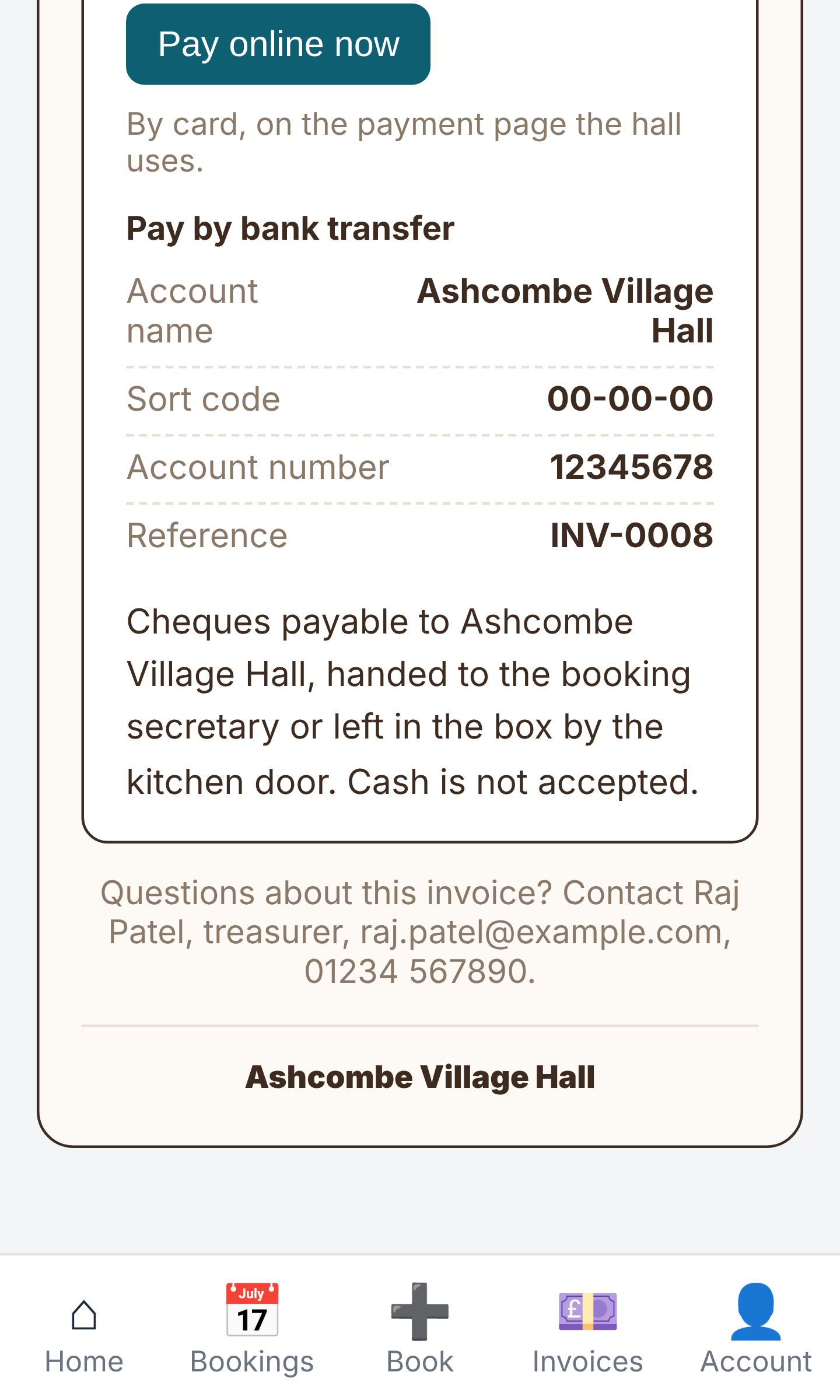
Demo payment details at the foot of an invoice
ModuleFest HallPro
Verwalten Sie Ihre Dorf- oder Gemeindehalle an einem Ort.
Weitere Neuigkeiten
 Neue FunktionPet Groomer 2.77: Account credit and monthly billingManage advance payments and bill chosen clients just once a month.Was ist neu →
 Neue VersionModuleFest Pet Walker 2.771.222Kunden können jetzt im Voraus bezahlen und ihre Rechnungen über das Guthaben begleichen lassen. Außerdem in dieser Version: pay monthly in arrears: one invoice at the…Was ist neu →
 Neue VersionModuleFest Trades Business Manager 0.14.42Jobs, quotes, invoices and stock for tradesWas ist neu →