









 New features
Quotes, bank matching and the year's accounts for halls
HallPro now takes a booking from quote to accounts: send a quote the hirer accepts online, match the bank statement to your invoices, and have the year's receipts and payments account ready for the AGM. Hirers can ask to move a booking and record how they found the hall.
Quotes hirers accept online
Choose the room, dates, extras and deposit and send the quote. When the hirer presses Accept and book, the booking and the deposit invoice are made for you. Standard plan.
Bank statement matching
Upload the statement from online banking as a CSV, check the suggested matches and save. The paid invoices are marked for you. Standard plan.
Spending and the year's accounts
Record payments with a receipt photo, set a budget, and open the receipts and payments account for the AGM. Standard plan.
Friends of the hall
Levels with a discount on hire, and joining and renewing on your website. Standard plan.
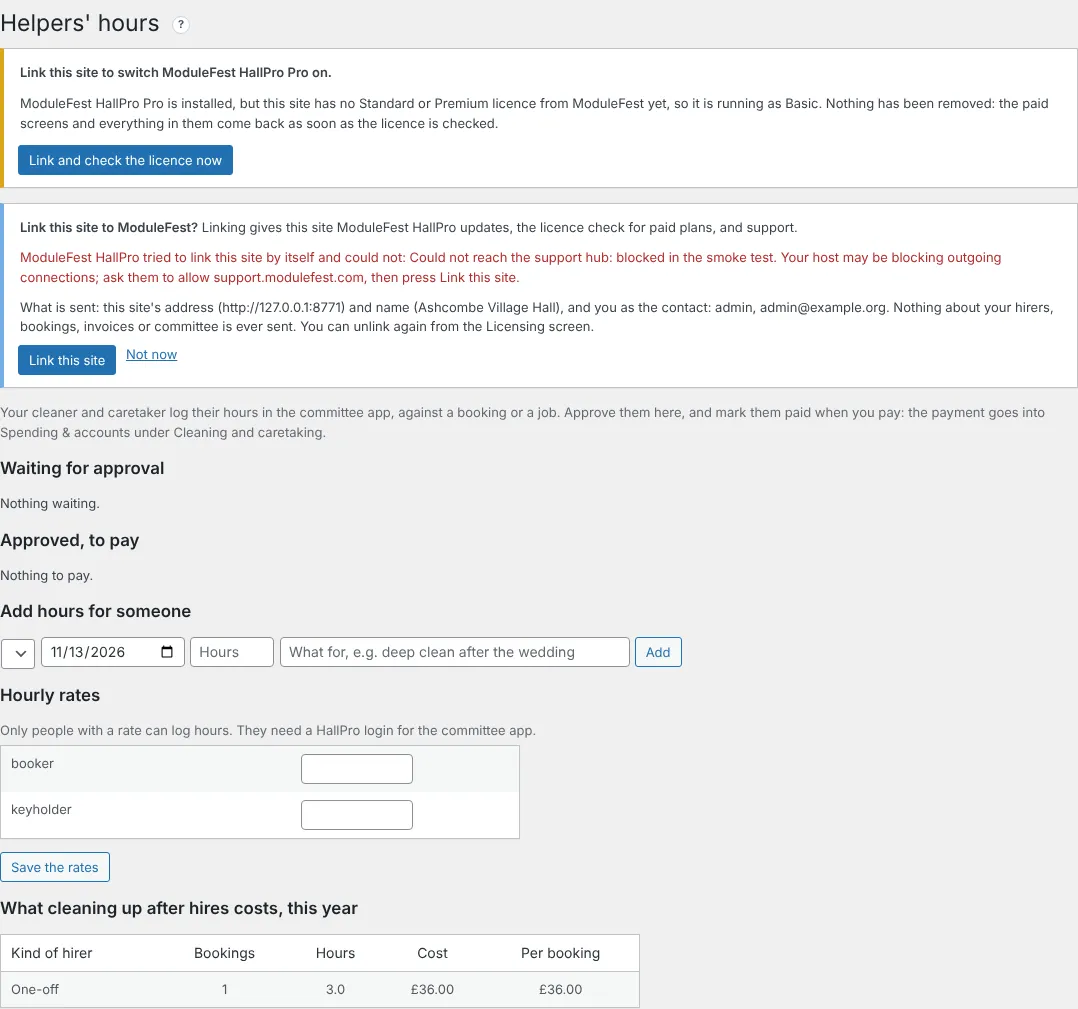
Helpers' hours
The cleaner logs hours in the committee app, and you approve and mark them paid. Standard plan.
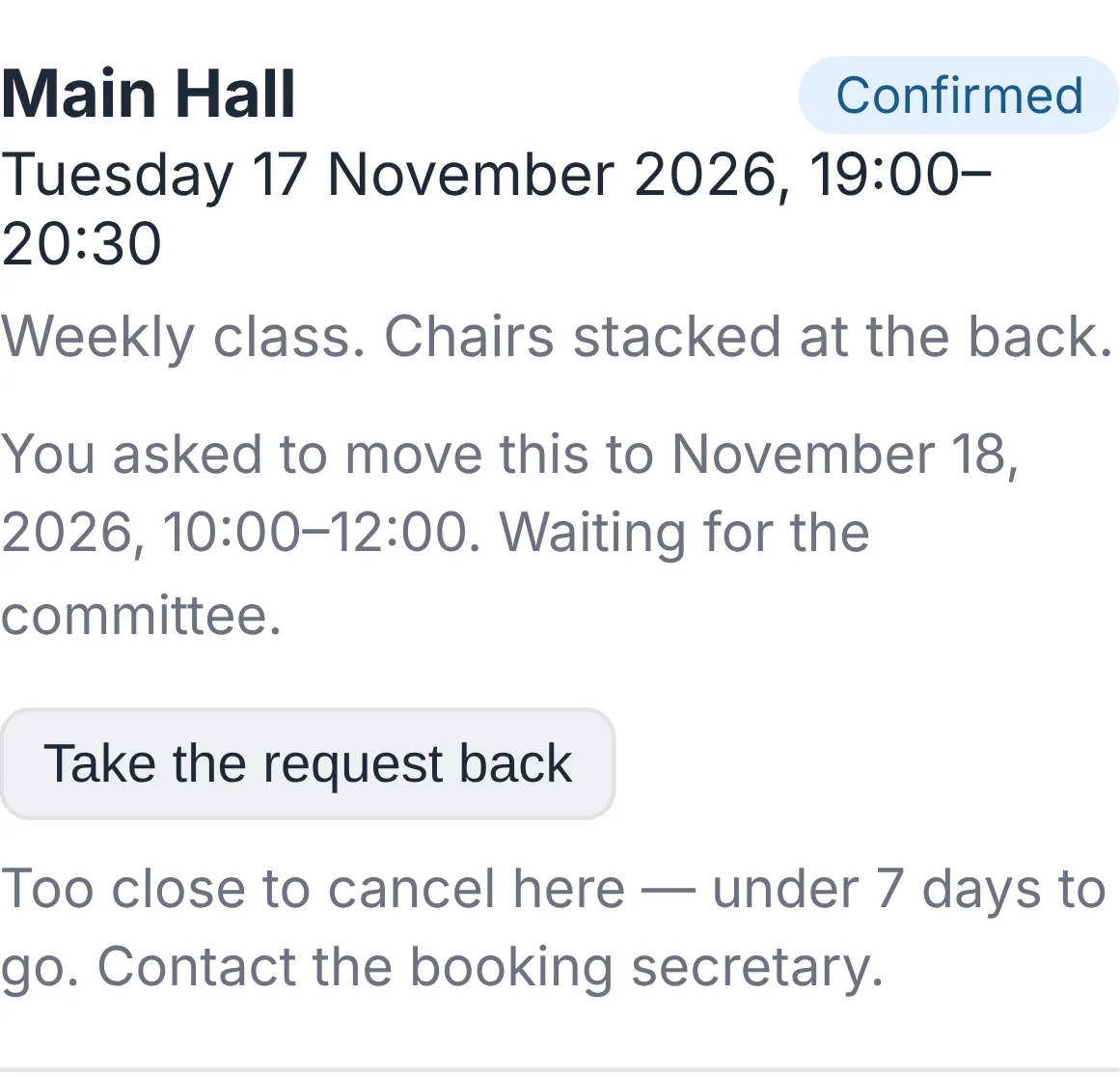
Hirers ask to move a booking
The hirer asks in their app, HallPro checks the hall is free, and you agree in one click. On every plan.
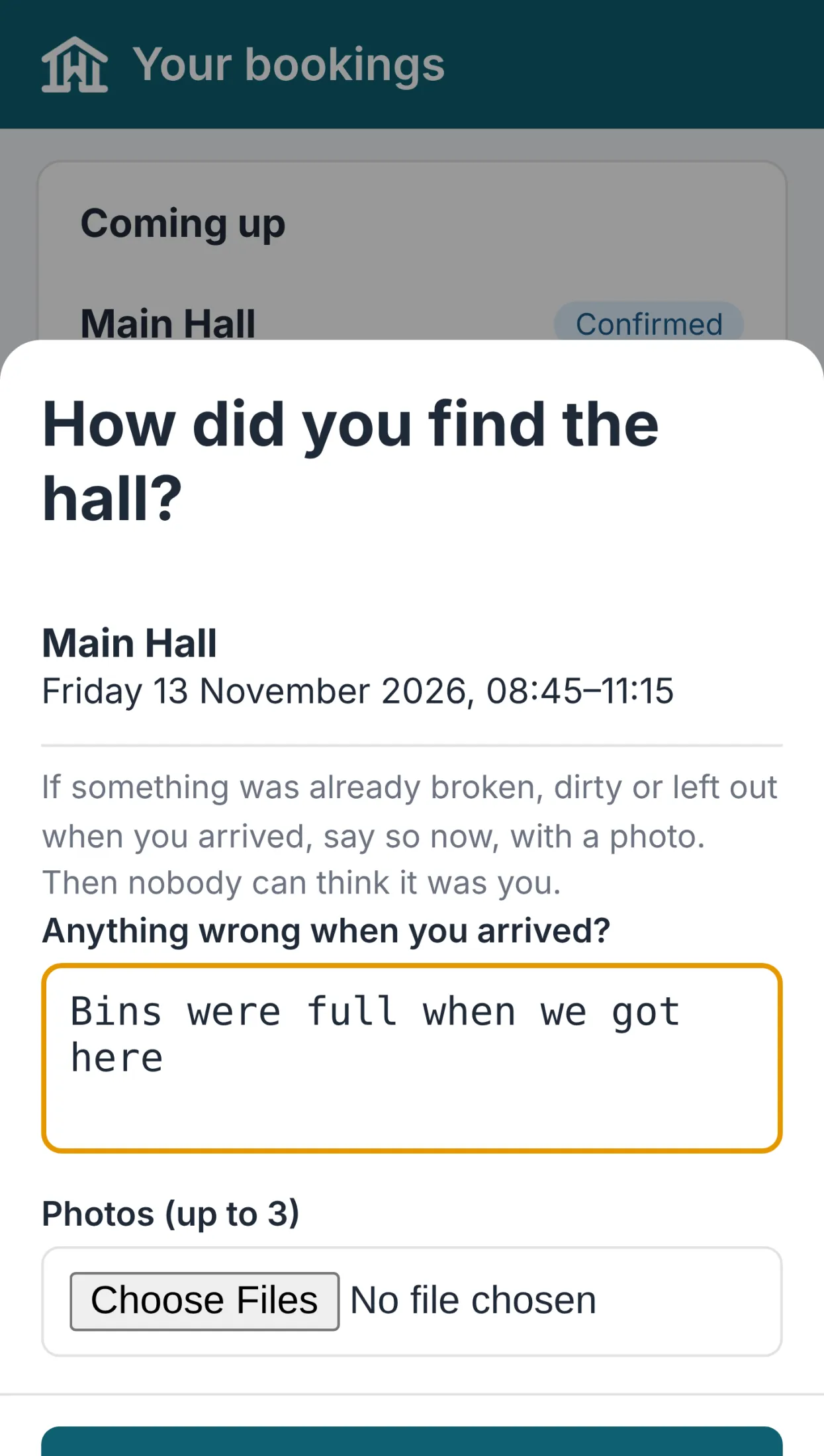
Arrival check and invoice cards
Hirers record how they found the hall, with photos, and see every invoice as a card with a View & Pay button. A wedding weekend can now be one booking, and a hirer can have more than one contact. On every plan.
Notas de la versión
0.113.40November 13, 2026
Una sola reserva ahora puede abarcar un fin de semana o una semana entera.
Encuéntralo en Bookings.
- Indica el inicio, por ejemplo, el viernes a las 17:00.
- Indica la finalización en un día posterior, por ejemplo, el domingo a las 12:00.
- Guarda.
- Se comprueba si hay conflictos durante todo el tiempo.
- Aparece en la hoja de trabajo y en la pantalla del vestíbulo todos los días que abarca.
- Cada día se calcula dentro de tu horario de apertura y se suma.
- Gratis en todos los planes.
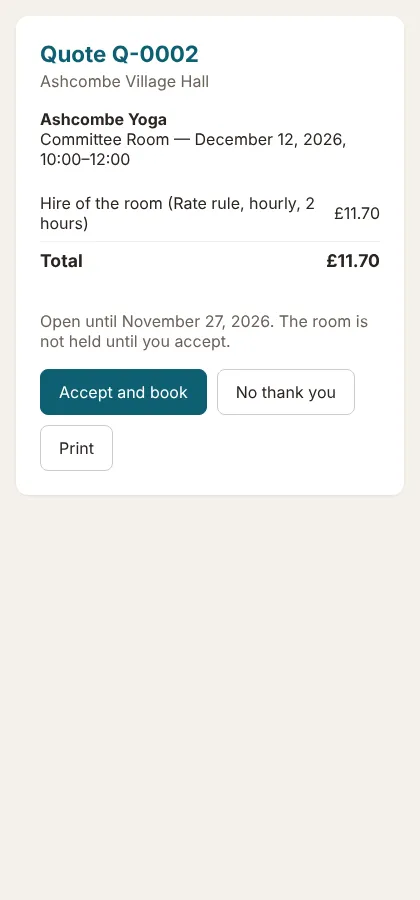
Envía a los arrendatarios un presupuesto que puedan aceptar en línea, y la reserva se hará sola.
Encuéntralo en Bookings › Quotes.
- Haz clic en New quote y selecciona el arrendatario, la sala, las fechas, los extras y el depósito.
- Haz clic en Save and send to the hirer.
- El arrendatario abre el enlace y hace clic en Accept and book.
- Al aceptar, se comprueba que la sala siga libre y se crea una reserva confirmada, incluidos los extras.
- Se le recuerda al arrendatario tres días antes de que caduque el presupuesto.
- Disponible en el plan Standard.
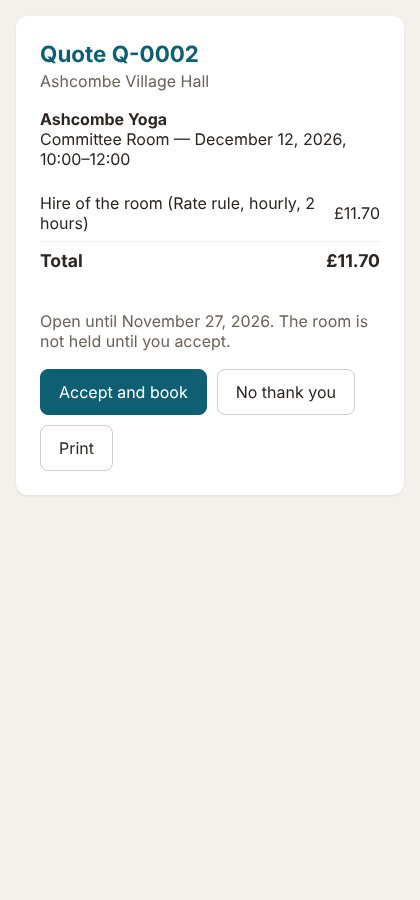
La página del presupuesto 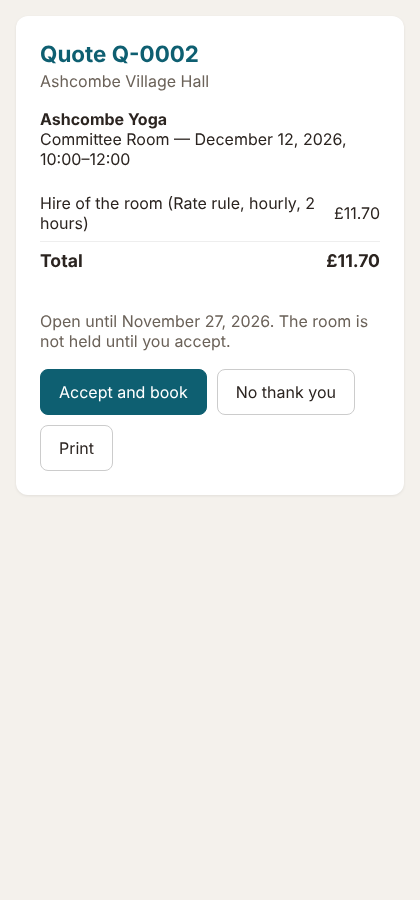
Tu personal de limpieza registra sus horas en el móvil; tú las apruebas y pagas en dos clics.
Encuéntralo en Committee › Helpers' hours.
- Establece la tarifa por hora del ayudante.
- Ellos pulsan Log my hours en Today dentro de la app de committee.
- Tú pulsas Approve y luego Mark paid cuando realices el pago.
- El pago se añade automáticamente a Spending & accounts.
- Comprueba cuánto cuesta limpiar después de cada tipo de inquilino.
- Disponible en el plan Standard.
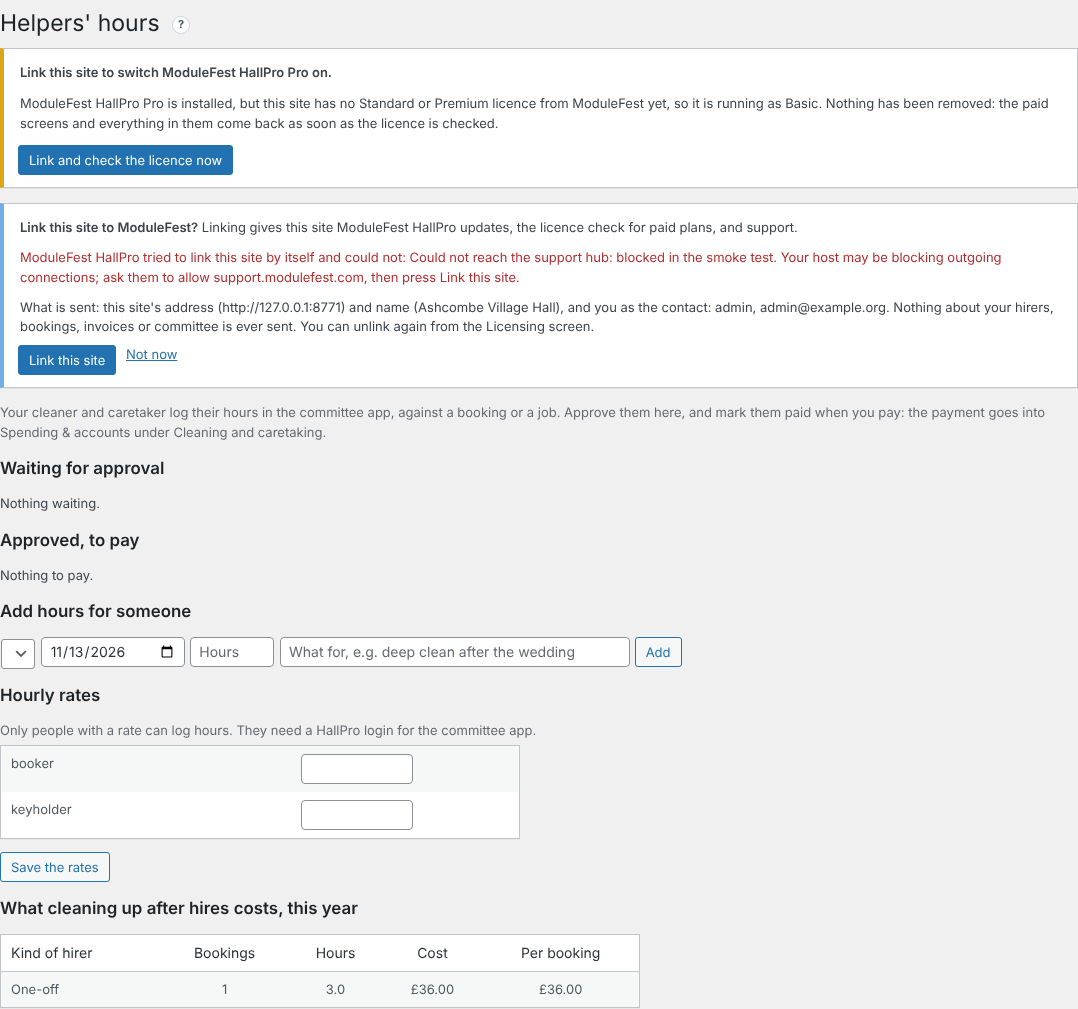
Helpers' hours 
Añade al tesorero, al responsable de las llaves y a otros a un arrendatario, asegurando que cada uno reciba lo que necesita.
Encuéntralo en Hirers, dentro del registro de cada arrendatario.
- En Other contacts, añade un nombre y un correo electrónico.
- Marca lo que deben recibir: facturas, confirmaciones de reserva, el código de acceso o su propio inicio de sesión en la aplicación.
- Haz clic en Add contact.
- Las copias solo se envían junto con los correos destinados al arrendatario.
- Gratis en todos los planes.

Other contacts 
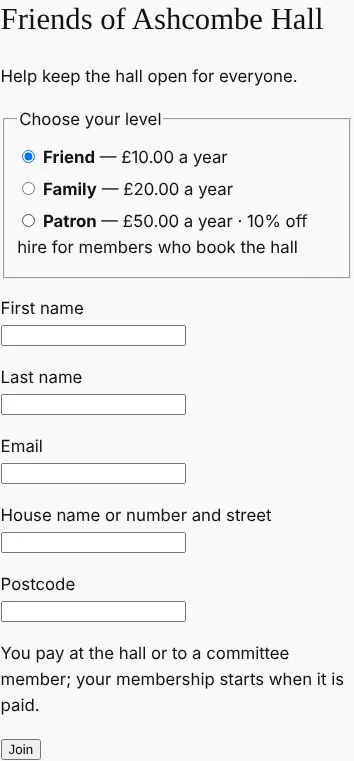
Gestiona tu programa de amigos de la sala en HallPro: altas online, renovaciones y descuento en alquileres.
Encuéntralo en Community › Friends of the hall.
- Configura tus niveles y cualquier descuento en el alquiler.
- Marca Let people join and renew on the website y crea la página de alta.
- Los miembros se apuntan y pagan con tarjeta, o pagan en la sala.
- Los correos de renovación se envían un mes antes; las cuotas no pagadas caducan un mes después.
- Los arrendatarios vinculados obtienen su descuento automáticamente.
- Disponible en el plan Standard.
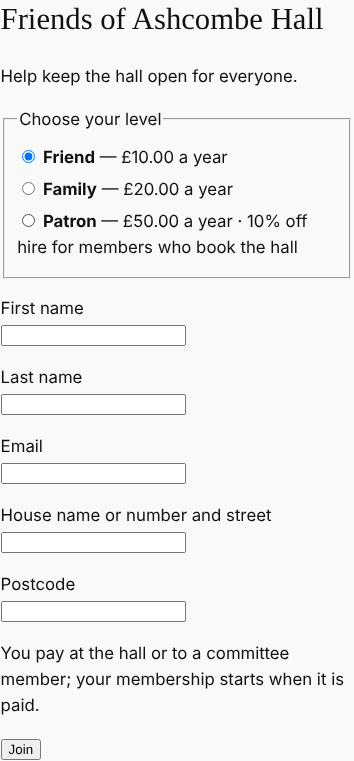
La página de alta 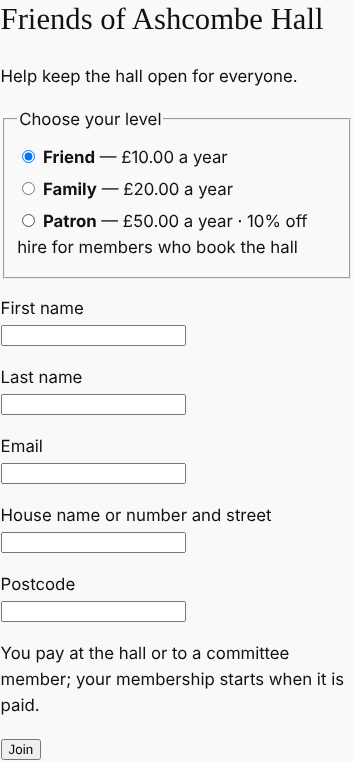
0.113.38November 13, 2026
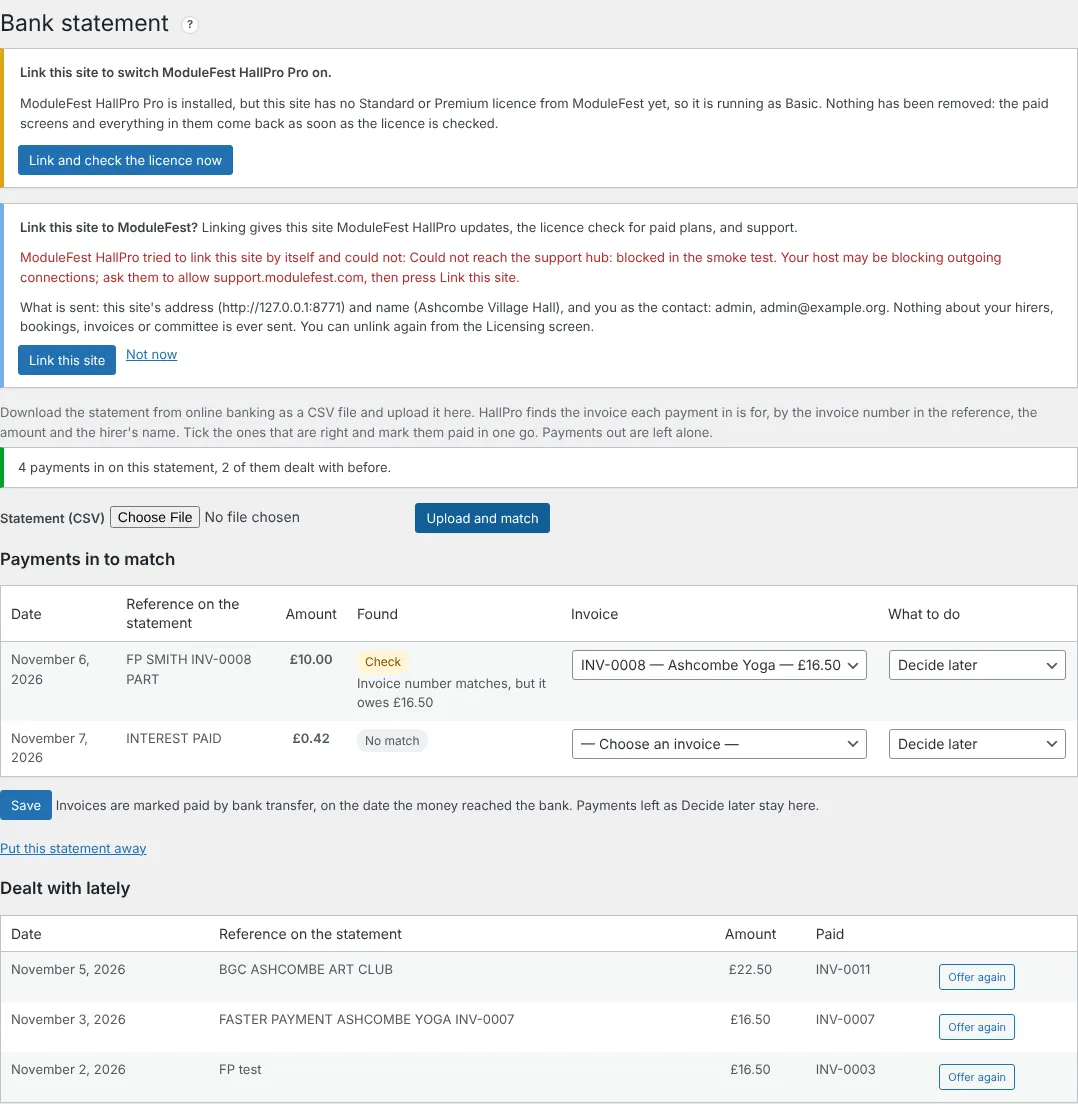
Upload your bank statement and HallPro marks the paid invoices for you.
Find it at Money › Bank statement.
- Download the statement from online banking as a CSV file.
- Upload it and press Upload and match.
- Check the suggestions and press Save.
- Match: the invoice number and amount are right.
- Likely: the amount and the hirer's name are right.
- Check: look before you mark it paid.
- Invoices are marked paid on the date the money reached the bank, and the same payment is never offered twice.
- On the Standard plan.
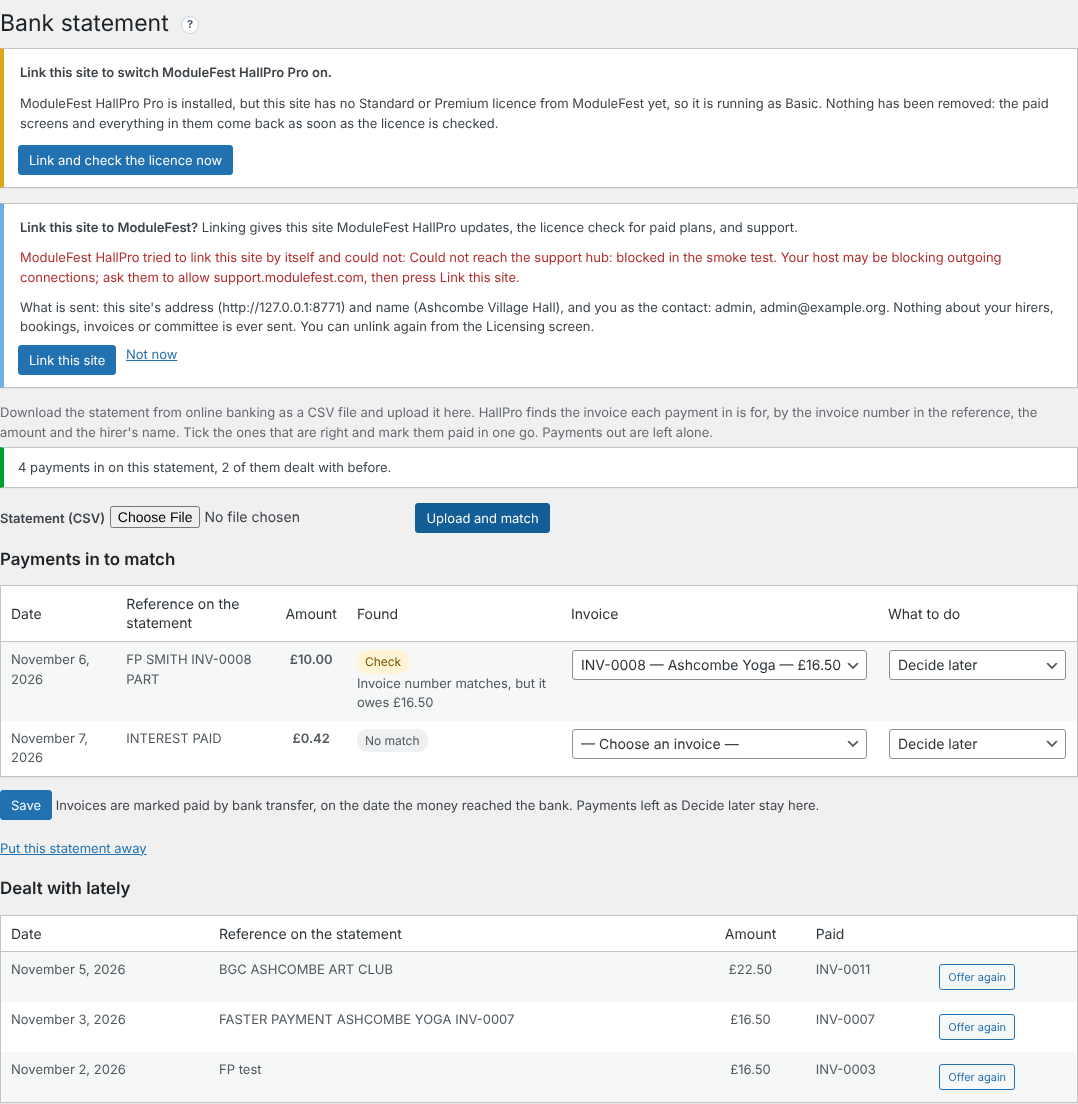
Payments matched to invoices 
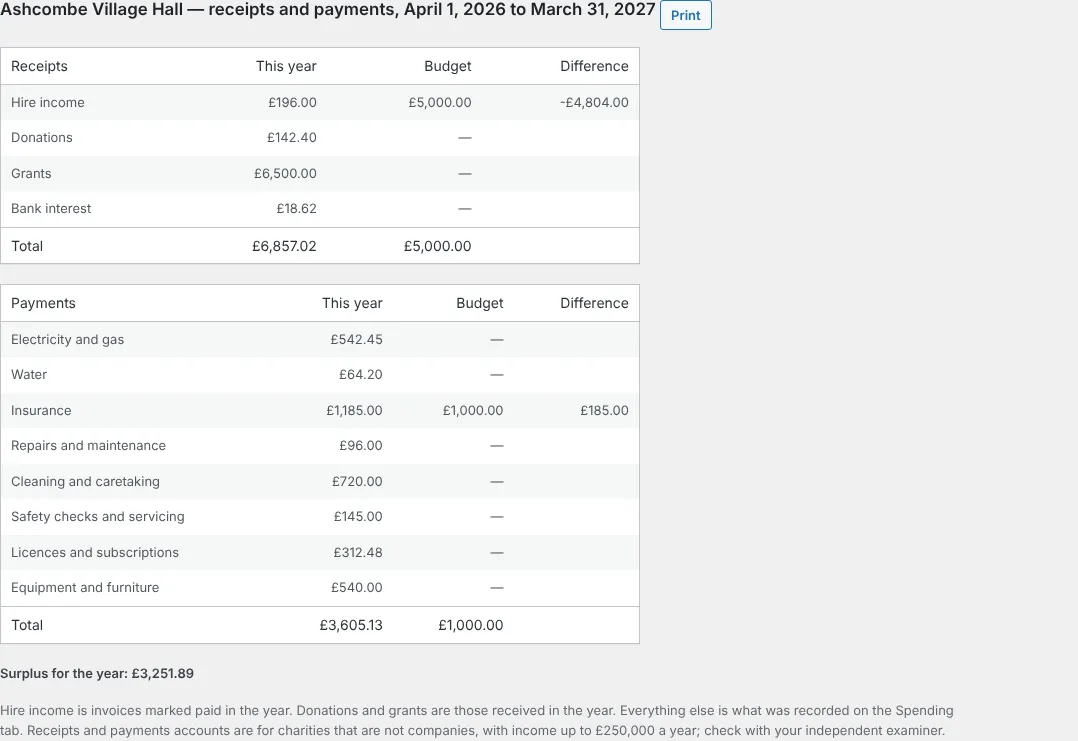
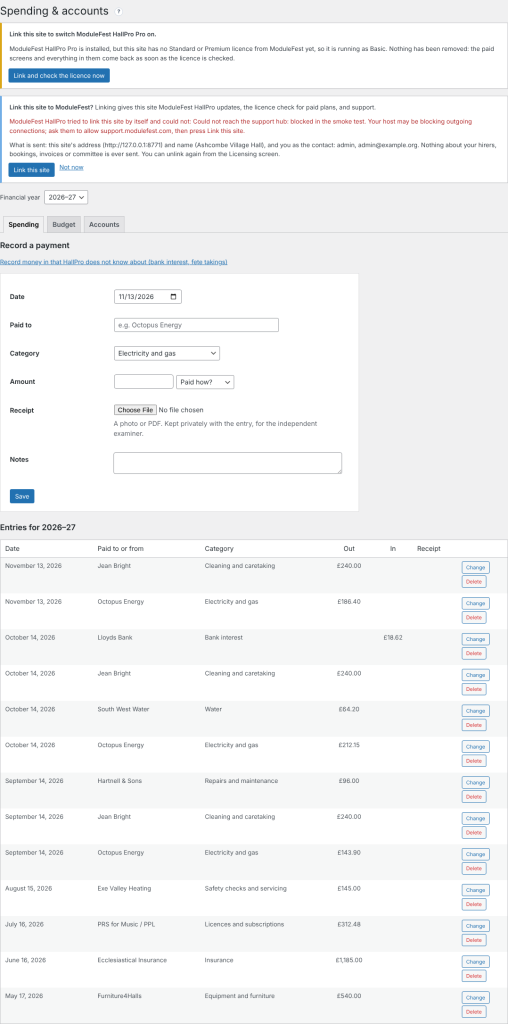
Keep the hall's spending in HallPro and get the year's accounts for the AGM.
Find it at Money › Spending & accounts.
- Record each payment with a category and a photo of the receipt.
- Set the year's budget on the Budget tab.
- Open the Accounts tab and press Print.
- Hire income, donations and grants are filled in for you.
- The budget and the difference are shown beside each line.
- On the Standard plan.
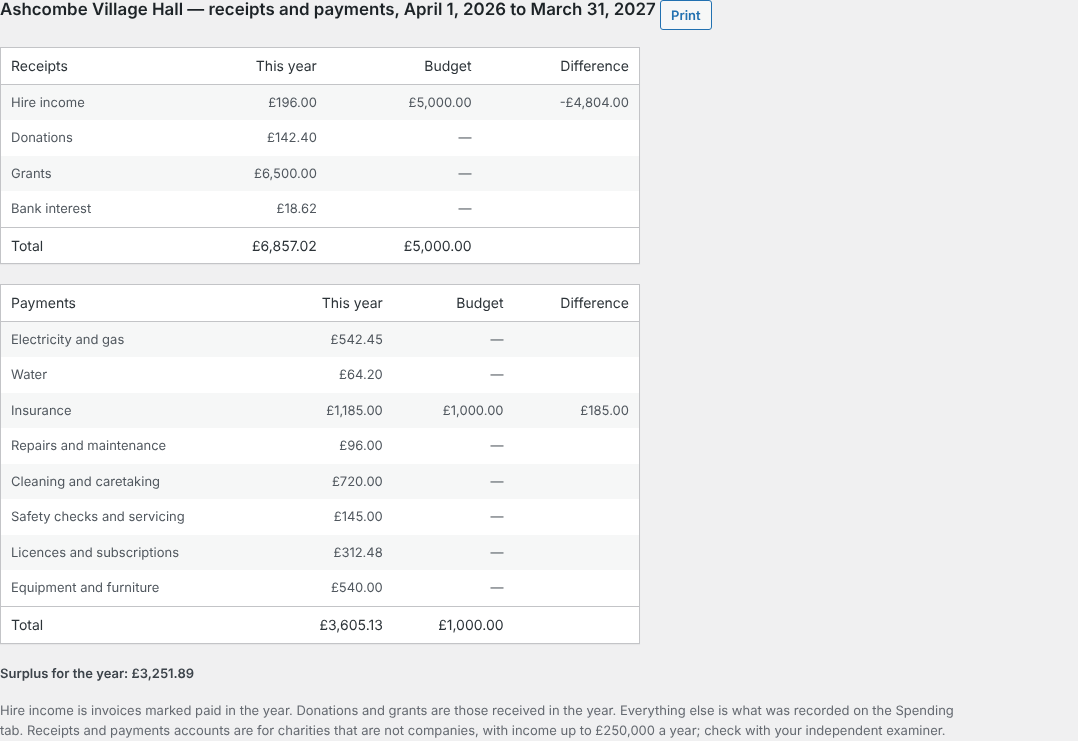
The receipts and payments account 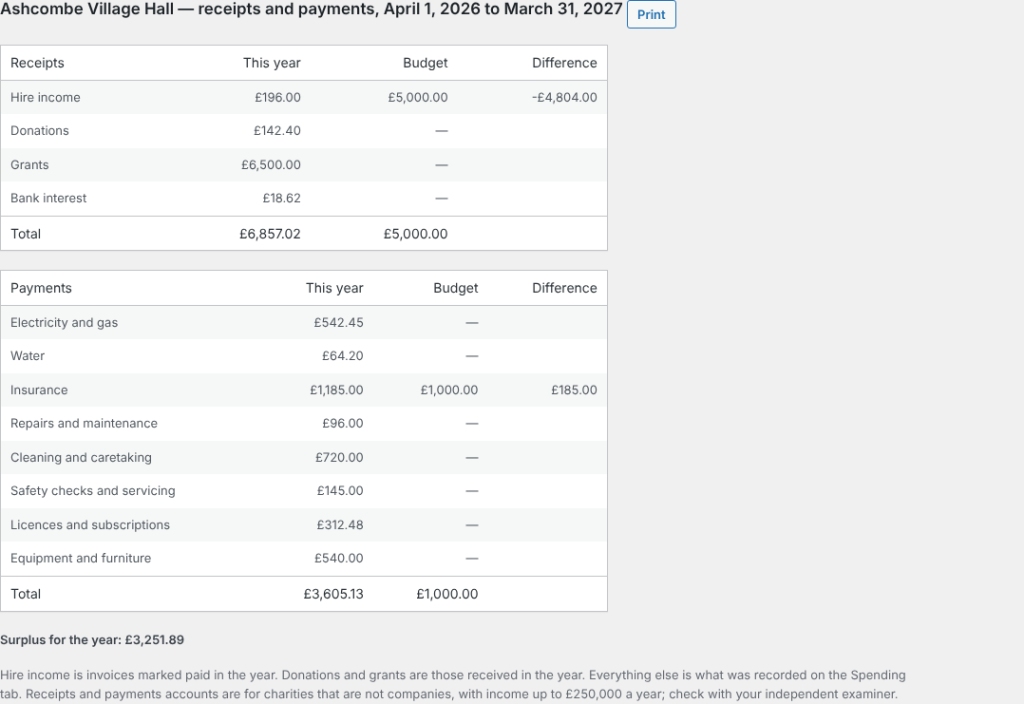
Hirers can now tell you how they found the hall when they arrive.
It is in the hirers' app, on the booking.
- From an hour before the hire, the hirer presses Arrival check.
- They say what was wrong, if anything, and add up to three photos.
- You see it above the end-of-hire checklist on Bookings and Damage deposits.
- The committee is emailed when something was wrong.
- Free on every plan.
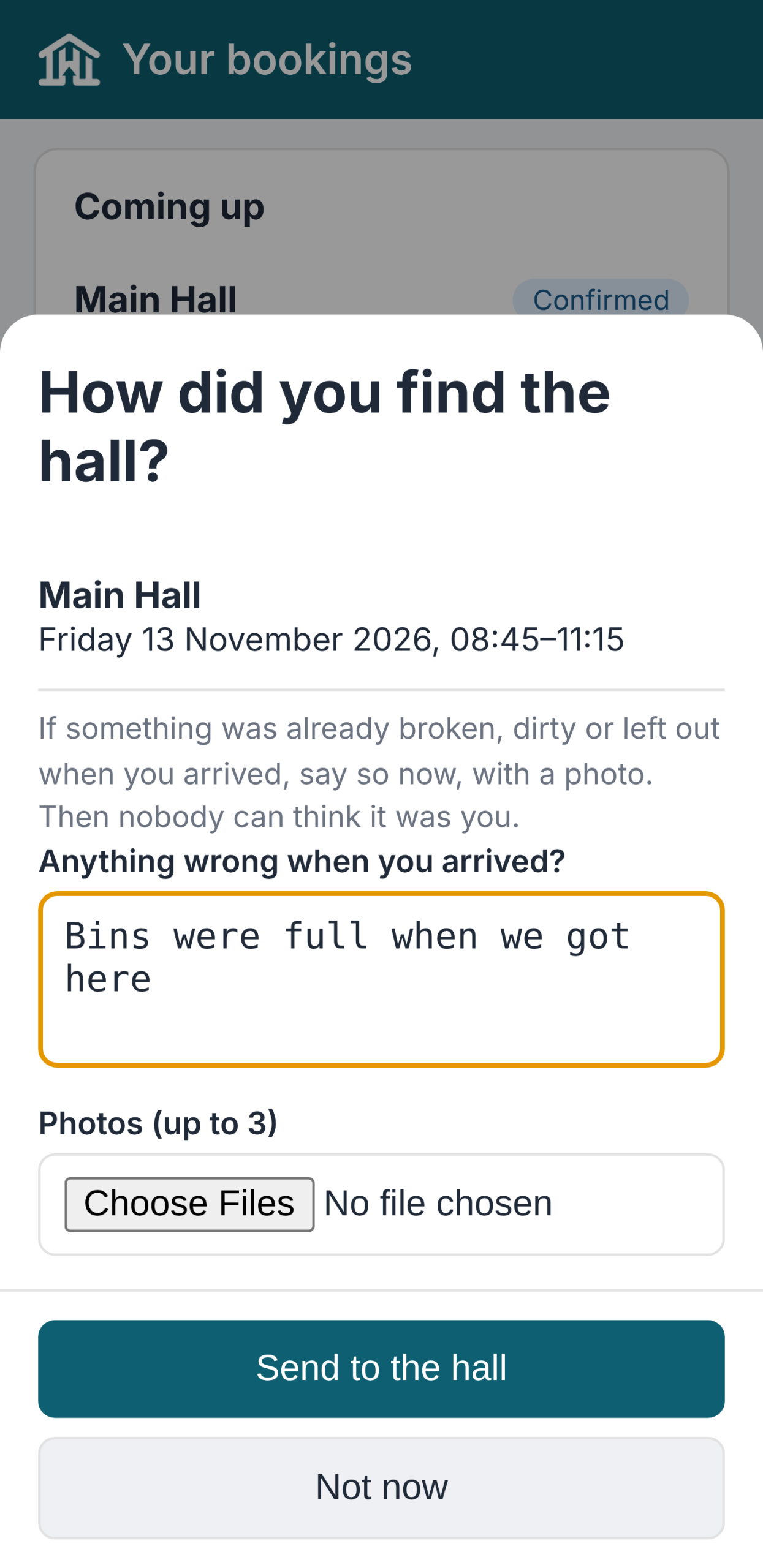
The arrival check 
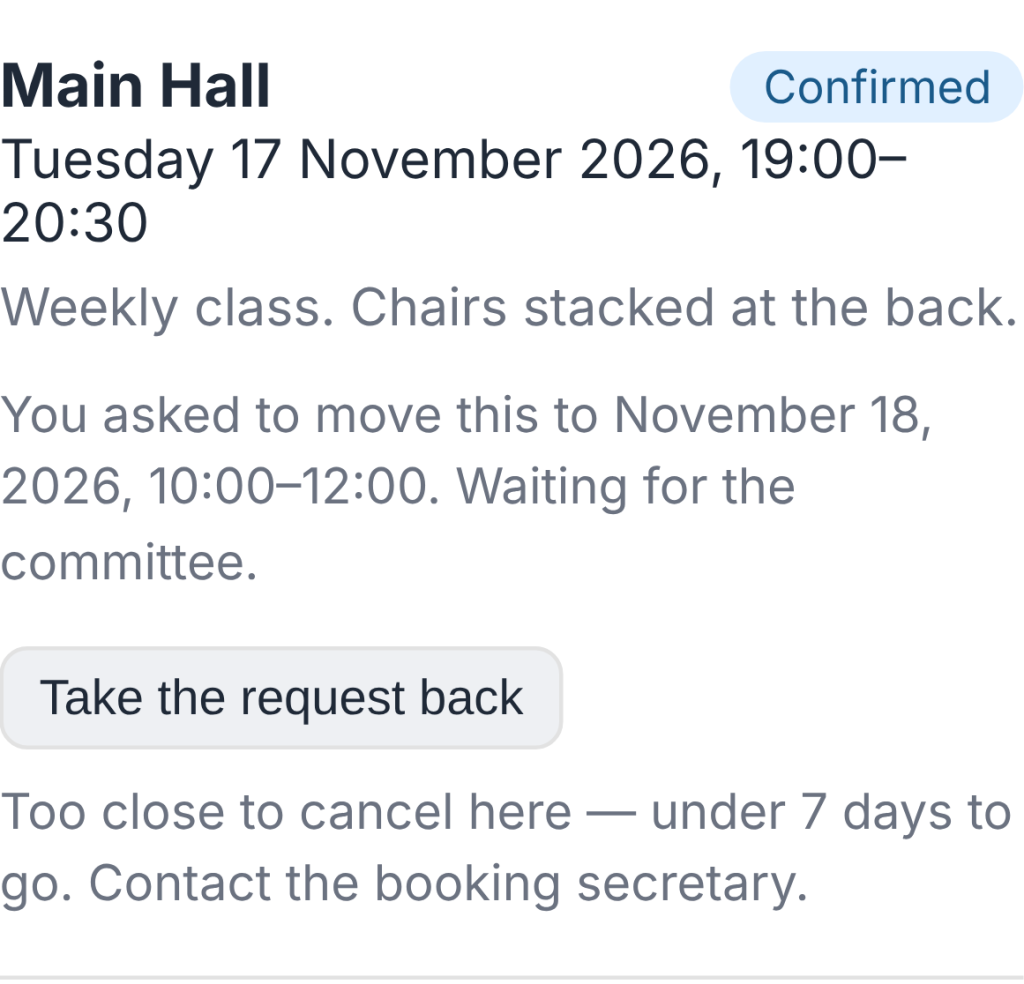
Hirers can now ask to move a booking, and you answer with one click.
Find it at Bookings (and on the Dashboard).
- In the hirers' app, the hirer presses Ask to move this booking and picks a new time.
- HallPro checks the hall is free and open then.
- You press Agree and move it or Say no.
- The hirer is emailed either way, and the old time is offered to the waiting list.
- If the new time costs a different amount, you are told; the invoice is not changed by itself.
- Free on every plan.

The request on the Bookings screen 
0.113.37November 11, 2026
You can now see how the foot of an invoice looks before you put in your own bank details.
Find it at Settings › Demo Data.
- Find Payment details and press Import.
- Open any unpaid invoice in the hirers' app, or its PDF.
- The invoice shows demo bank details, cheque wording and a treasurer to contact.
- The sort code is 00-00-00, which no bank uses, so a payment sent there by mistake is refused.
- Invoicing & Payments warns while the demo details are in. Save your own there, or remove Payment details, before sending real invoices.
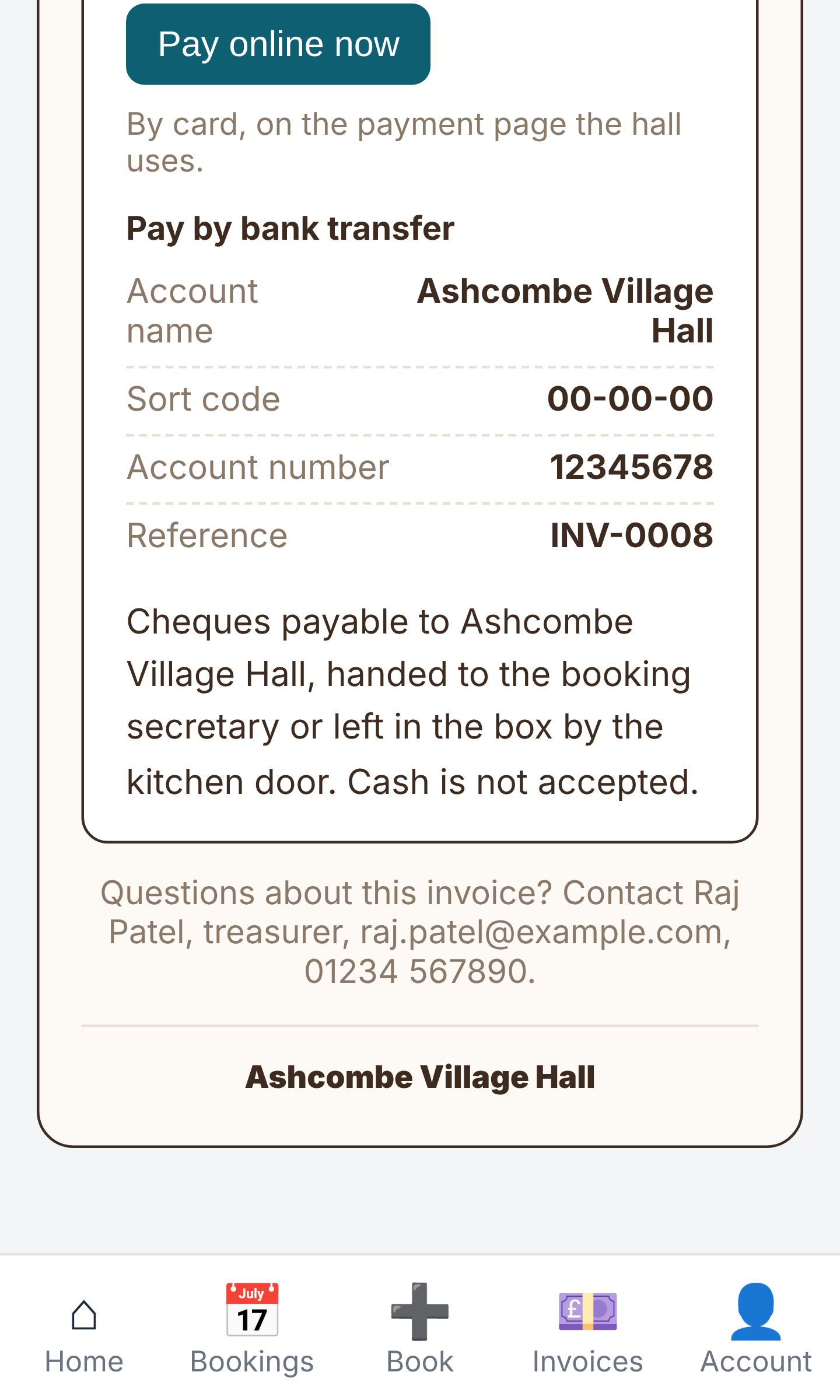
Demo payment details at the foot of an invoice
ModuleFest HallPro
Gestiona tu salón vecinal o comunitario desde un solo lugar.
Más noticias
 Nueva funciónPet Groomer 2.77: Account credit and monthly billingManage advance payments and bill chosen clients just once a month.Ver las novedades →
 Nueva versiónModuleFest Pet Walker 2.771.222Los clientes ahora pueden pagar por adelantado y hacer que sus facturas se paguen con el saldo. También en esta versión: pay monthly in arrears: one…Ver las novedades →
 Nueva versiónModuleFest Trades Business Manager 0.14.42Jobs, quotes, invoices and stock for tradesVer las novedades →