









 New features
Price book, CIS, certificates and an offline app for trades
Trades Business Manager 0.14 adds the tools a growing trades business asks for next: a price book with kits, a register for vans and tools, CIS for paying subcontractors, bills to pay, gas safety and boiler certificates on the phone, a staff app that works with no signal, and a ready-made website.
Price book and kits
Your labour rates, materials and kits with your mark-up, added to any quote in one go. Standard plan.
Vans and tools
Every van's MOT, tax, insurance and service dates and your tools' test dates, with reminders. Standard plan.
CIS for paying subcontractors
Deductions worked out from each subcontractor's HMRC status, and the monthly return figures ready. Premium plan.
Bills to pay
Every supplier bill with its due date, marked paid when you pay, and in your VAT and profit from the day it arrives. Premium plan.
Digital certificates
Gas safety records, boiler services and minor works filled in on the phone, with your logo on the certificate. Premium plan.
Works with no signal
The staff app keeps today's and tomorrow's jobs on the phone, so engineers keep working in lofts and cellars. Premium plan.
A ready-made website
Twelve designs to choose from, with your business details filled in. Standard plan.
Notas da versão
0.14.40November 13, 2026
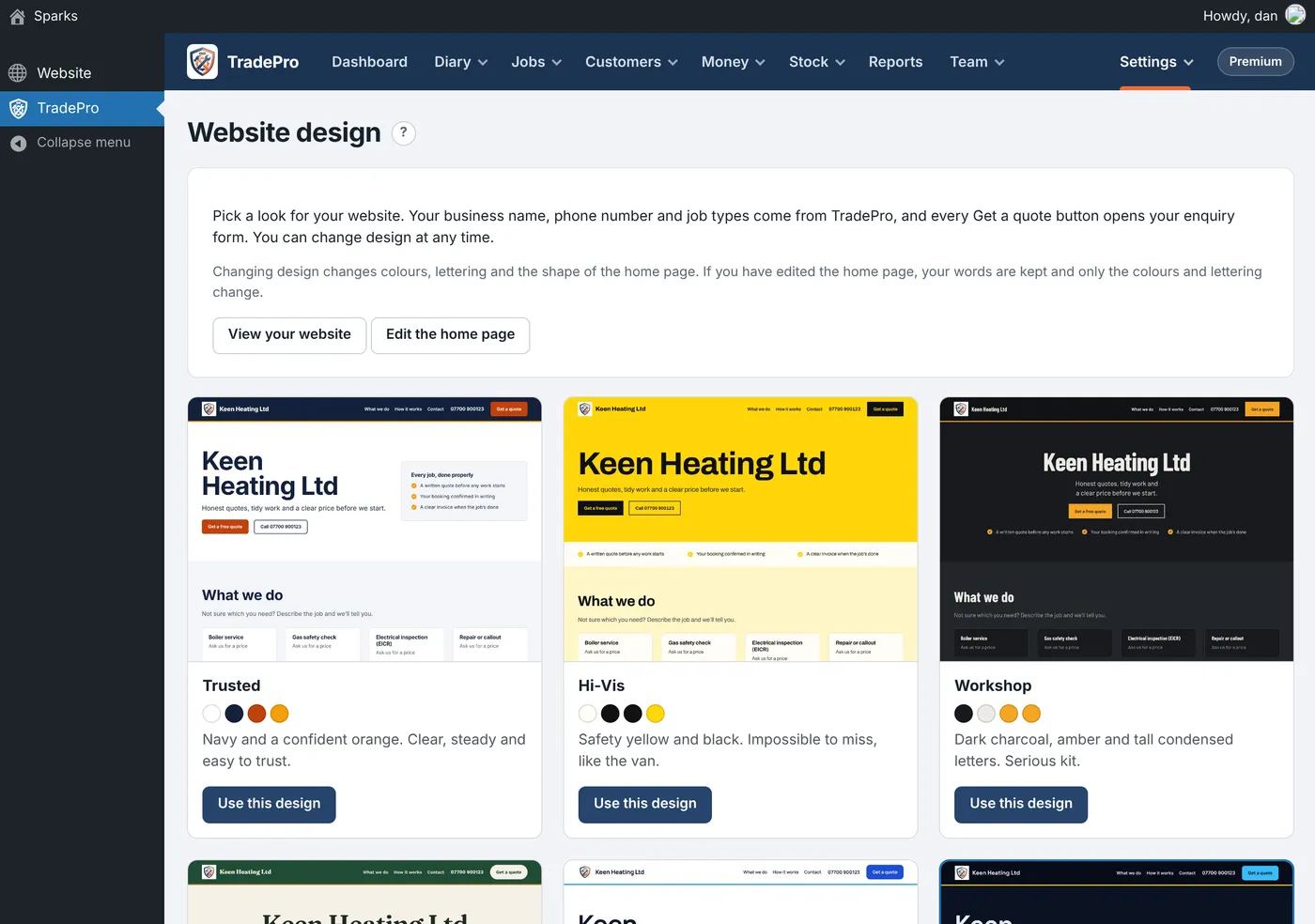
Preencha um registo de segurança de gás, manutenção de caldeira ou pequenos trabalhos no telemóvel e o certificado é criado para si.
Onde: Jobs › Forms and checks e a aplicação para funcionários (Premium)
As respostas transformam-se num certificado com o seu logótipo, pronto a imprimir ou guardar como PDF, e é guardado em Certificates juntamente com o respetivo lembrete de renovação.
- Em Forms and checks, adicione um formulário pronto a usar marcado como "makes a certificate".
- No trabalho, preencha-o no telemóvel, incluindo as assinaturas.
- O cliente recebe imediatamente um link para o seu certificado por e-mail e este fica disponível no seu portal.
- Um aparelho ou teste de estanqueidade marcado como Fail faz com que o certificado indique "Not safe".
- Qualquer formulário que criar também pode gerar um certificado.
- O certificado do ano passado na mesma morada deixa de enviar lembretes.
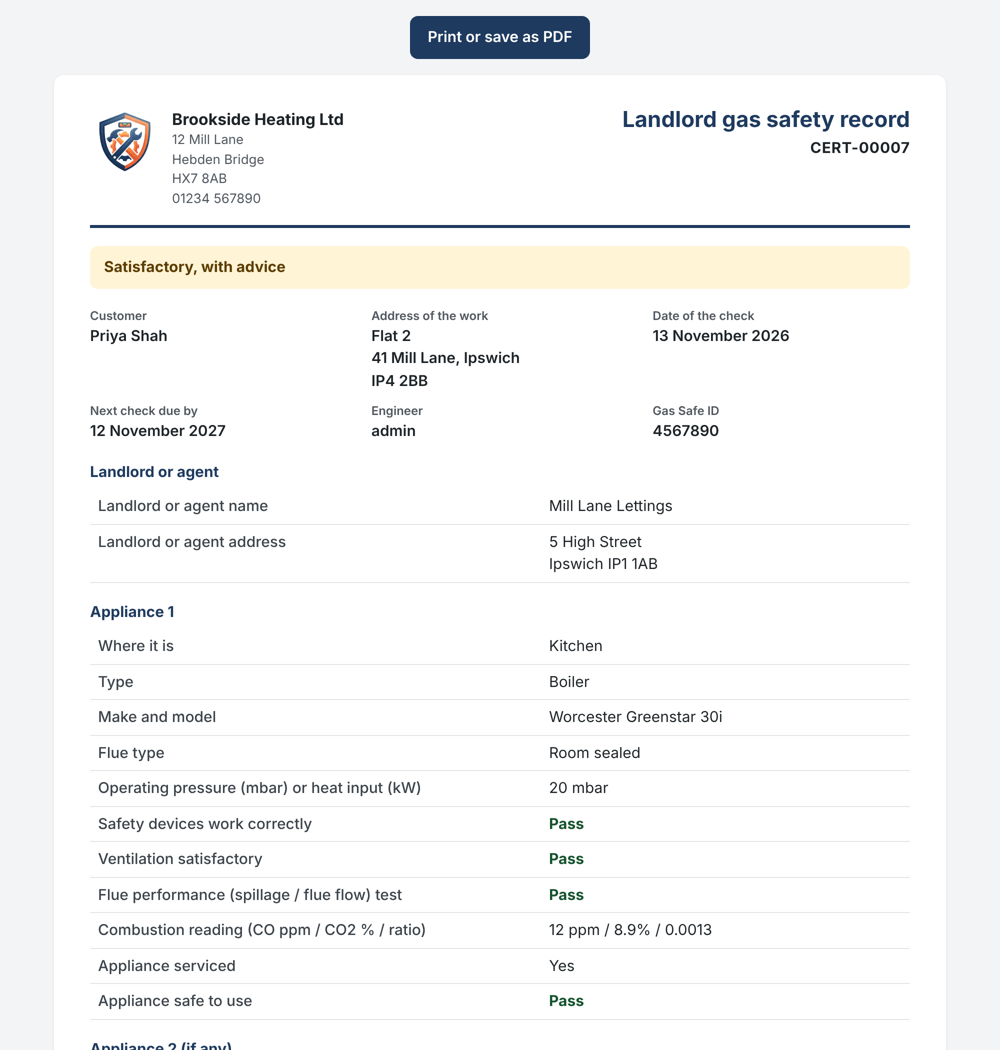
Um registo de segurança de gás para senhorios criado no telemóvel 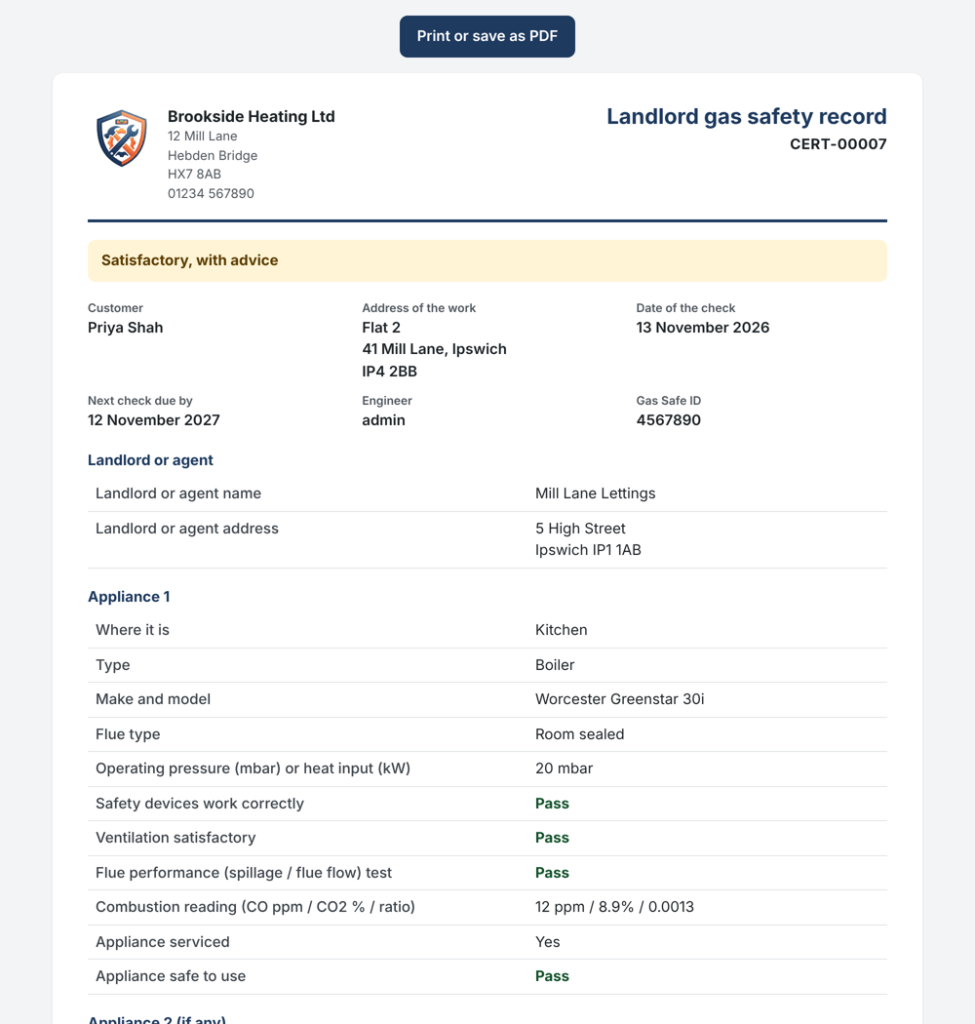
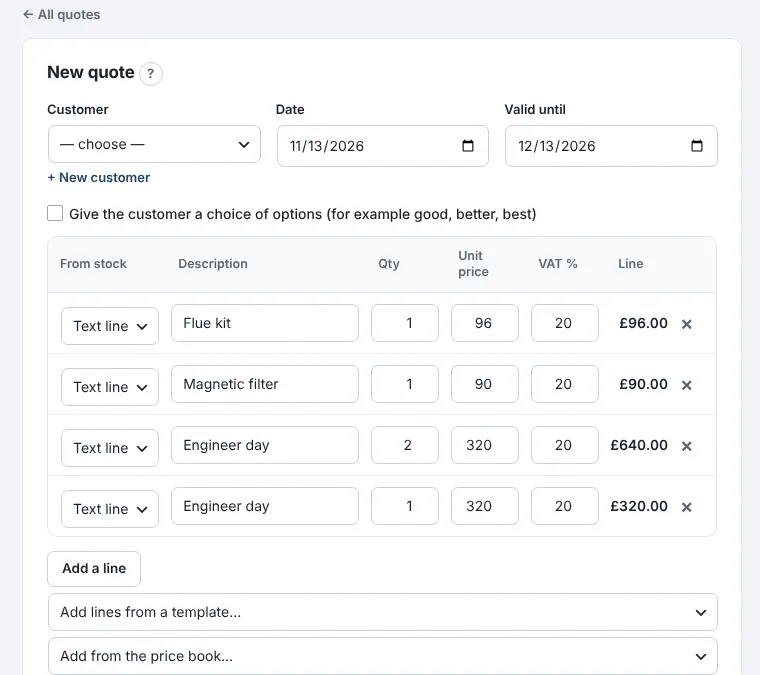
Keep your labour rates, materials and kits in a price book, and add them to any quote in one go.
Where: Money › Price book and kits (Standard)
Put in what each thing costs you and your mark-up, and the selling price works itself out.
- Add your labour rates, such as an engineer hour and an engineer day, then the materials you often buy in.
- On the Kits tab, put together the jobs you quote again and again, like a combi swap with its parts and two days' labour.
- On a quote or invoice, choose the kit or item from "Add from the price book".
- Each kit shows what it costs you, what you charge and your margin.
- When a cost goes up, kits using it follow; quotes already sent keep their prices.
- Kits can include stock items too.
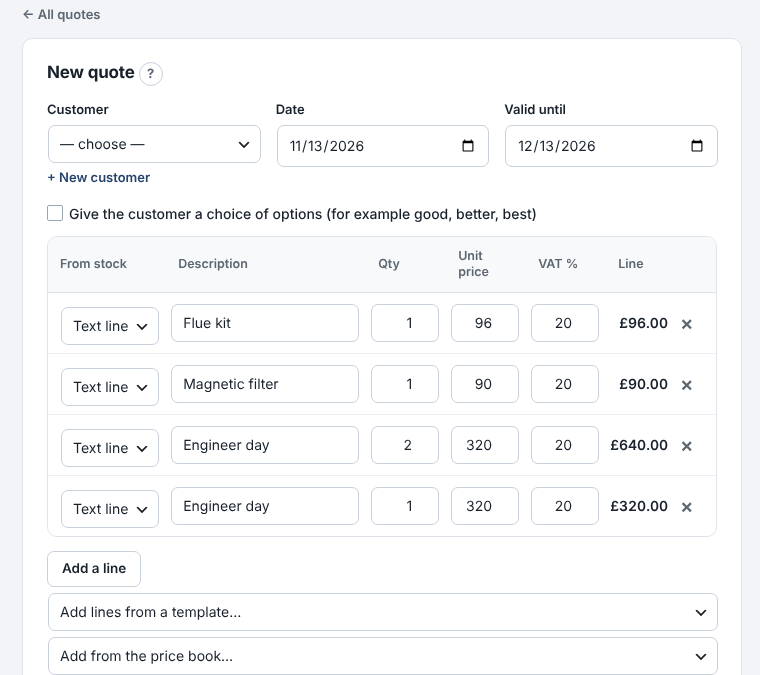
Adding a kit to a quote from the price book 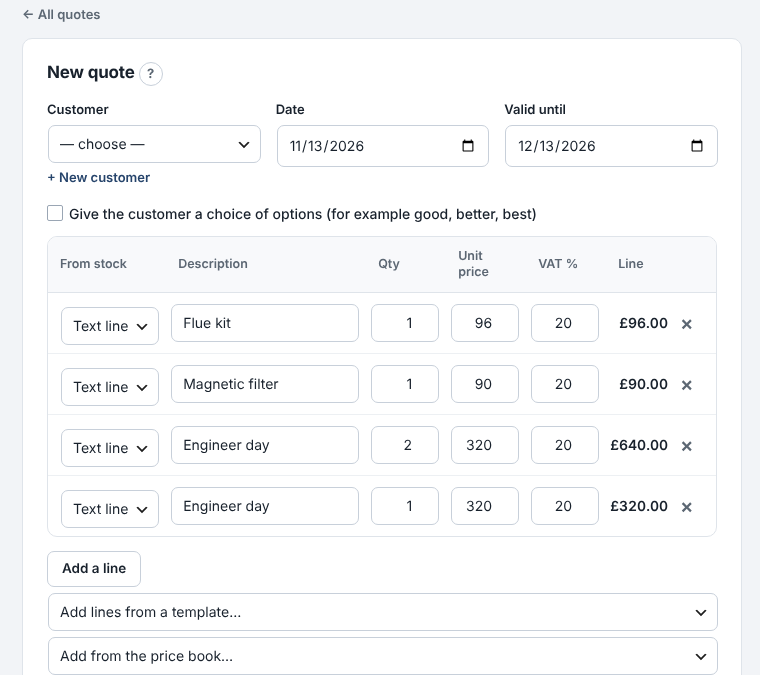
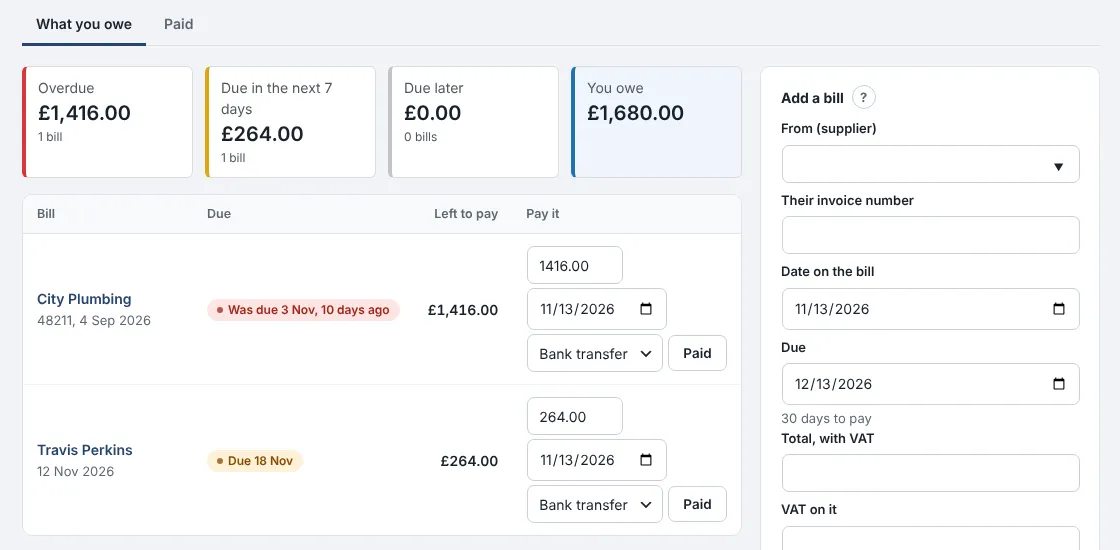
Veja todas as faturas de fornecedores que deve, quando vencem e marque-as como pagas assim que efetuar o pagamento.
Onde: Dinheiro › Faturas a pagar (Premium)
As faturas entram nas suas despesas na respetiva data, para que o seu IVA e lucro estejam corretos mesmo antes de pagar.
- Adicione uma fatura: o fornecedor, o número da fatura, a data e o total. A data de vencimento é preenchida com base nos prazos de pagamento desse fornecedor.
- Verifique o que está em atraso, o que vence esta semana e o total que deve.
- Quando pagar, prima Pago. Introduza um valor inferior se tiver pago apenas uma parte.
- Defina prazos de pagamento diferentes para cada fornecedor, como 60 dias para o seu principal comerciante.
- Receber uma ordem de compra “a conta” adiciona a respetiva fatura por si.
- O painel fica vermelho quando uma fatura está em atraso.
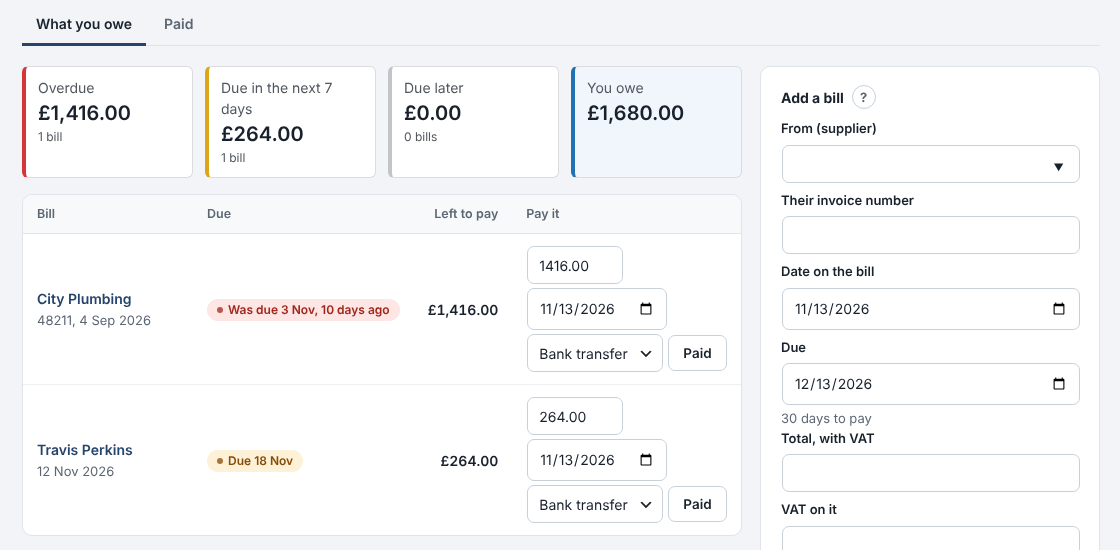
O que deve aos fornecedores e quando 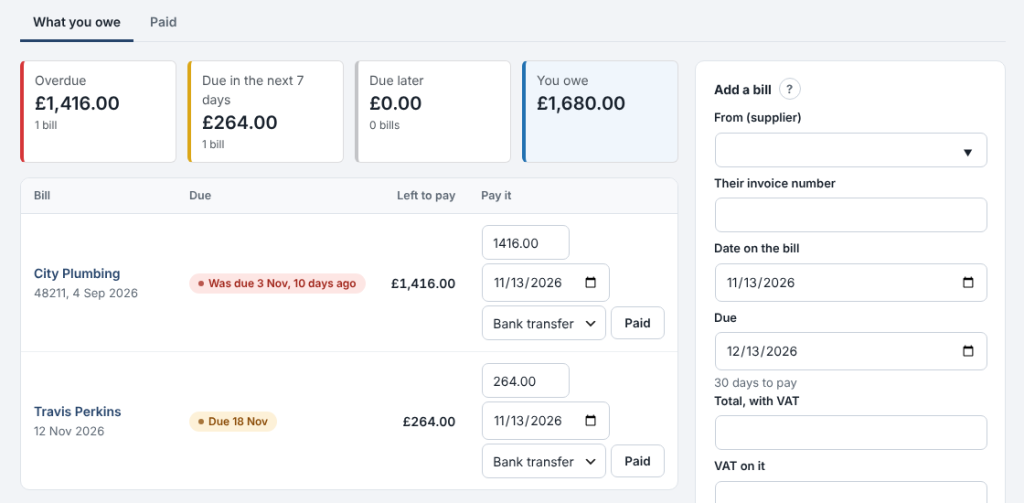
0.14.36November 13, 2026
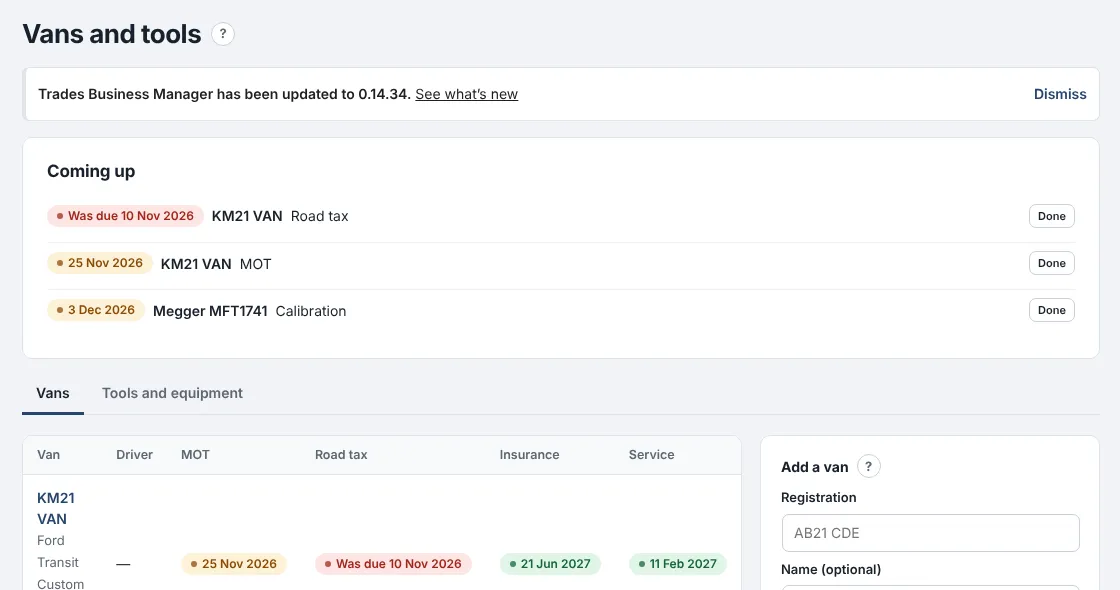
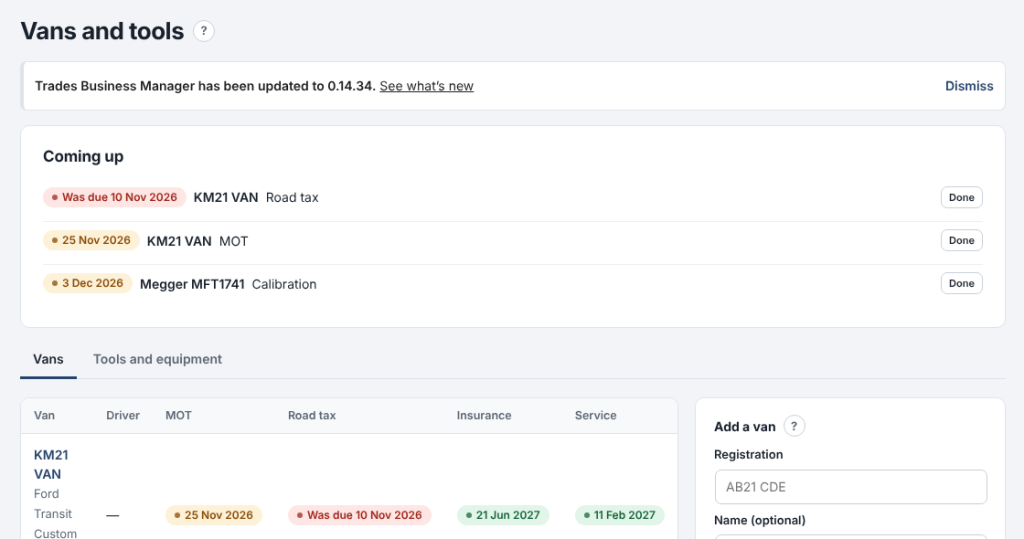
Keep every van's MOT, tax, insurance and service dates, and your tools' test dates, in one place.
Where: Team › Vans and tools (Standard)
Anything due in the next 30 days shows at the top and on the dashboard, and you get an email when it comes due.
- Add each van with its registration, driver and dates. Pick its stock to see the parts on board.
- On Tools and equipment, add anything that needs testing: PAT tests, meter calibration, ladder inspections.
- When something is done, press Done: the next date is set for you.
- Each date is emailed once, and again if it's missed.
- Overdue dates show in red.
- Sold vans and lost tools can be kept as no longer used.

0.14.35November 13, 2026
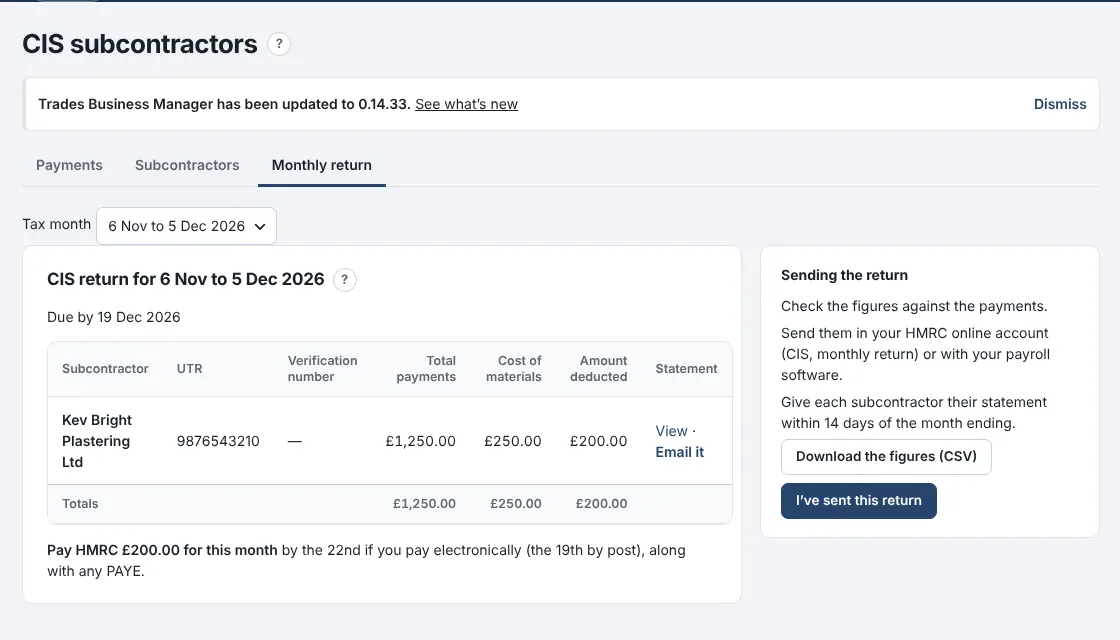
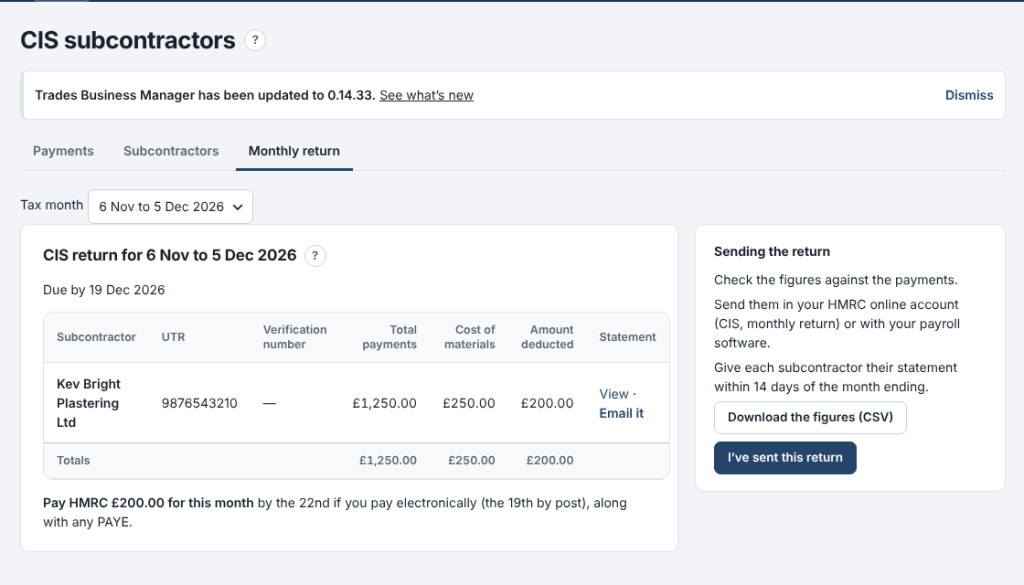
Pay subcontractors under CIS and get your monthly return figures without the sums.
Where: Money › CIS subcontractors (Premium)
Add each subcontractor with the status HMRC gave you, record what you pay them, and the deduction is worked out for you.
- On Subcontractors, add each one with their UTR and their status: gross, 20% or 30%.
- On Payments, record each payment: the amount for the work and the materials in it. The deduction and what you pay them show as you type.
- On Monthly return, copy the figures into your HMRC return by the 19th, and print or email each subcontractor's statement.
- The deduction comes off labour only, never materials or VAT.
- Payments go into Expenses under Subcontractors automatically.
- Nothing is sent to HMRC for you.

0.14.34November 13, 2026
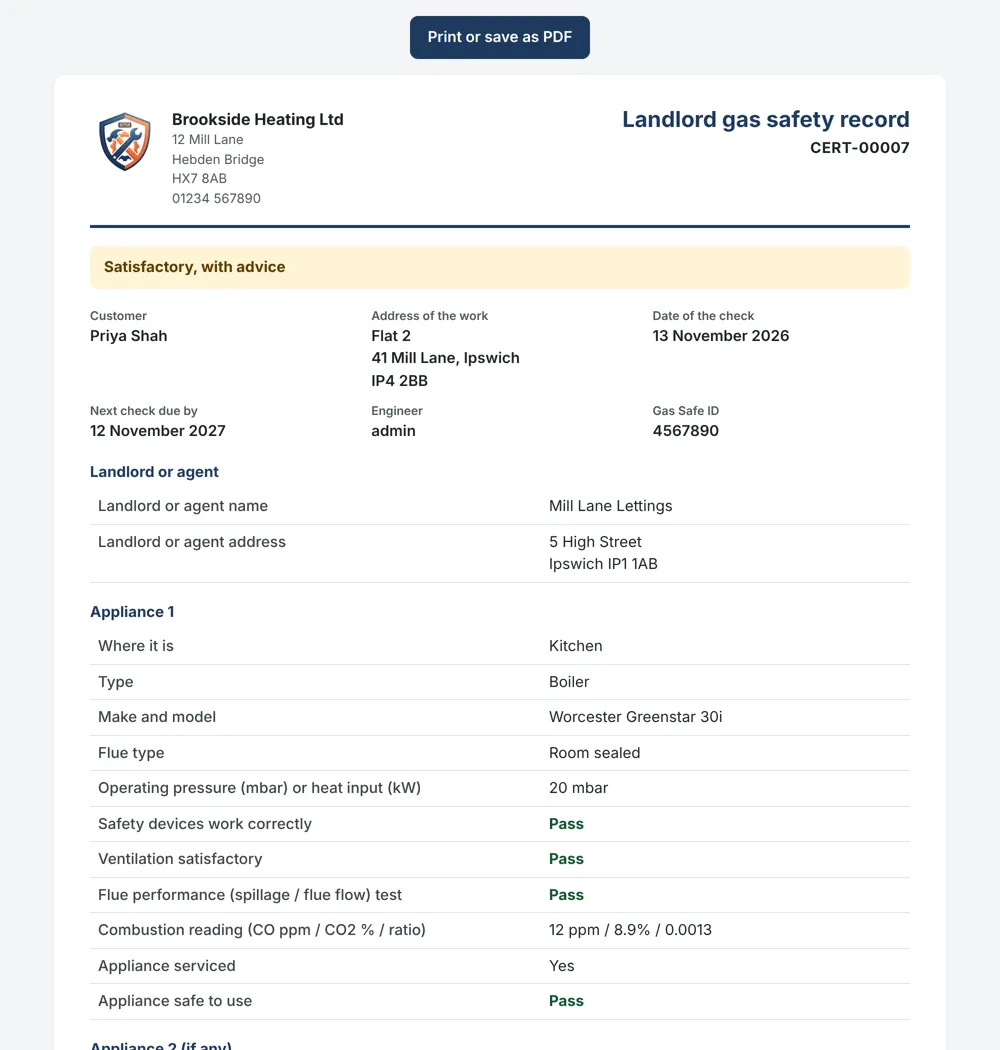
The staff app now works with no signal.
Where: the staff app on the phone
Engineers can keep working in lofts, cellars and anywhere the signal drops.
- Open the app once a day with signal: today's and tomorrow's jobs are kept on the phone.
- With no signal, open a job and carry on: mark on site or done, add notes, photos, parts and the customer's signature.
- A yellow strip shows what is saved on the phone. When the signal comes back it all sends by itself.
- Nothing is sent twice, even if the signal drops mid-send.
- Messages to customers, such as On my way, still need signal.
- Signing out with changes not yet sent asks first.
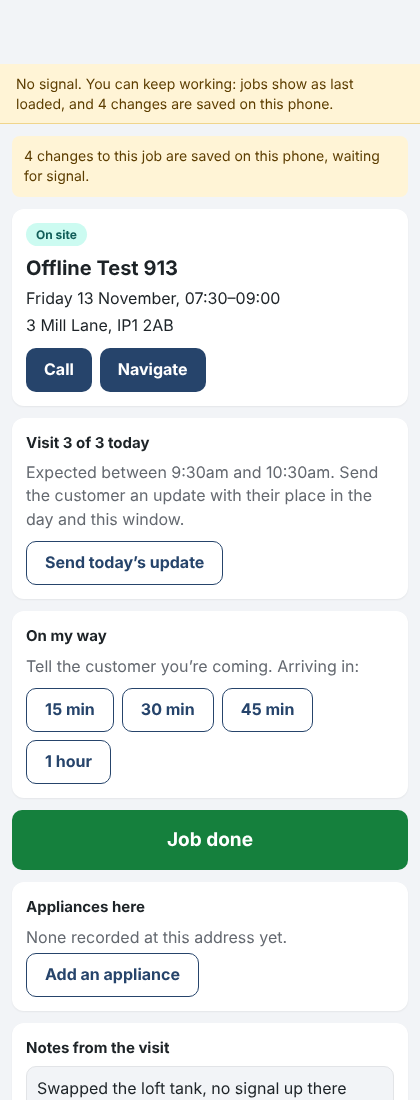
The staff app with no signal, changes saved on the phone 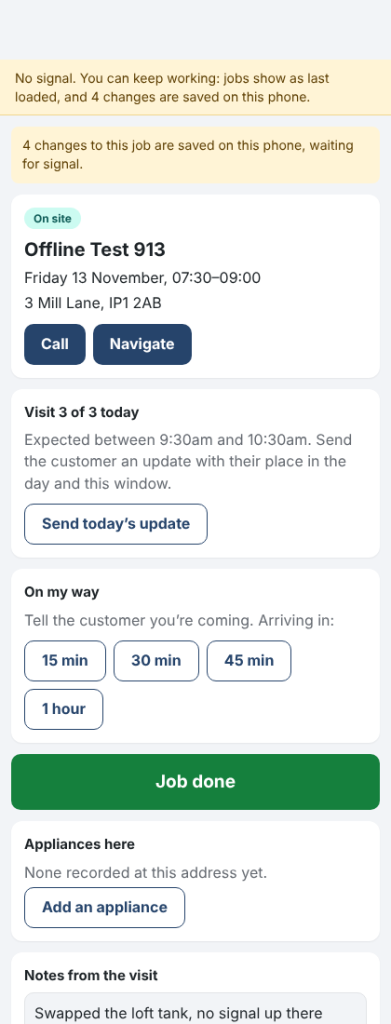
0.14.24November 10, 2026
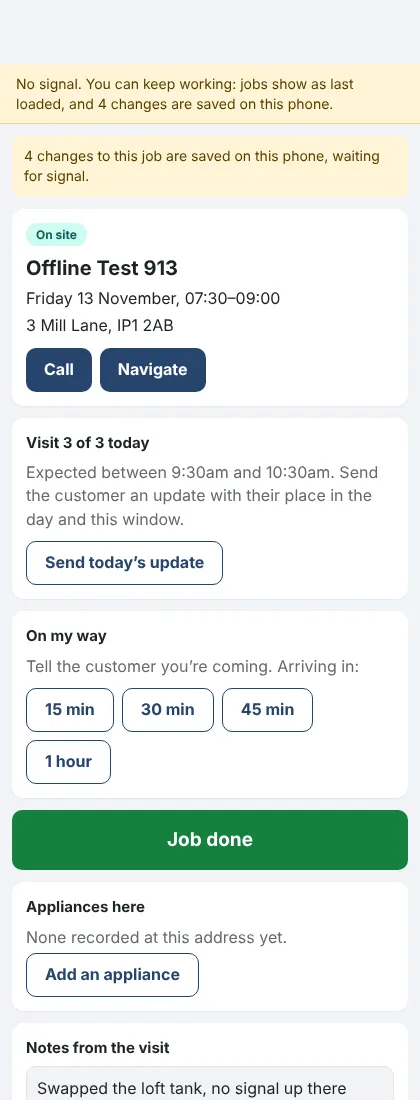
Trades Business Manager now comes with a ready-made website for your business, with twelve designs to choose from.
Where: Settings › Website design
- Open Settings › Website design.
- Press Use this design on the one you like.
- Press View your website to see it.
- Your business name, phone, address and job types (with usual prices) come from Trades Business Manager.
- Every Get a quote button opens your enquiry form, so enquiries land in Trades Business Manager.
- Change design whenever you like. Once you've edited the home page, your words are kept.
- On sites ModuleFest hosts, the design picked at sign-up is already in place.
- Part of the Standard and Premium plans, ticked on the plan comparison. The free WordPress.org plugin doesn't include it.
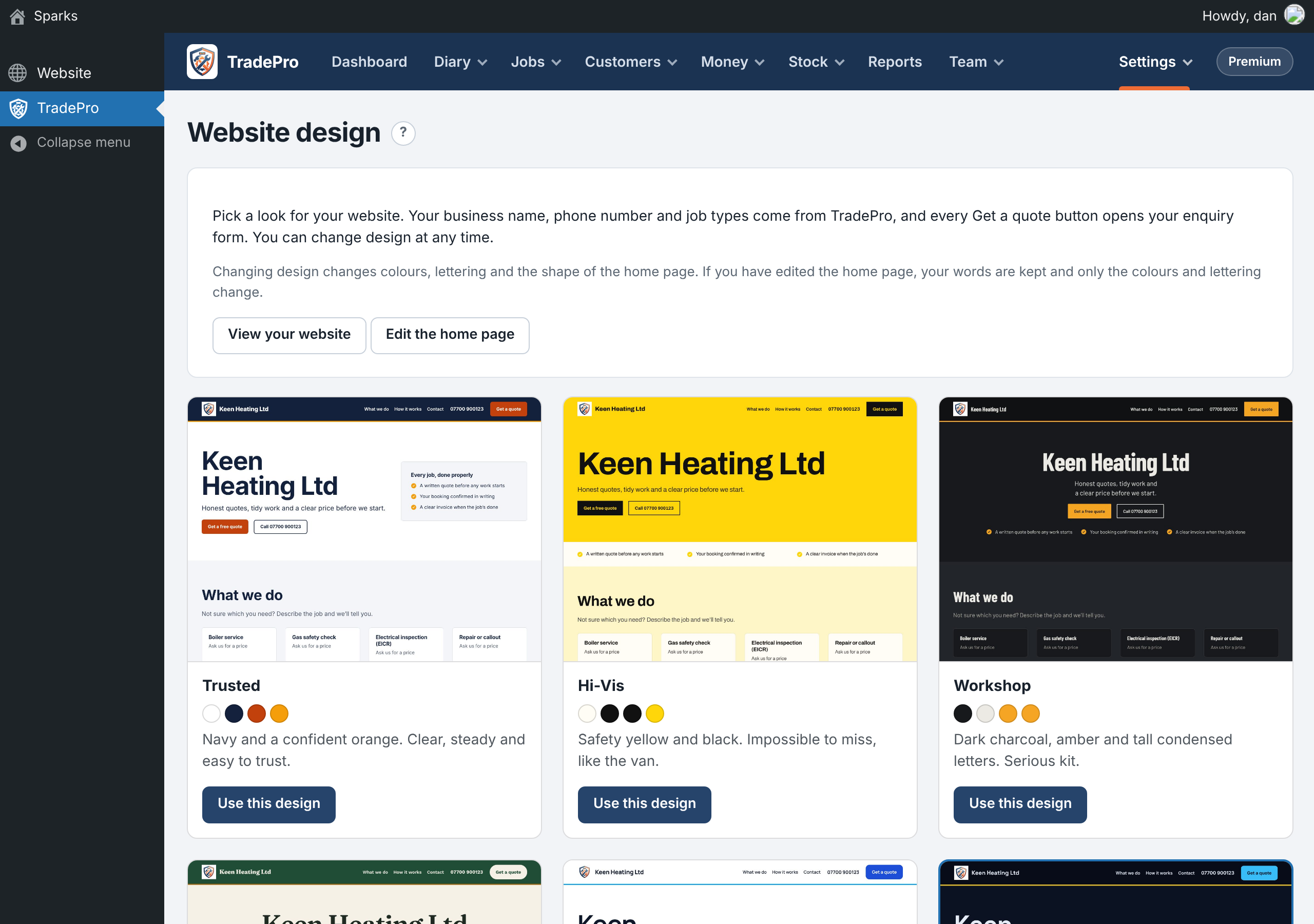
Choosing a website design
ModuleFest Trades Business Manager
Jobs, quotes, invoices and stock for trades
Mais notícias
 Nova funcionalidadePet Groomer 2.77: Account credit and monthly billingManage advance payments and bill chosen clients just once a month.Ver as novidades →
 Nova versãoModuleFest Pet Walker 2.771.222Os clientes já podem pagar adiantado e ter as suas faturas pagas a partir do saldo. Também nesta versão: pay monthly in arrears: one invoice at…Ver as novidades →
 Nova versãoModuleFest Trades Business Manager 0.14.42Jobs, quotes, invoices and stock for tradesVer as novidades →