









 Nuova funzione
Tieni d'occhio ogni sito di una rete multisito
ModuleFest Cron Monitor 1.15 porta il supporto multisito. Esegui le attività pianificate di ogni sito da un unico vero trigger cron, vedi lo stato di ogni sito in una sola schermata dell'amministrazione di rete, imposta una volta avvisi e limiti per tutta la rete e ricevi un'unica email settimanale che elenca solo i siti da controllare.
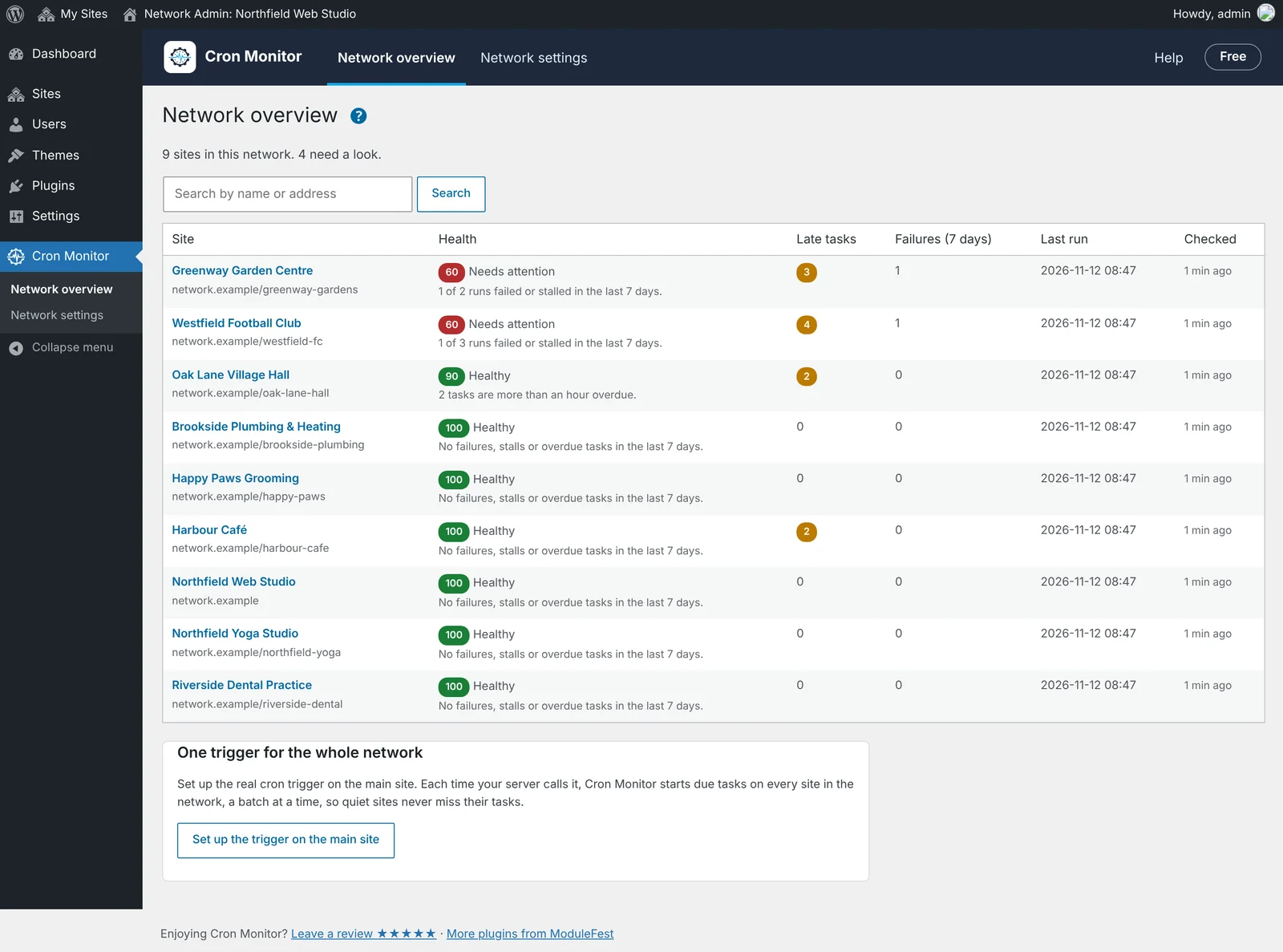
Tutti i siti in una schermata
Network Admin › Cron Monitor elenca ogni sito della rete con il punteggio di salute, le attività in ritardo, gli errori degli ultimi 7 giorni e l'ultima esecuzione delle attività. I siti meno in salute sono in cima, così vedi subito quelli da controllare.
- Un punteggio di salute per ogni sito, con il motivo in parole semplici.
- Attività in ritardo ed errori contati per ogni sito.
- Apri il Cron Monitor di qualsiasi sito direttamente dalla sua riga.
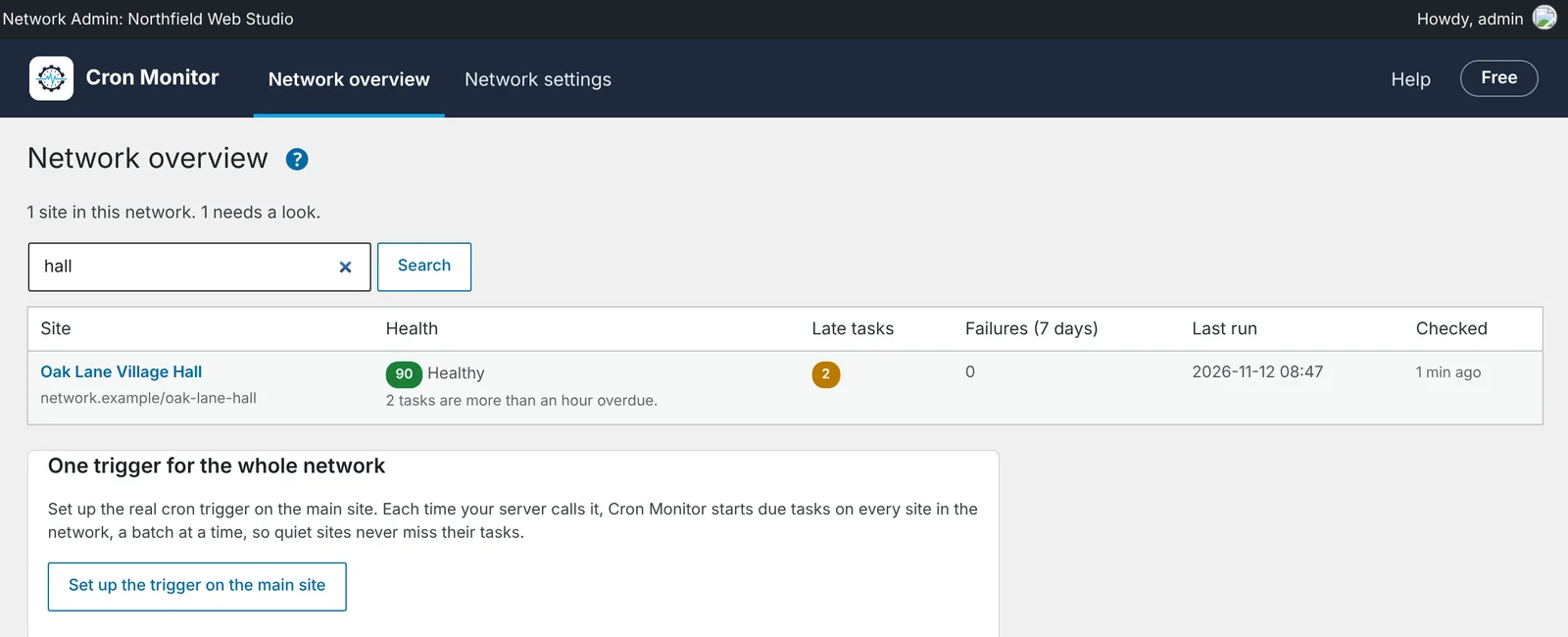
Trova un sito in una rete grande
Cerca per nome o indirizzo di un sito per raggiungerlo subito, qualunque sia il numero di siti della rete.
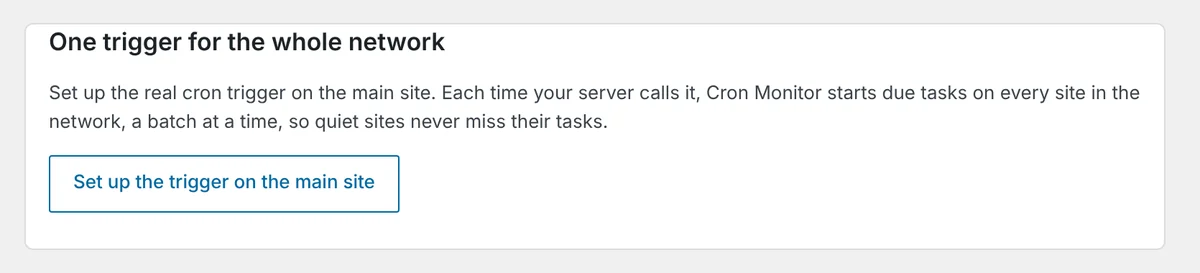
Un unico vero trigger cron per tutta la rete
Configura il vero trigger cron una sola volta, sul sito principale. Ogni volta che il server lo chiama, Cron Monitor avvia le attività in scadenza su ogni sito della rete, un gruppo alla volta, così i siti tranquilli con pochi visitatori non perdono mai le loro attività.
- La procedura guidata del sito principale ti dà l'indirizzo del trigger e la riga crontab.
- I nuovi siti impostano da soli il registro delle esecuzioni e il controllo dei blocchi.
- Eliminando il plugin si ripulisce ogni sito.
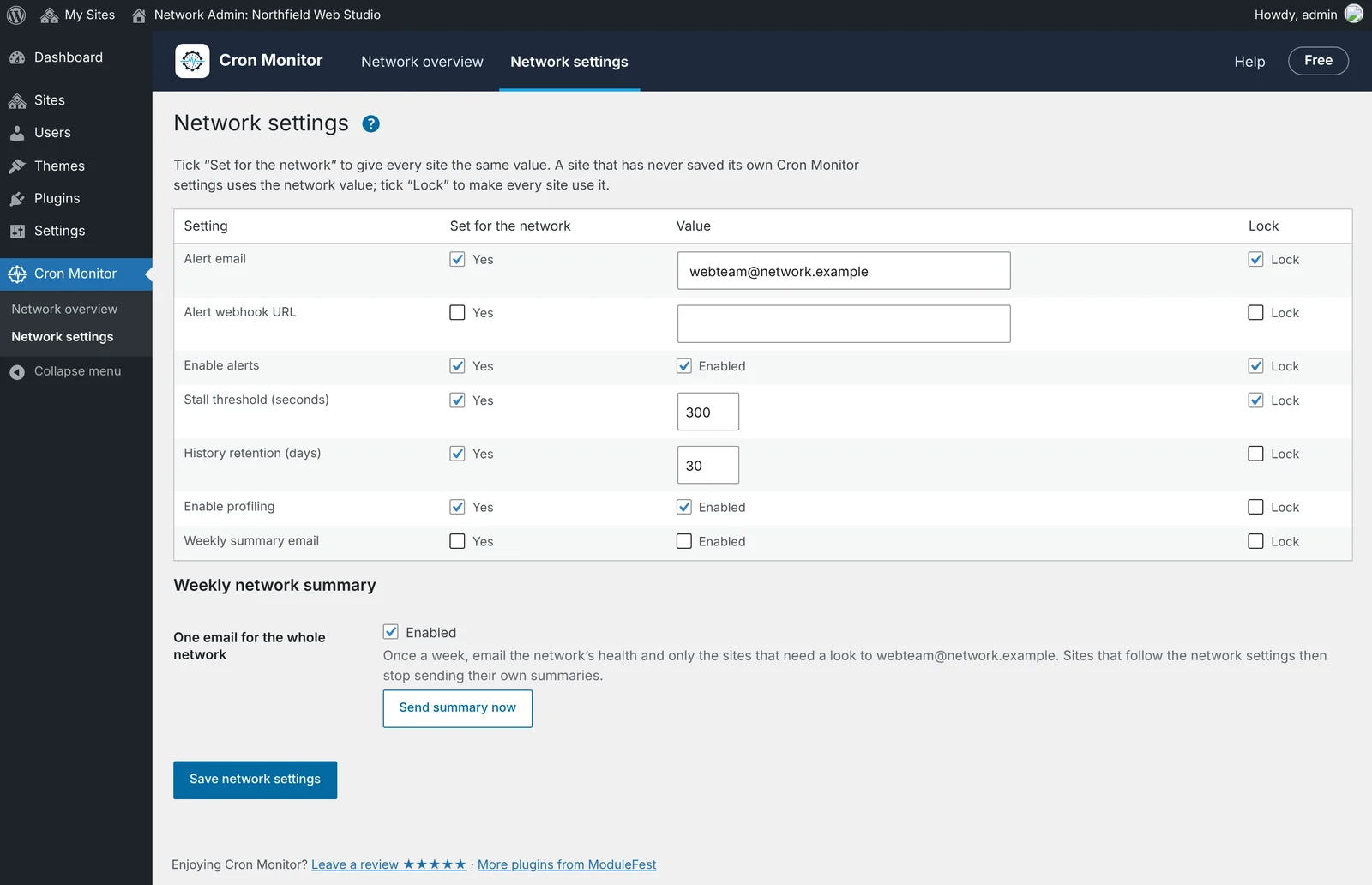
Impostalo una volta per tutti i siti
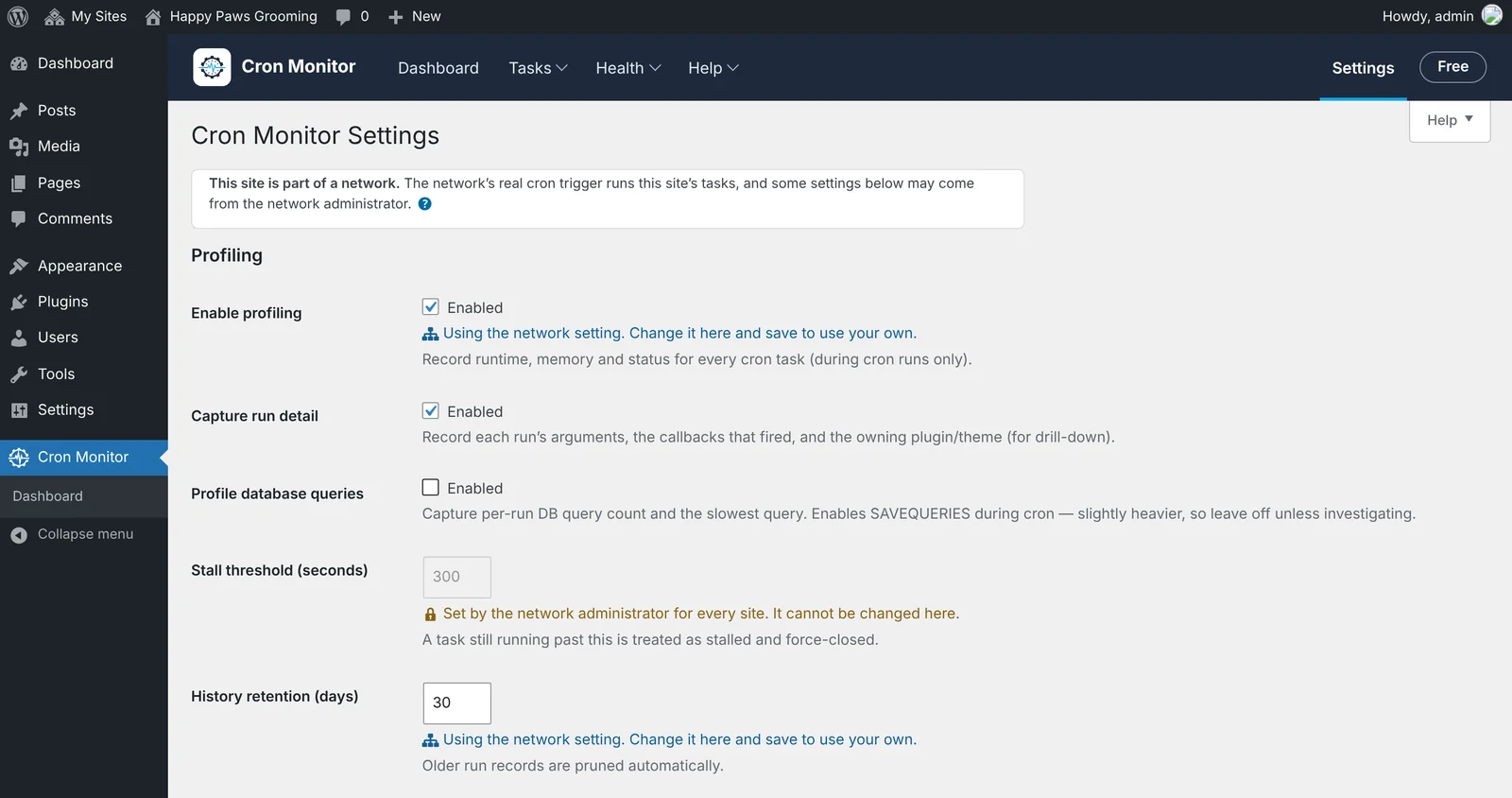
Le impostazioni di rete ti permettono di scegliere email di avviso, webhook di avviso, soglia di blocco, durata della cronologia, profilazione e riepilogo settimanale per tutta la rete. Un sito che non ha mai salvato le proprie impostazioni di Cron Monitor usa quelle della rete. Spunta «Lock» e ogni sito le usa.
Cosa vede l'amministratore di ogni sito
Su ogni sito, le impostazioni di Cron Monitor indicano quali valori arrivano dalla rete. Le impostazioni bloccate sono in grigio con una nota. Le altre mostrano che seguono la rete, e l'amministratore del sito può cambiarle per il proprio sito.
Un'unica email settimanale per la rete
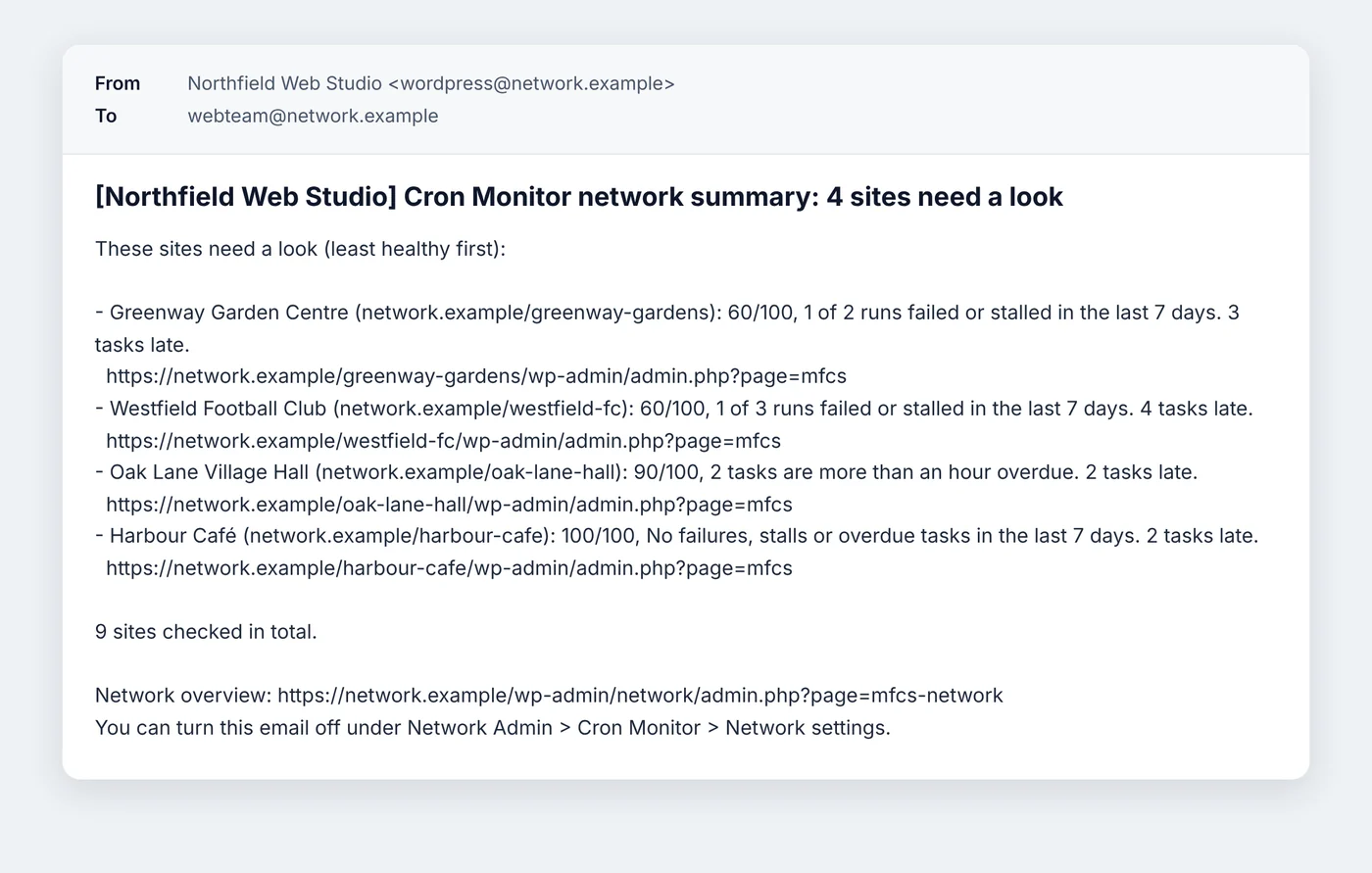
Invece di un'email da ogni sito, attiva il riepilogo settimanale della rete. Elenca solo i siti da controllare, i meno in salute per primi, ciascuno con un link al suo Cron Monitor. I siti che seguono le impostazioni di rete smettono di inviare i propri riepiloghi. Inviane uno subito dalle impostazioni di rete per vederlo.
Anche dalla riga di comando
Controlla o esegui tutta la rete con WP-CLI:
wp cronmonitor health --network
wp cronmonitor run --network
Anche nella 1.15, per le agenzie
Gestisci siti di clienti che non sono in un'unica rete? La 1.15 ha strumenti anche per questo:
- Ogni sito cliente può attivare un link di stato in sola lettura, protetto da una chiave segreta.
- Vedi lo stato delle attività pianificate di tutti i siti cliente in una panoramica Agenzia.
- Ricevi un avviso quando le attività di un sito cliente non stanno bene, con il nome del cliente in avvisi e riepiloghi.
- Stampa o salva un rapporto di salute di una pagina per un cliente.
Come ottenerlo
Il supporto multisito è disponibile da Cron Monitor 1.15. Aggiorna da Plugin › Aggiornamenti, oppure installalo gratis da WordPress.org, poi attivalo sulla rete in Network Admin › Plugins per vedere le schermate di rete. Su un sito singolo non cambia nulla.
Novità da allora
- 1.26.2: Le schede di chat condivise non mostrano più Cron Monitor come mittente Discord; Cron Monitor mantiene la vecchia email di avviso e il webhook dopo che un altro strumento modifica quelli condivisi
- 1.23.0: Am warned when a repeating task stops running; Spot tasks that are getting slower; Export run history as a CSV
- 1.20.0: See a 24-hour timeline of when tasks will run; Set quiet hours for heavy tasks; Share a read-only status page with a client
- 1.18.0: Open a page for each task with its history and chart; See Cron Monitor's health on the WordPress Dashboard
- 1.17.1: Remove leftover tasks from plugins I switched off or deleted; See 14-day trend charts on the Dashboard; Leftover tasks listed tasks from active plugins that only load their code during cron
Note di rilascio
1.15.1November 12, 2026
Site names with an apostrophe now read correctly in the weekly network summary email. A name such as St Mary's FC used to show a code in place of the apostrophe; it now reads as it does in WordPress.
To see it on a multisite network:
- Go to Network Admin › Cron Monitor › Network settings.
- Under Weekly network summary, press Send summary now.
- Open the email and check the site names.
There is nothing to change: the next weekly summary uses the corrected names.
1.15.0November 12, 2026
You can now securely share your website's cron health status with your agency without exposing any sensitive data. Go to Tools > Cron Monitor to find the new settings.
- Turn on the status link toggle to generate your unique address and secret key.
- Copy and share both details with your agency so they can monitor your site's cron health.
- Generate a new secret key or switch off the link entirely at any time to immediately revoke external access.
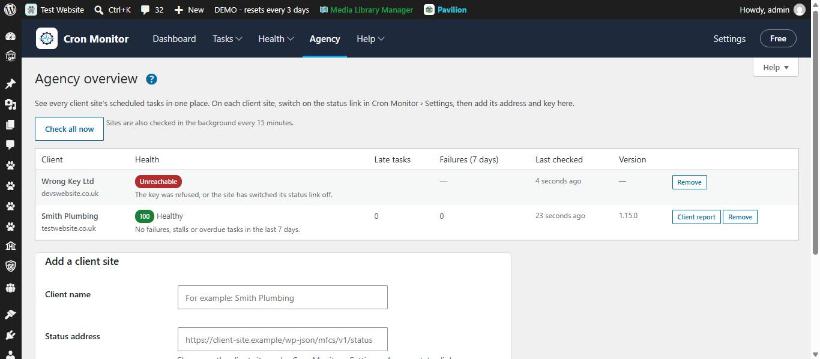
You can now monitor the cron health of all your client websites in one centralized dashboard. Find this feature by going to Cron Monitor > Agency overview.
- Enter your client name, status address, and key into the provided fields to add the site.
- View your connected websites in a single grid automatically sorted with the least healthy sites at the top.
- Review health statuses, late tasks, failures, last checked times, and plugin versions at a glance.
- Edit or remove existing client sites using the management options next to each entry.
You can now receive instant alerts when a client site's background tasks become unhealthy or go offline.
Find this in Main Menu > Agency > Settings > Alerts.
- Scroll to the client site notifications section.
- Enable email or webhook alerts for site health changes.
- Save your changes to start receiving notifications when a site needs attention or recovers.
You can now personalize your alert emails and weekly summaries with a custom client or site name.
Find this in Settings > General.
- Enter your preferred client or site name in the designated field.
- Save your changes.
Alerts, webhooks, and weekly summaries will now lead with this name, defaulting to your standard site title if left blank.
You can now easily generate, print, and save a clean, one-page cron health report to share with your clients.
You can find this feature in two places: on your main plugin Dashboard, or per site inside the Agency overview.
- Navigate to the plugin Dashboard or your Agency overview.
- Click the Client Report button.
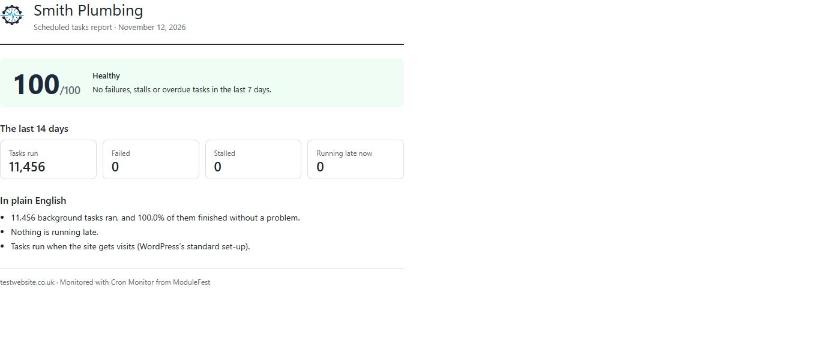
- Review the health score, recent run history, late tasks, and cron mode.
- Press your browser's print command to print the report or save it as a PDF.
You can now check the health of all your network sites or run due tasks across the whole network at once.
Find it via Tools › Cron Monitor.
- Run health checks or run due tasks for every subsite in one go.
- Get a clear one-line report for each site showing scores, late tasks and failures.
- Output results in JSON format if you use custom scripts.
You can now run scheduled tasks on every site across your network from one place so nothing gets missed.
Go to Tools › Cron Monitor.
- Go to your main network dashboard.
- Open the monitor screen to view every site queue together.
- Set a single trigger to run tasks for all subsites on time.
- Quiet sites now run scheduled posts, emails and clean-ups reliably.
- You no longer need to rely on site visits to run background tasks.
You can now view the cron health of all your separate client sites in one grid on your own agency site.
Find this at Tools › Cron Monitor.
- Go to your agency site and open the settings screen.
- Generate a connection key.
- Paste the key into the plugin settings on each client site to link them.
- You will receive alerts if a cron job fails on any connected site.
- You can generate simple reports for your clients directly from the grid.
- Your data goes straight between your sites with no middle service.
ModuleFest Cron Monitor
The control tower for your site's scheduled tasks.
Altre notizie
 Nuova funzionePet Groomer 2.77: Account credit and monthly billingManage advance payments and bill chosen clients just once a month.Guarda le novità →
 Nuova versioneModuleFest Pet Walker 2.771.222I clienti possono ora pagare in anticipo e saldare le proprie fatture utilizzando il saldo. Anche in questa versione: pagamento mensile posticipato: una sola fattura a…Guarda le novità →
 Nuova versioneModuleFest Trades Business Manager 0.14.42Jobs, quotes, invoices and stock for tradesGuarda le novità →