









 New features
Rink accounts, roll-up draws, the AGM and more for bowls clubs
Pavilion has grown a lot this autumn: rink accounts members top up themselves, roll-up teams drawn from whoever turns up, lifts to away matches, and for the committee the AGM, association returns, member credit and a yearbook to end the season.
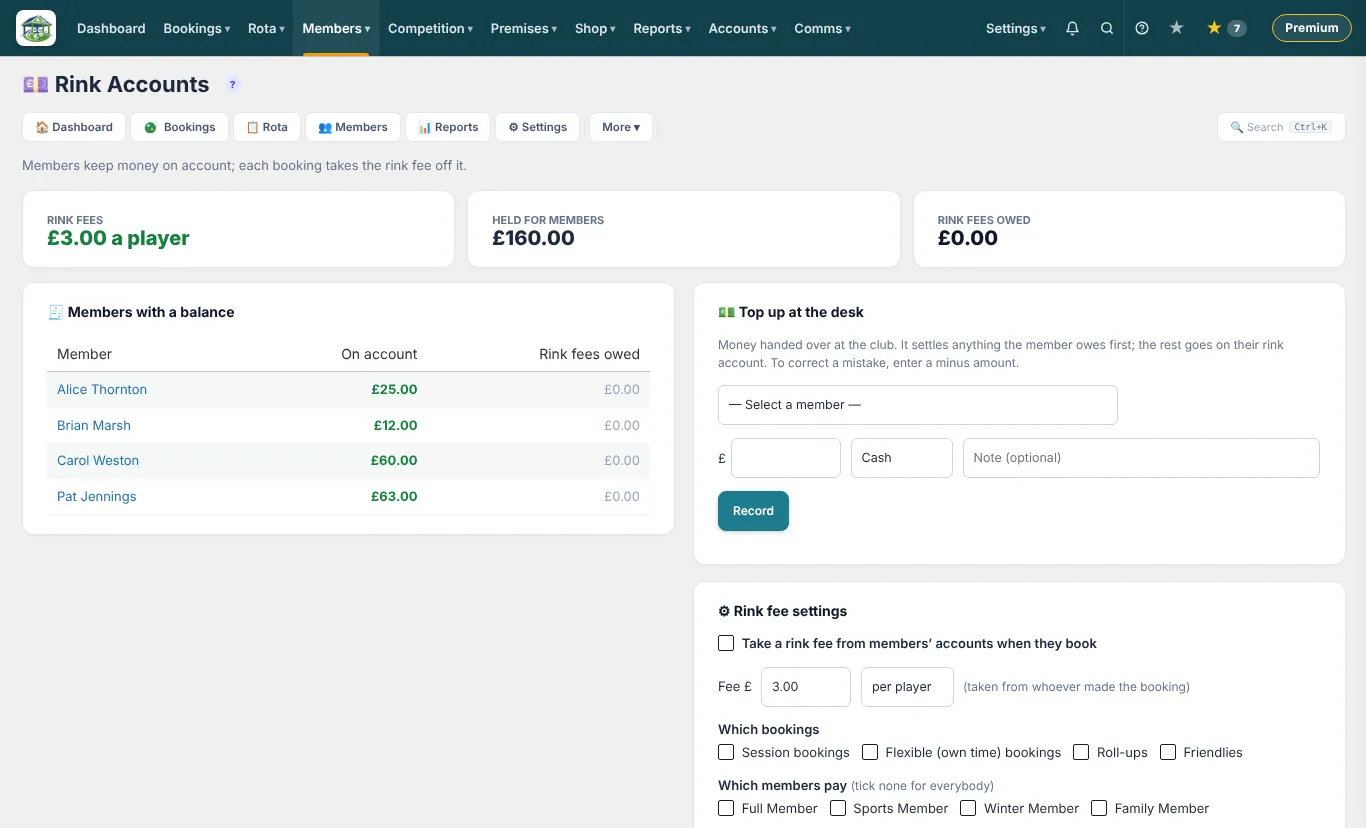
Rink accounts
Set a rink fee and each booking takes it from the member's rink account. Members see their balance and top up from the members' app.
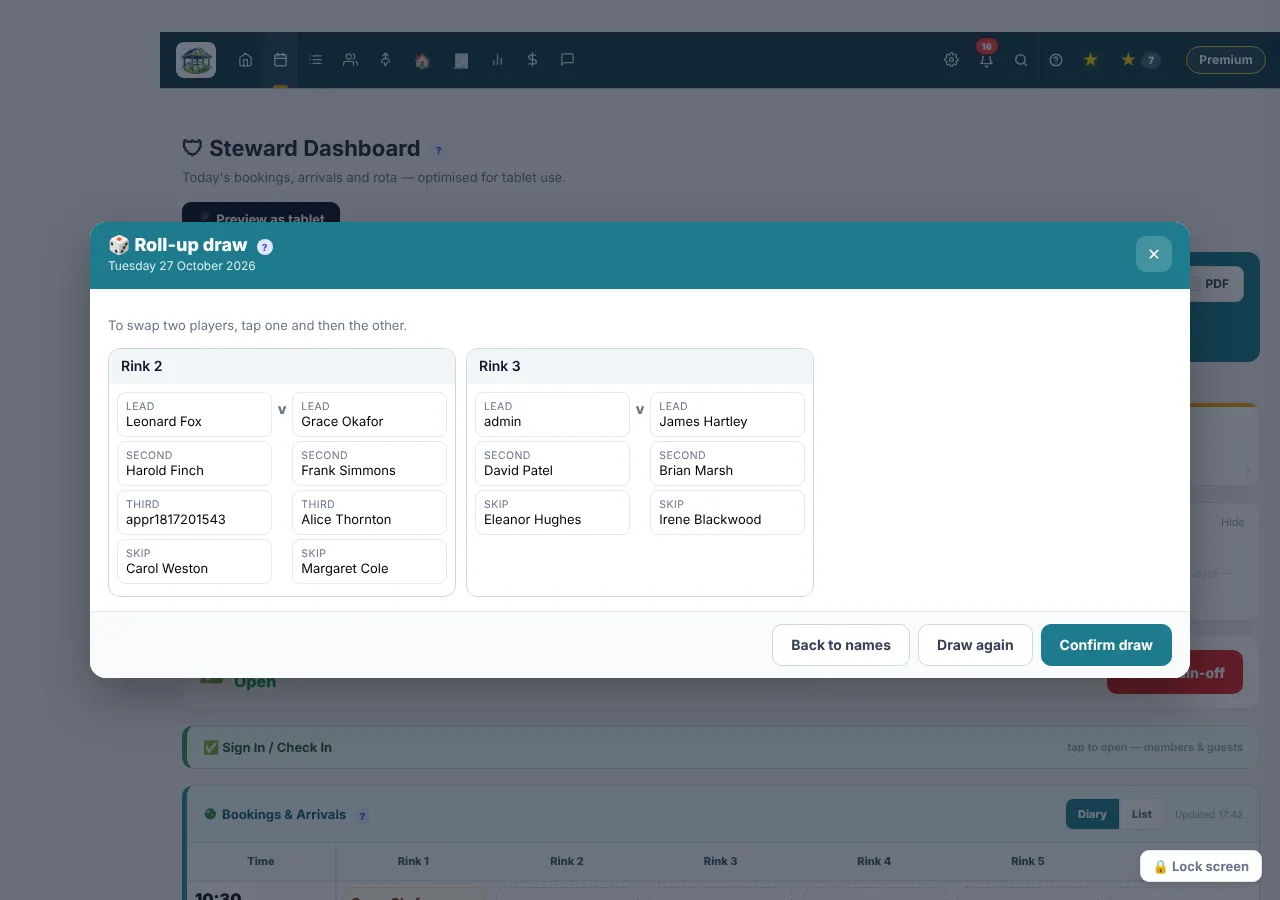
Roll-up team draw
Members tap in as they arrive, and the organiser draws the rinks from who is there, with positions balanced.
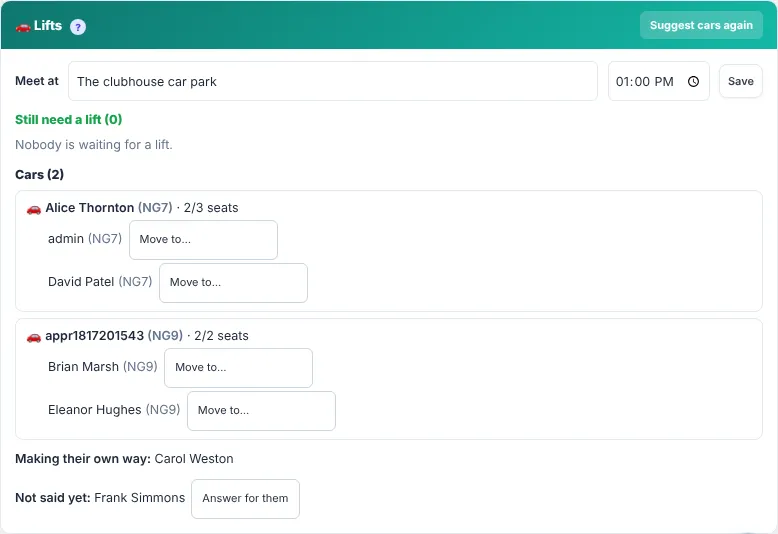
Lifts to away matches
Players say whether they can drive, need a lift or are making their own way, and the captain sees every car.
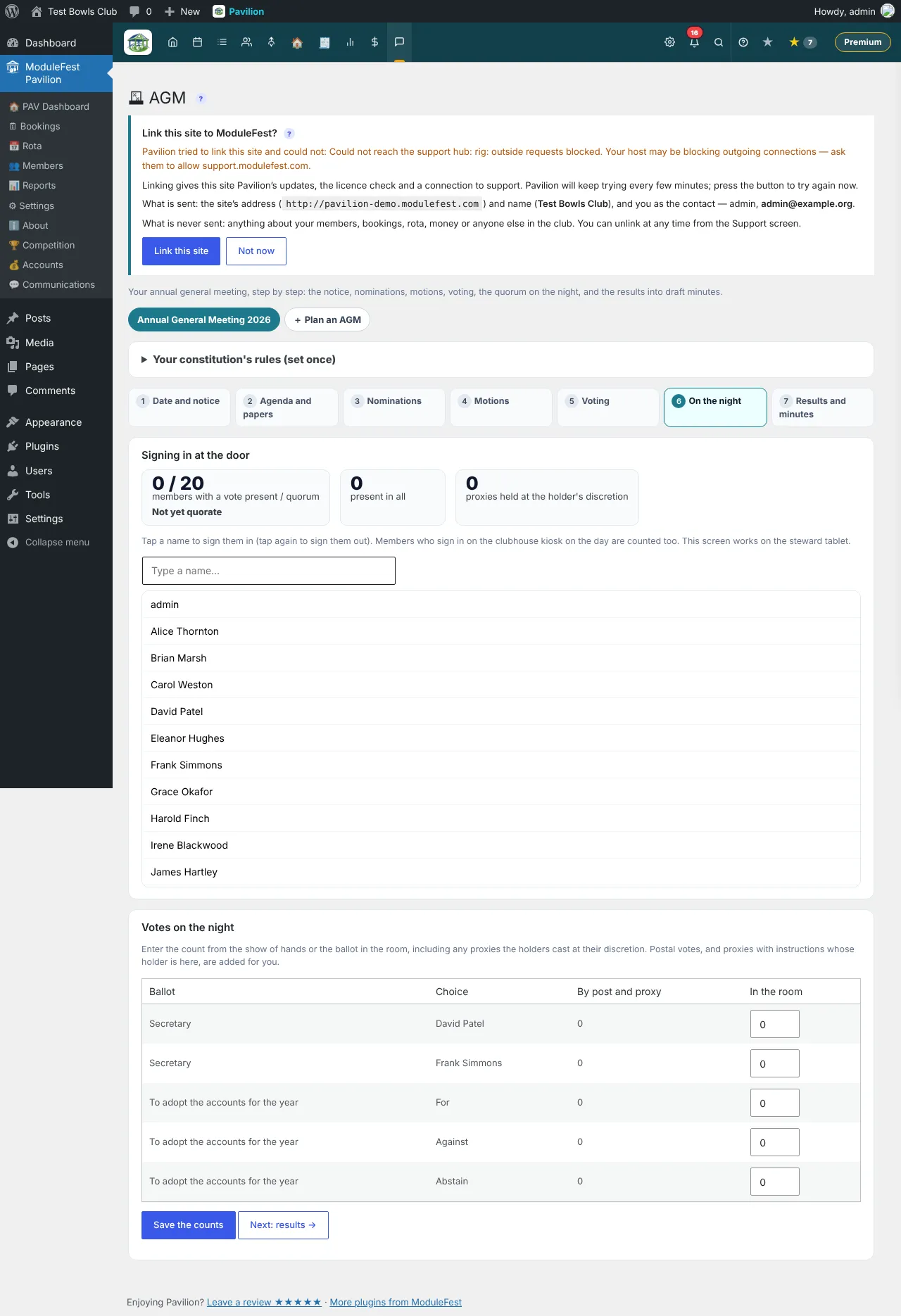
The AGM, from notice to minutes
Send the notice, gather nominations and motions, record attendance and votes, and publish the minutes. Each member gets their own link. On the Premium plan.
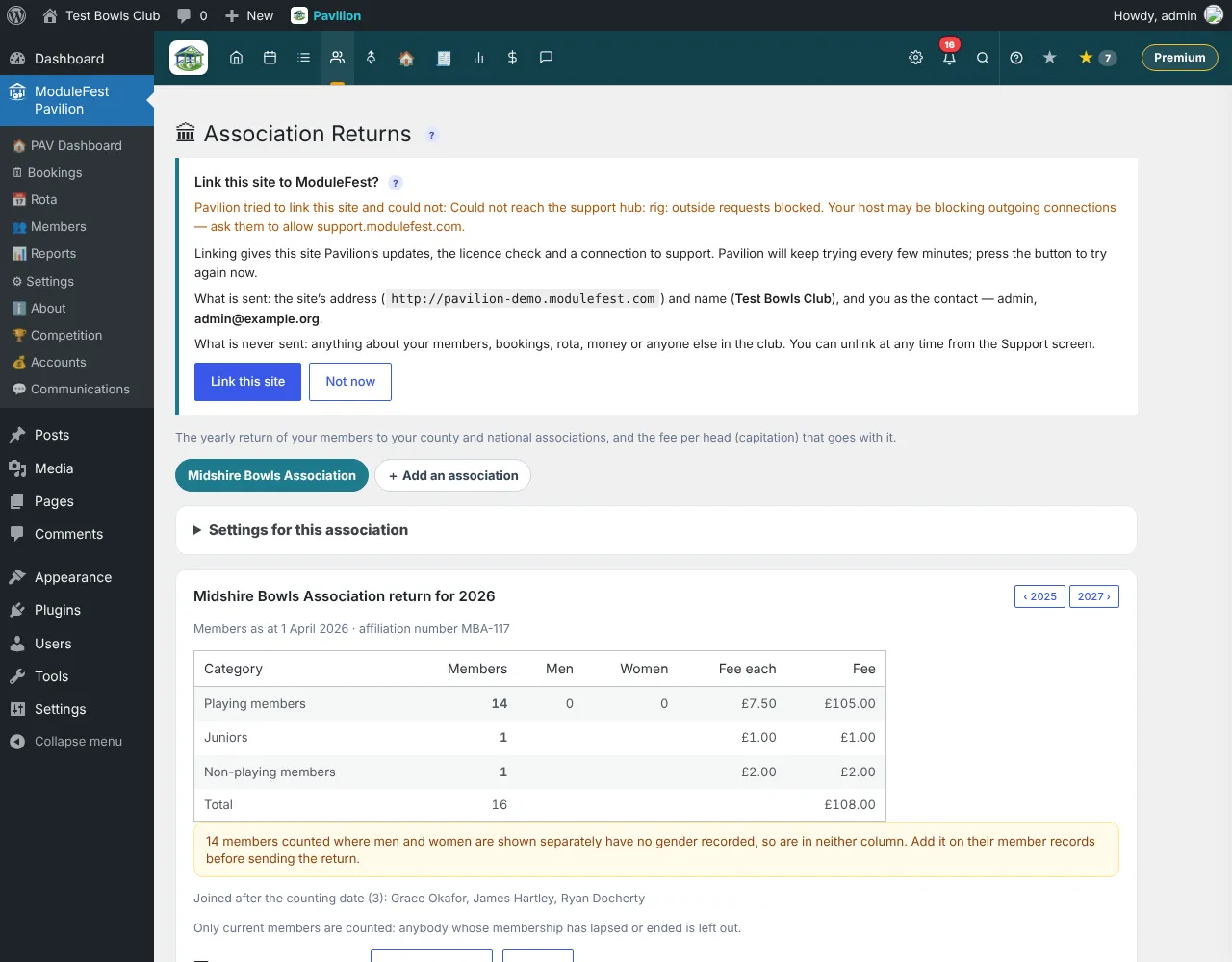
Association returns
County and national returns counted the way the associations ask, with the capitation payment worked out. On the Premium plan.
A yearbook, sponsors and letters
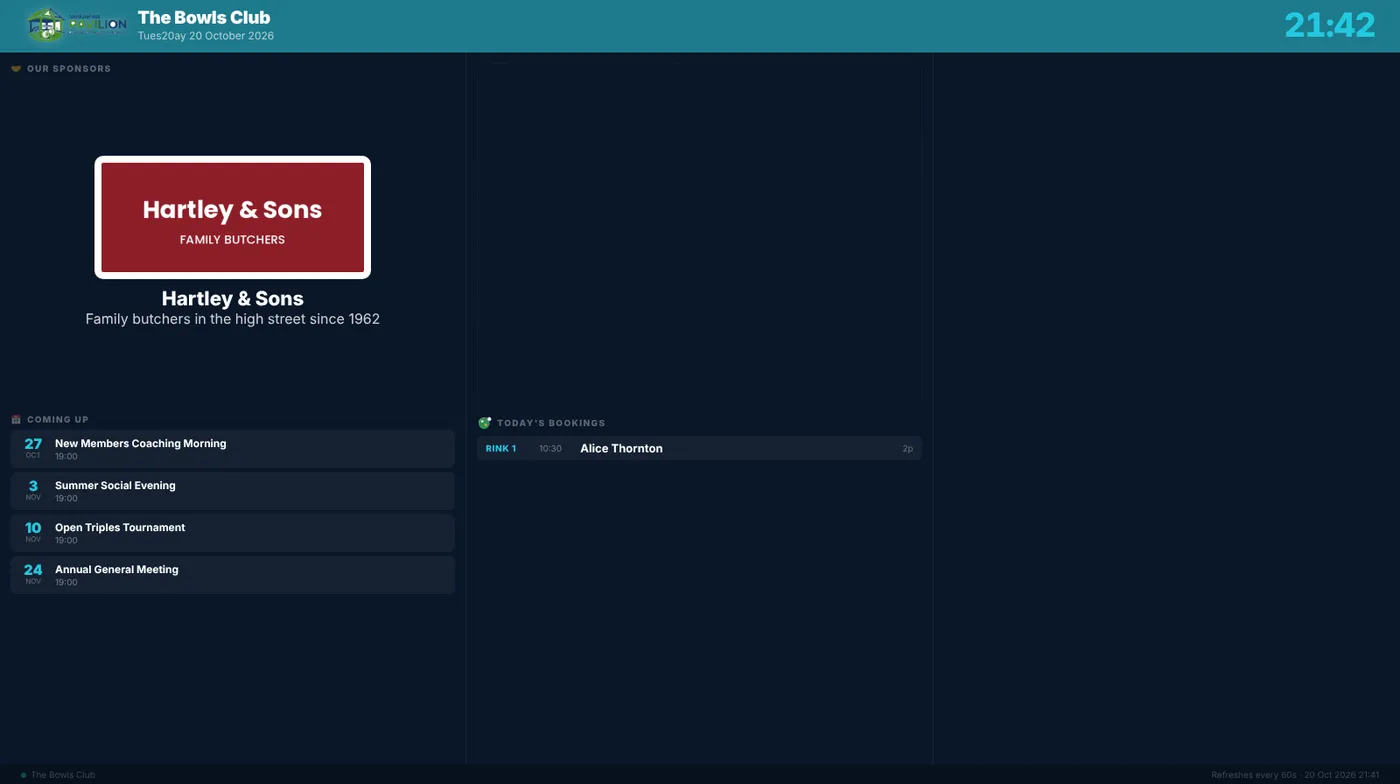
An end-of-season yearbook online and in the app, sponsors on the website, TV panels and app, and letters filled in from each member's record.
Credit and charges
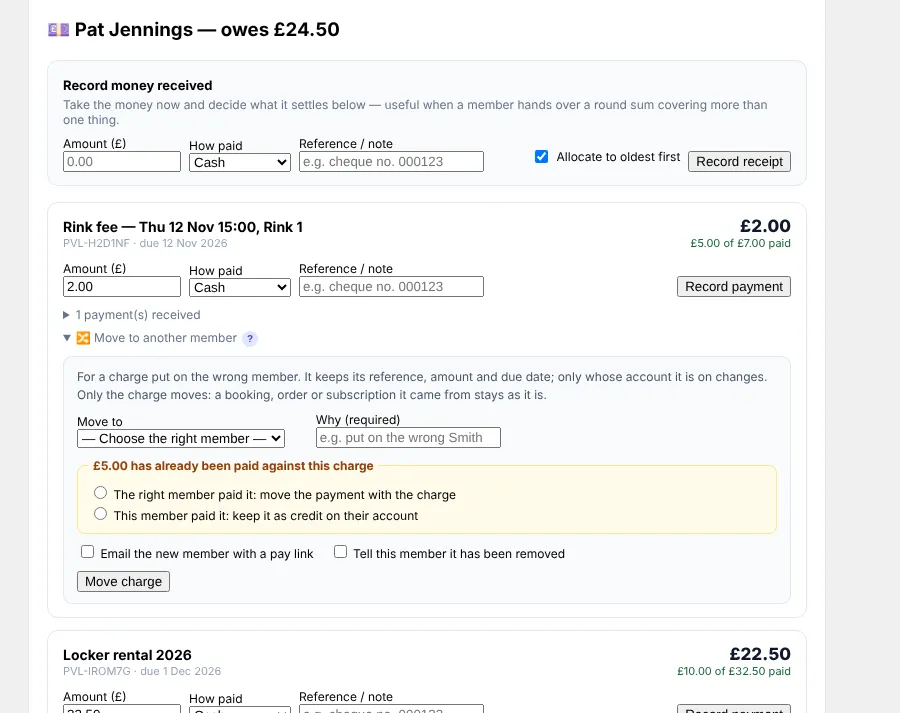
Put credit on a member's account without a payment, and move a charge to the right member instead of cancelling it, each with optional manager approval.
Note di rilascio
10.88.0November 8, 2026
Give a member credit on their account without being paid.
For a goodwill gesture, an event or booking the club called off, a volunteer's thank-you or a prize, the club can now put credit on a member's account. It is used against what they owe.
Where: Members › Take a payment.
- Choose the member.
- Open Give a credit (no money).
- Enter the amount, choose the kind of credit and say why.
- Leave Use it now against what they owe ticked to settle their charges straight away, and tick Tell the member to send them an email and an app notice.
- Press Add credit.
It is listed under Credit given by the club, with who gave it and why. A credit is not money in, so it never goes into the accounts as income, and a charge paid from it is left off Gift Aid claims. A credit added by mistake can be removed, with a reason, while it is still unused.
If a member has paid you money, use Record money received instead.
10.87.0November 8, 2026
Move a charge to the right member when it was put on the wrong account.
A charge put on the wrong member (two members with the same surname, or a family member's charge on the parent) can now be moved instead of cancelled and raised again. It keeps its reference, amount and due date, and both members' balances change at once.
Where: Members › Take a payment.
- Choose the member the charge is on now.
- Under the charge, open Move to another member. For a paid charge, open Paid charges in the last 12 months first.
- Choose the right member and say why.
- If something has been paid, say who paid: the right member (the payment moves with the charge), or this member (it stays on their account as credit).
- Tick whether to email the new member a pay link and tell the first member, then press Move charge.
Each move is listed on both members, on the charge and in the audit trail.
Optional manager approval
Clubs with Expenses & approvals can configure Charge moves on the Approvals screen. A move then waits for an approver and nothing changes until it is approved. A rejection leaves the charge where it was, nobody can approve their own move, and you can set an amount below which moves happen straight away (under Approval for moving charges on Take a payment).
10.84.0October 31, 2026
You can now automatically generate your county and national association membership returns and calculate capitation fees. Find this in Pavilion > Memberships > Association Returns.
- Go to Settings to choose your associations, counting date, and fee per head.
- Map your membership types to the categories required by your association.
- Review the calculated member counts and total fees owed as of the counting date.
- Download the completed return as a spreadsheet or PDF.
- Record your payment to automatically add the expense to your accounts ledger.
10.83.0October 30, 2026
You can now easily coordinate travel for away matches by offering or asking for car lifts. Go to Members > Fixtures and open any away game.
- Click "I can drive" to share your available seats, or click "I need a lift" to request a ride.
- View your assigned car group, driver, and meeting details directly in the app or your selection email.
Captains can review full travel lists and easily manage passenger assignments if schedules change.
10.82.0October 27, 2026
You can now automatically draw balanced roll-up teams from the members who have checked in on the day. Go to Bowling > Roll-Ups.
- Select your game format and tap Draw to generate mixed teams based on experience and recent partnerships.
- Resolve any odd numbers by choosing from the suggested rink fixes.
- Review the teams, make any manual player swaps if needed, and confirm the draw to instantly update the clubhouse TV, rink sheets, and member apps.
10.77.0October 20, 2026
New: As a treasurer I set a rink fee that bookings take from members' rink accounts. You can now each rink booking to take the rink fee from the member's prepaid rink account, so that nobody has to collect coins at the door or chase fees afterwards.
Edit this text so it says where to find it and the steps to use it.
New: As a member I top up my rink account from the app. You can now to see my rink account balance and top it up from my phone, so that I always have enough on account to book a rink.
Edit this text so it says where to find it and the steps to use it.
ModuleFest Pavilion
Gestione completa del club di bocce, tutto in un unico posto
Altre notizie
 Nuova funzionePet Groomer 2.77: Account credit and monthly billingManage advance payments and bill chosen clients just once a month.Guarda le novità →
 Nuova versioneModuleFest Pet Walker 2.771.222I clienti possono ora pagare in anticipo e saldare le proprie fatture utilizzando il saldo. Anche in questa versione: pagamento mensile posticipato: una sola fattura a…Guarda le novità →
 Nuova versioneModuleFest Trades Business Manager 0.14.42Jobs, quotes, invoices and stock for tradesGuarda le novità →